Kit Installation
2-8 February 2016 | 256574-ENG
R01
2.2.2.5 Installing the Wire Shelf Supports
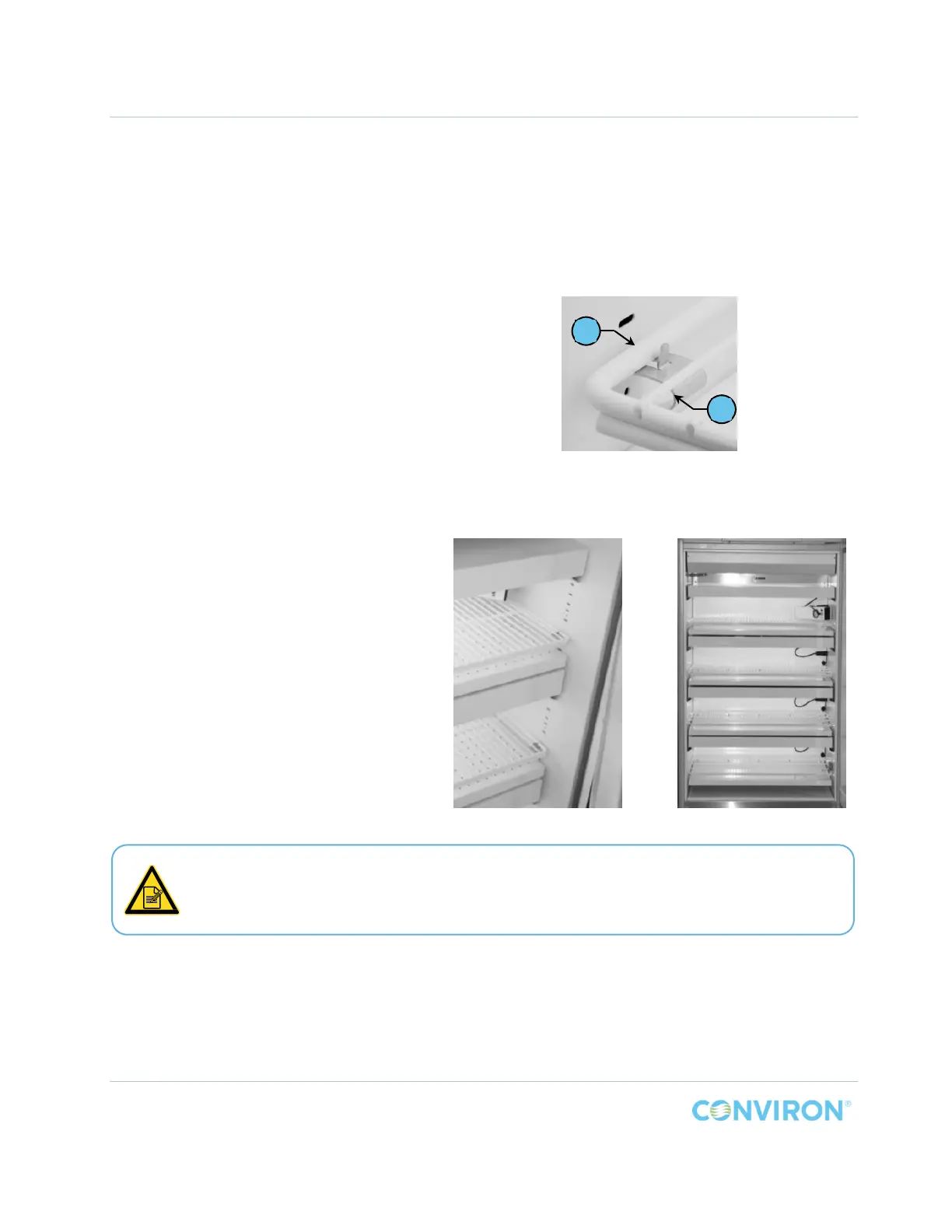
The four wire shelves are held in place by four support brackets attached to the chamber wall.
Install the wire shelf support brackets into the chamber wall slots, starting at the top of the
chamber.
To install the wire shelf support
brackets:
1. Install the wire shelf support brackets,
Item H into the first and second set of
slots above the top air shelf.
a. Install the support with the flat side
up by hooking the upper tab into
the second slots.
b. Squeeze the bottom of the support
to insert the lower tab into the slot
directly above the air shelf.
2. Place the wire shelf, Item J, over the
support brackets and ensure it sits
between the chamber wall and the
vertical tab (Figure 2-7).
3. Continue installing the remaining wire
shelves.
The chamber is now ready to operate.
Read the startup Instructions carefully
before proceeding with the start up.
Figure 2-7 TC Wire Shelf Supports Detail
Figure 2-8 TC Kit Installed
J
H
The maximum operating levels of light for this kit must be set at the controller. To edit
the factory default setting, refer to the included controller Operator’s Manual.



 To Next Page