Kit Installation
2-22 February 2016 | 256574-ENG R01
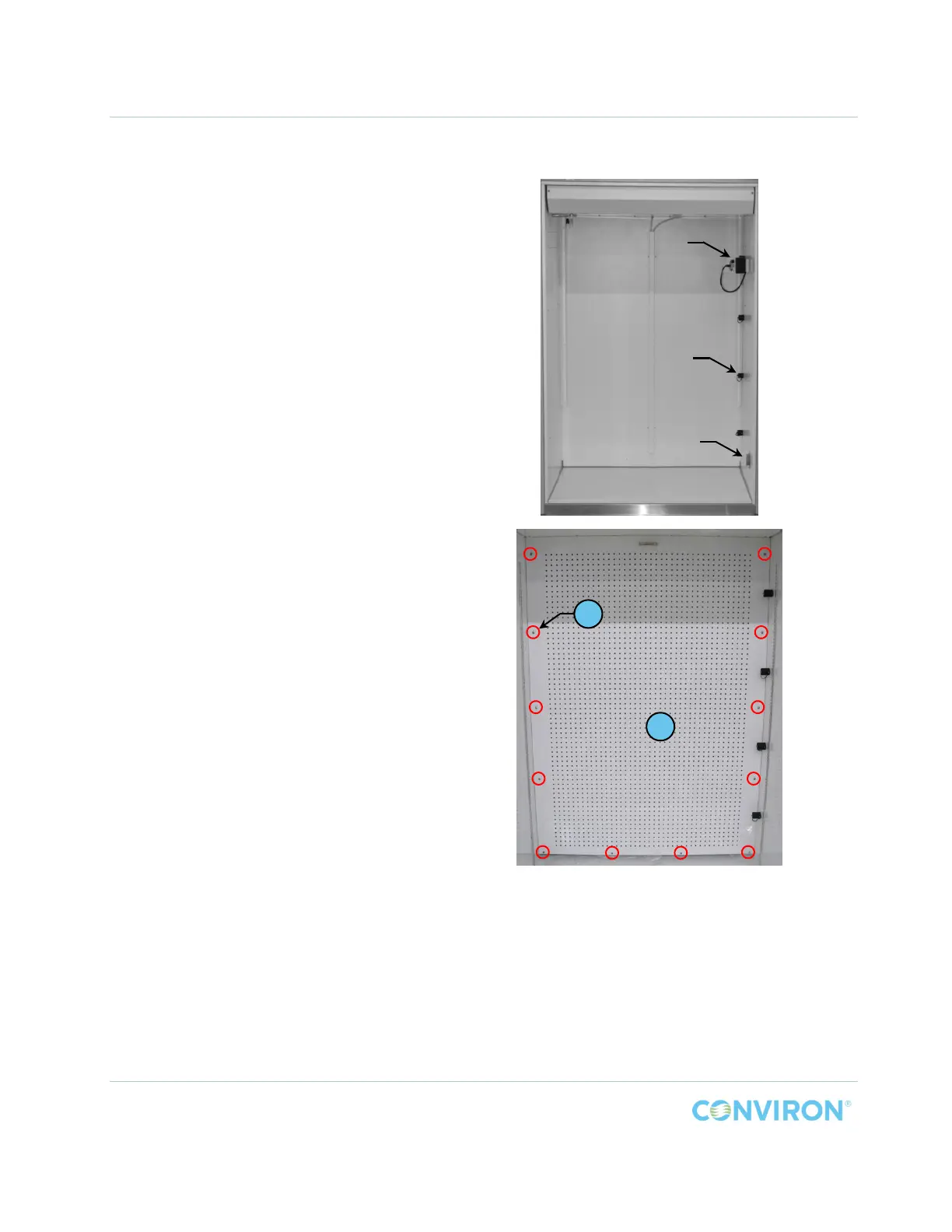
2.4.2.2 Installing the Back Wall Plenum
The back wall plenum closes the front of
the chamber plenum to distribute air
evenly throughout the chamber.
To install the back wall plenum:
1. Remove the rubber instrumentation
port plug from the inside wall and
temporarily re-install it in the port on
the outside wall.
2. With the plenum handle at the top and
the short flanges towards the back
wall, gently slide the back wall
plenum, Item B, into the chamber.
3. Position the plenum at a slight angle
to clear the protruding lamp
receptacles and the aspirator and
push it into place against the chamber
back wall.
4. Engage the locating pins on the top of
the plenum into the holes in the top of
the chamber.
5. Secure the plenum to the chamber
with twelve (12) screws, Item C
(Figure 2-25).
a. Install the eight (8) vertical screws
loosely to hold the plenum in
place.
b. Gently pry the back wall plenum
upwards to align the four (4)
bottom holes in the plenum with
the holes in the bottom support
and install the screws.
c. Tighten all screws to full
resistance.
Figure 2-25 IN Back Wall Plenum Installed
C
B
spirato
Rubber Plug
Lamp
Receptacles



 To Next Page