Kit Installation
2-14 February 2016 | 256574-ENG
R01
2.3.2.3 Installing the Back Wall Plenum Support
This support is very important because it directs the airflow to the Unifloor™, which in turn
distributes the airflow upwards through the plants.
To install the back wall plenum bottom support:
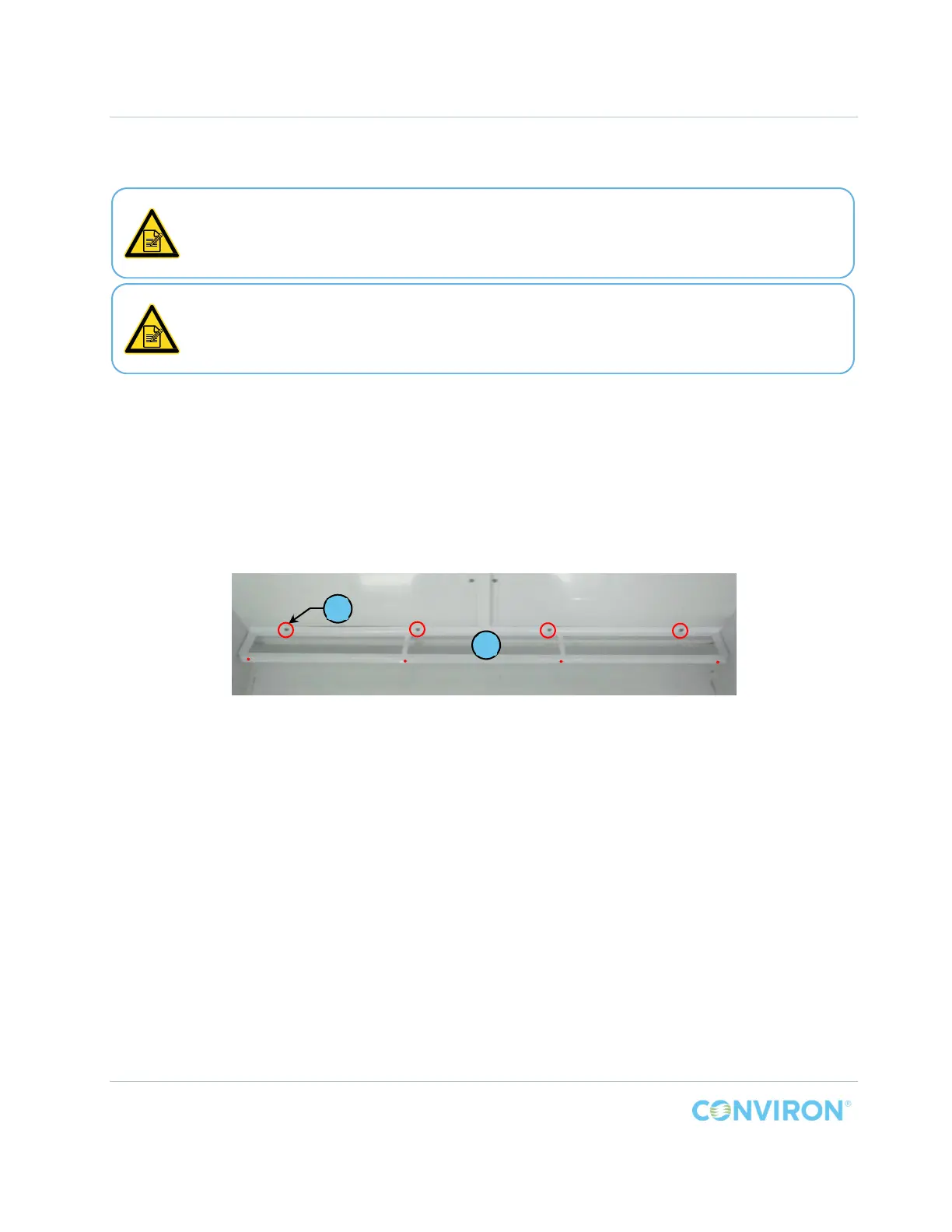
1. Install the support, Item A, onto the back wall of the chamber with four (4) screws, Item C
(circled in Figure 2-15).
2. Install the screws through the rear plate of the support and ttighten these screws to full
resistance.
Figure 2-15 PG Back Wall Plenum Bottom Support Installed
The back wall plenum bottom support and the back wall plenum may be installed at
the factory.
Note the position of the four (4) holes, shown as dots in Figure 2-15, in the front of the
support where the back wall plenum will be fastened to the support.
These holes must face the front of the chamber.
C
A



 To Next Page