Kit Installation
2-12 February 2016 | 256574-ENG R01
To install the canopy fan:
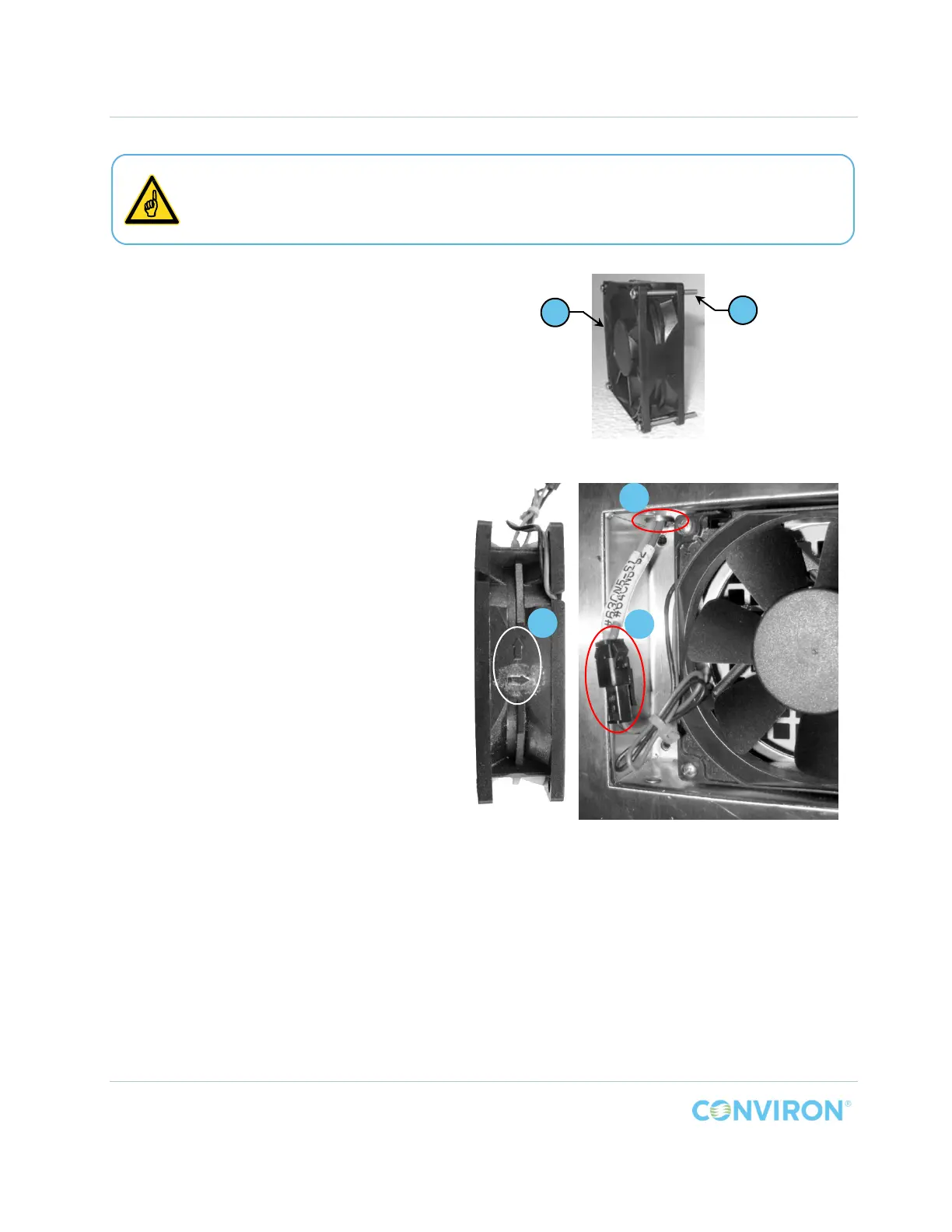
1. Install four (4) screws, Item D, through
the mounting holes of each canopy
cooling fan, Item E (Figure 2-11).
a. Install the fans into the fan cavities
on the right side wall (Figure 2-12)
and tighten the screws to full
resistance.
b. Push the leads of the wiring
harness, Item F, up through the
bushing above the fan (Detail b,
Figure 2-12) and into the
equipment compartment above
the chamber for later connection
to the power supply.
c. Connect the wiring harness to the
fan (Detail c, Figure 2-12) and
ensure the connections ‘snap’
together tightly
Figure 2-11 PG Canopy Fan Pre-installation
Figure 2-12 PG Canopy Fans Installed
Ensure the fan is installed in the correct orientation. Arrows are molded into the fan
housing (Detail a, Figure 4 12) show the correct orientation. Install the fans such that
the air flows from inside the chamber to the outside.
a
b
c
D
E



 To Next Page