A1000 INSTALLATION, OPERATION, & MAINTENANCE MANUAL
February 2016 | 256574-ENG R01 2-13
2.3.2.2 Connecting the Canopy Fans to the Control System
The canopy fans must be connected to the control system to adjust the airflow through the
controller. The top cover must be removed to access connections.
To remove the top cover:
1. Remove the three (3) screws securing
the top cover to the unit and lift the
cover towards the rear of the
chamber.
2. Unplug the top cover ground wire from
the connection on the cover and
carefully remove the top cover from
the chamber.
To connect the fans to the controller:
1. Remove the clear cover from the
AC/DC converter, Item G.
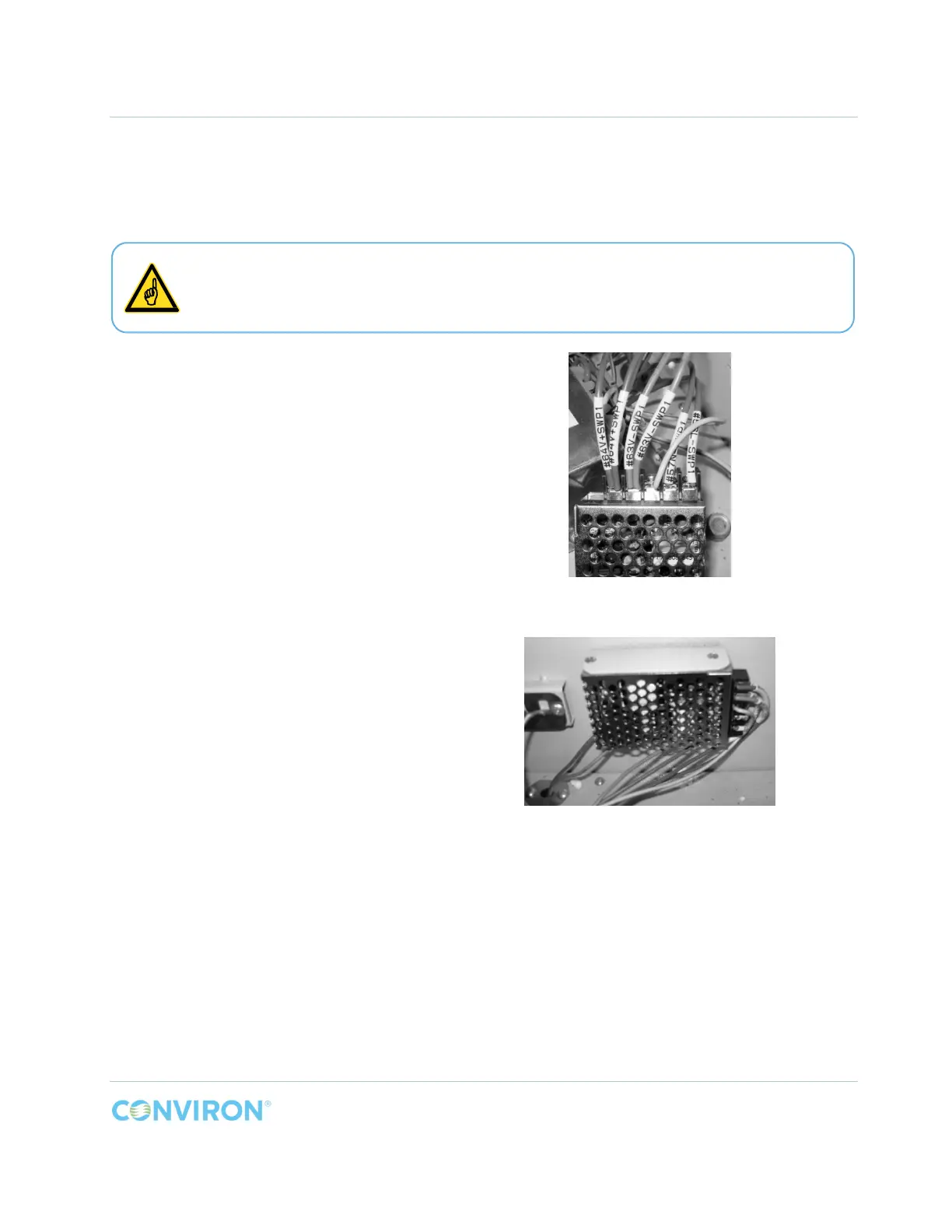
2. Connect the fan wires, ground, and
power wires (Figure 2-13).
3. Reinstall the clear cover onto the
AC/DC converter.
4. Install the AC/DC converter onto the
right side wall using the two (2)
screws, Item H, provided (Figure
2-14).
5. Reinstall the ground wire onto the top
cover and reinstall the cover.
Figure 2-13 PG AC/DC Converter Electrical
Connections
Figure 2-14 PG AC/DC Converter Installed
The top cover is connected to the main ground connection of the chamber by a
ground wire. Do not damage the ground wire or the connector while removing the top
cover.



 To Next Page