4 Operation
Operator manual: Postmix tower
Ribbon
38
Cornelius Deutschland GmbH
Document no. TD0000000
Version: 19/10/2017, Index 3
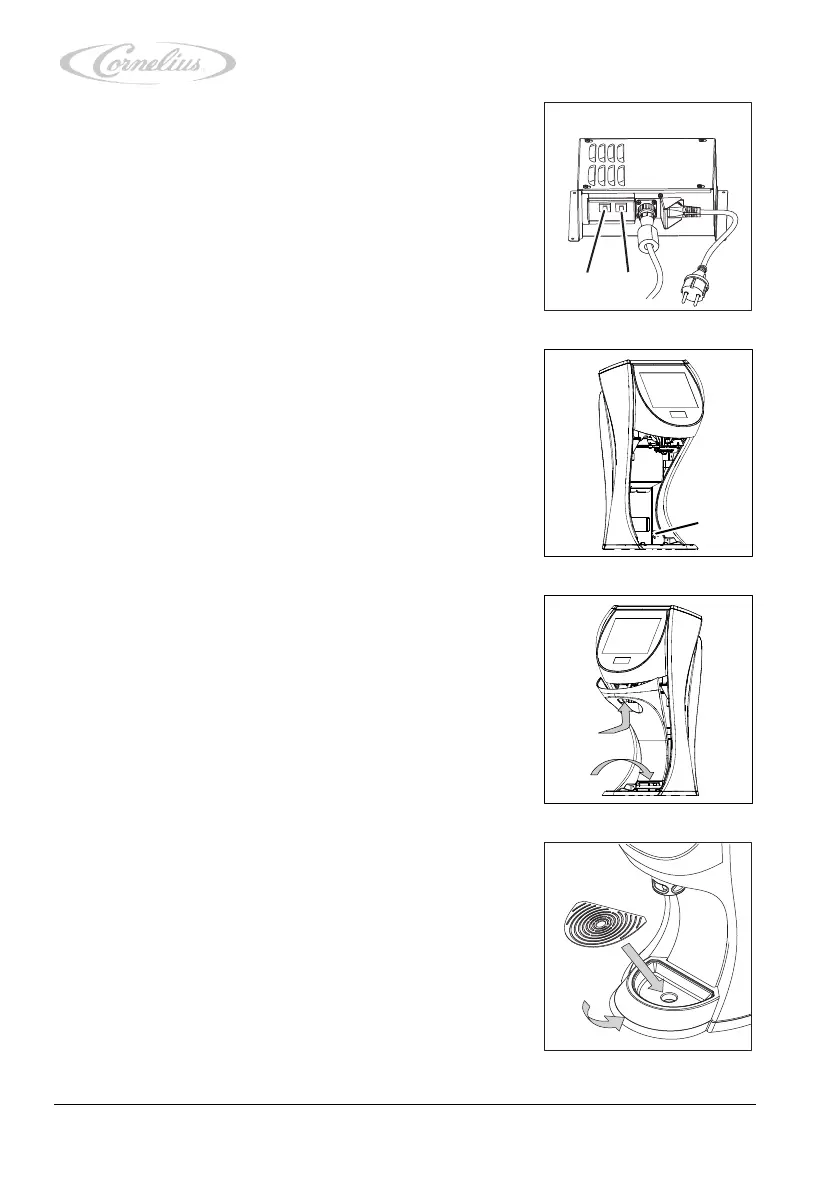
5. Check the E-Box to see if the automatic circuit breakers
(Figure 52/1 and 2) are switched on.
If necessary, switch on the automatic circuit breakers
(Figure 52/1 and 2).
6. Turn the key switch (Figure 53/1) to position “I”.
7. Attach the panel to the unit.
8. Attach the drip tray to the unit.
9. Insert the grill in the drip tray.













 To Next Page