5 Maintenance
Operator manual: Postmix tower
Ribbon
43
Cornelius Deutschland GmbH
Document no. TD0000000
Version: 19/10/2017, Index 3
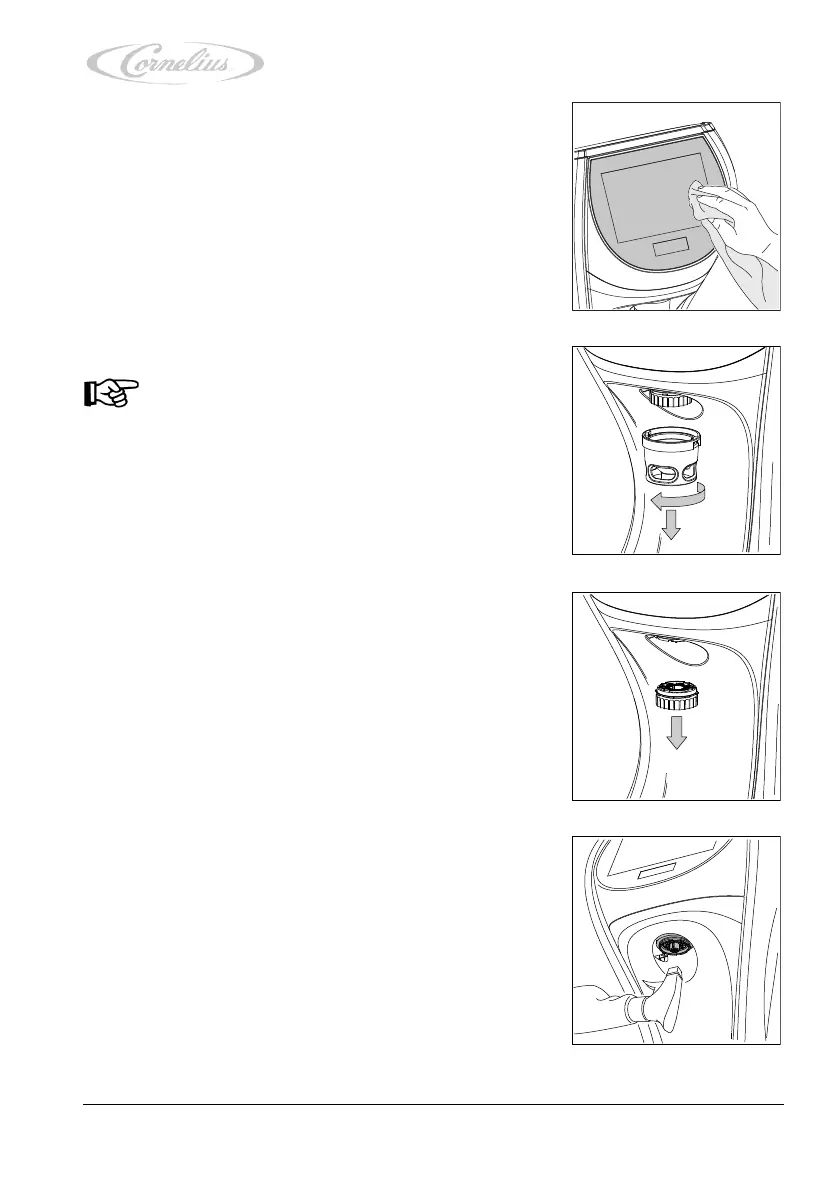
3. To start, clean the touchscreen surface with a clean,
damp cloth.
4. Dry the touchscreen with a paper towel.
5. Unlock the nozzle housing by turning it.
6. Pull the nozzle housing down and out of the unit.
7. Pull the diffusor down and out of the unit.
8. Clean the diffusor mount from underneath with disinfect-
ant.
Notice!
Please use gloves!













 To Next Page