5 Maintenance
Operator manual: Postmix tower
Ribbon
48
Cornelius Deutschland GmbH
Document no. TD0000000
Version: 19/10/2017, Index 3
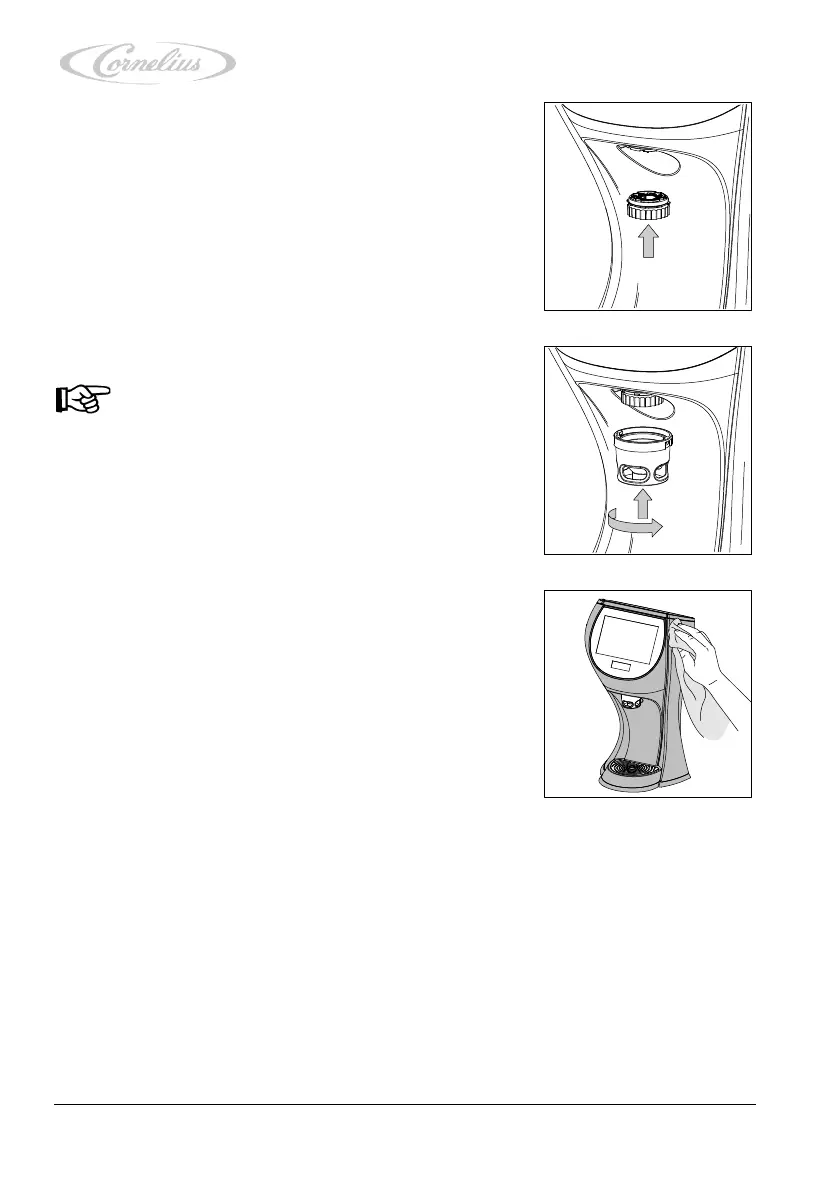
24. Insert the diffusor into the unit.
25. Insert the nozzle housing into the unit, making sure that
the nozzle is straight.
26. Lock the nozzle housing into the unit by turning. Make
sure that the dispensing nozzle is inserted correctly as
otherwise the correct beverage cannot be dispensed.
27. Clean the unit with a clean, damp cloth and, if necessary,
an approved cleaning agent.
28. Dry the unit with a paper towel.
29. Unlock the touchscreen, see chapter 4.3.10, page 34.
30. Exit the service menu, see chapter 4.3.1, page 23.
Notice!
The nozzle housing is easier to insert into the unit if
it is moistened with water beforehand.













 To Next Page