Viper Low overrun Service Manual
© 2016, Cornelius Inc - 47 - Publication Number: 621360241LOEWSE
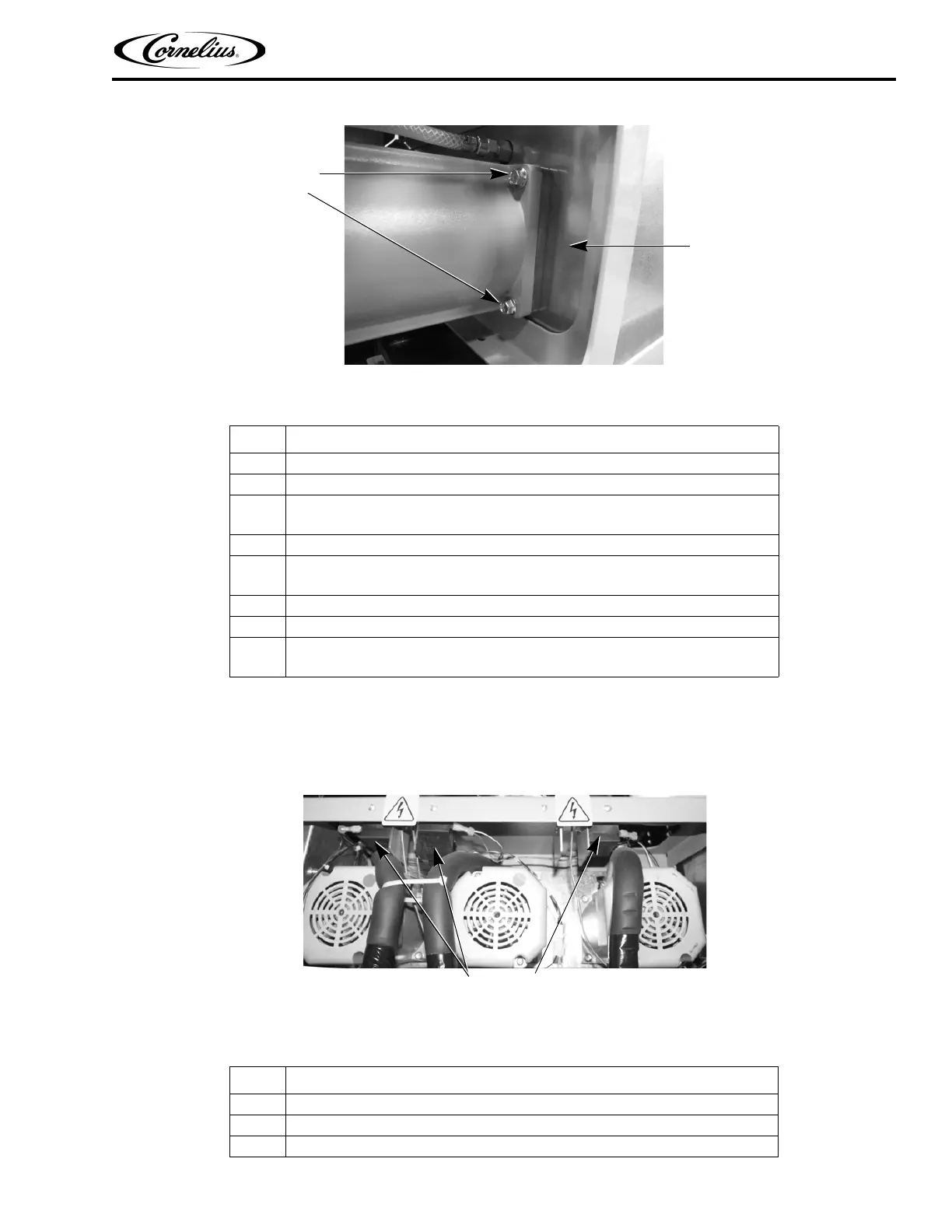
Figure 37. Side View of Motor Showing Two of the Four Mounting Bolts
MOTOR RUN CAPACITOR REPLACEMENT
The motor run capacitors, shown in Figure 38, are mounted at the rear of the unit between the barrel motors. To replace a
run capacitor, perform the procedure in Table 49.
Figure 38. View of Motor Run Capacitors
Table 48.
Step Action
1 Perform the procedure in Steps 1 through 8 of Table 45.
2 Disconnect the motor from the circuit by unplugging the connector.
3
Remove the motor by removing the four (4) bolts holding the motor to the bar-
rel assembly.
4 Install the replacement motor and connect the connector.
5
Replace the motor seal, scraper blade assembly onto the motor shaft in the
barrel, as described in Table 45.
6 Reconnect power to the unit.
7 Refill the barrel with product. See “Filling a Barrel” on page 25.
8
When barrel fill is complete, perform a motor calibration. See “Calibrating a
Motor” on page 32.
Table 49.
Step Action
1 Disconnect power from the unit.
2 Remove the rear cover.
3 Disconnect the spade clips from the defective capacitor.
Barrel Motor
Mounting
Bolts
Foam
Pack



 To Next Page