Viper Low overrun Service Manual
Publication Number: 621360241LOEWSE - 48 - © 2016, Cornelius Inc.
WATER PUMP REPLACEMENT
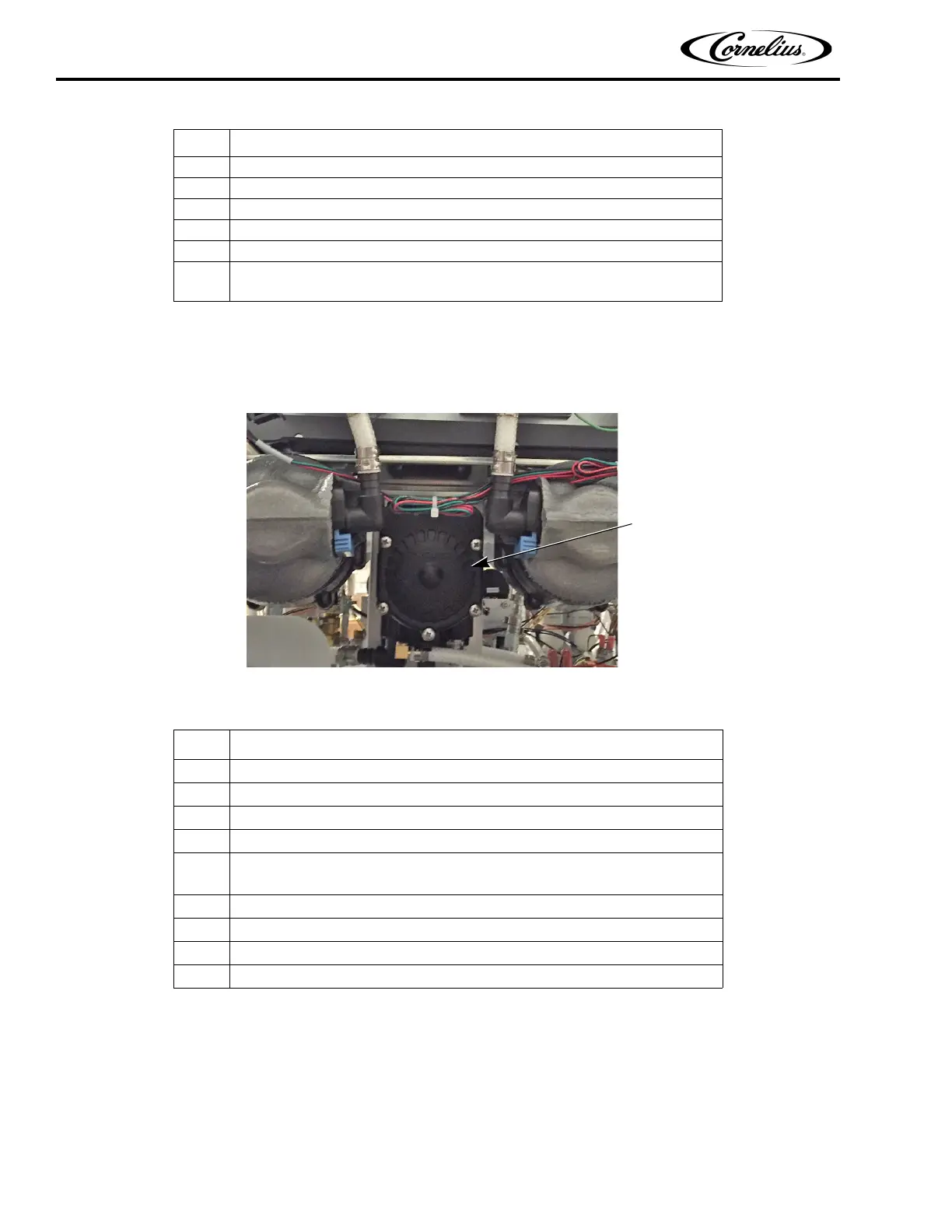
The water pump is located near the rear, center of the unit. It is mounted on a bracket facing the rear of the unit. To replace
the pump, perform the procedure in Table 50.
Figure 39. Rear View of Water Pump
CO2 PULSE VALVE REPLACEMENT
The CO2 valves, shown in Figure 40, are located near the center of the unit and are mounted on a bracket to the
bottom of the chassis. They control the injection of CO
2 with the syrup/water combination to provide the final mix-
ture for the product. There are one of these solenoids for each barrel in the system. When working in this area,
care should be taken not to damage or mis-align the CO
2 metering orifice. To replace one of these valves, perform
the procedure in Table 51.
4 Remove the mounting screw from the base of the capacitor.
5 Replace the capacitor.
6 Reverse the procedure to install the new capacitor.
7 Reconnect power to the unit.
8 Refill the barrel with product. See “Filling a Barrel” on page 25.
9
When barrel fill is complete, perform a motor calibration. See “Calibrating a
Motor” on page 32.
Table 50.
Step Action
1 Disconnect power from the unit.
2 Remove the rear cover and the side panels.
3 Disconnect the CO
2 supply from the unit.
4 Remove and drain the water supply from the unit.
5
Disconnect the quick disconnect input and output water lines from the bottom
of the pump.
6 Disconnect quick disconnect CO
2 input from the bottom of the pump.
7 Remove the four (4) screws and locknuts holding the pump to the mounting bracket.
8 Replace the pump.
9 Reverse the procedure to install the new pump.
Table 49.
Step Action



 To Next Page