Viper Low overrun Service Manual
© 2016, Cornelius Inc - 49 - Publication Number: 621360241LOEWSE
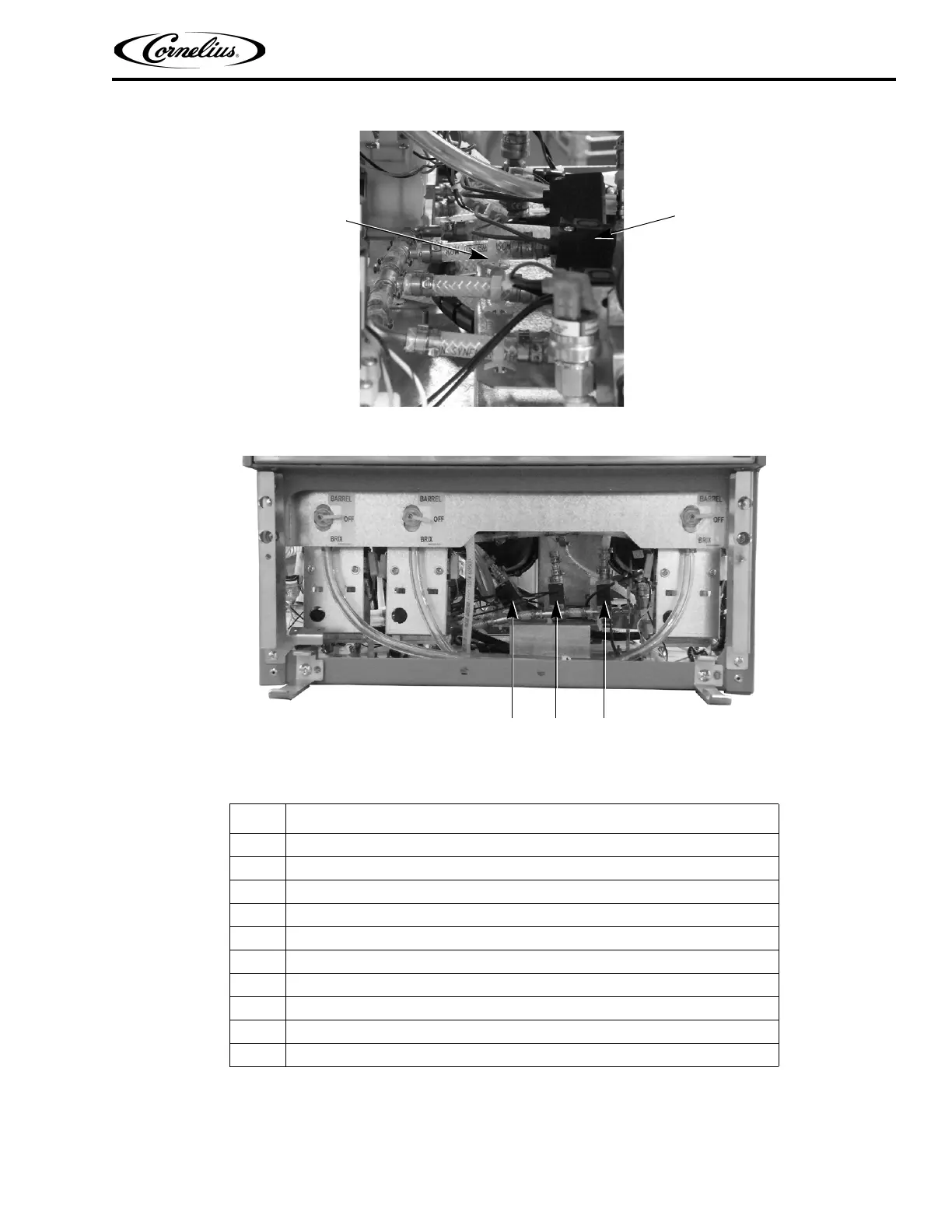
Figure 40. Side View of CO2 Pulse Valves
Figure 41. Front View of CO
2 Pulse Valves
SYRUP AND WATER SHUTOFF SOLENOID REPLACEMENT
The syrup and water shutoff valves and solenoids are mounted on a single bracket, as shown in Figure 42. Perform
the procedure in Table 52 to replace the valves.
Table 51.
Step Action
1 Disconnect power from the unit.
2 Disconnect the CO
2 supply from the unit.
3 Remove the rear cover and side panels.
4 Carefully remove the tubing from the rear of the valve.
5 Remove the mounting tie-wrap from the rear of the valve.
6 Replace the valve.
7 Reverse the procedure to reinstall the valve into the unit.
8 Test the unit for CO
2 leaks.
9 Replace the rear and side panels.
10 Reconnect power to the unit.
Pulse Valve
(1
OF 3)
Mounting
Tie-Wrap



 To Next Page