Instruction Manual | 11
5.2 Power
Remove the slipcover from the Videodrop.
Turn the switch to “I” (On) and make sure the green power indicator is lit.
5.3 Preparation of the sample holder
Take a sample slide out of the sample slides box.
Handle with care. The sample slides box and sample slides are fragile.
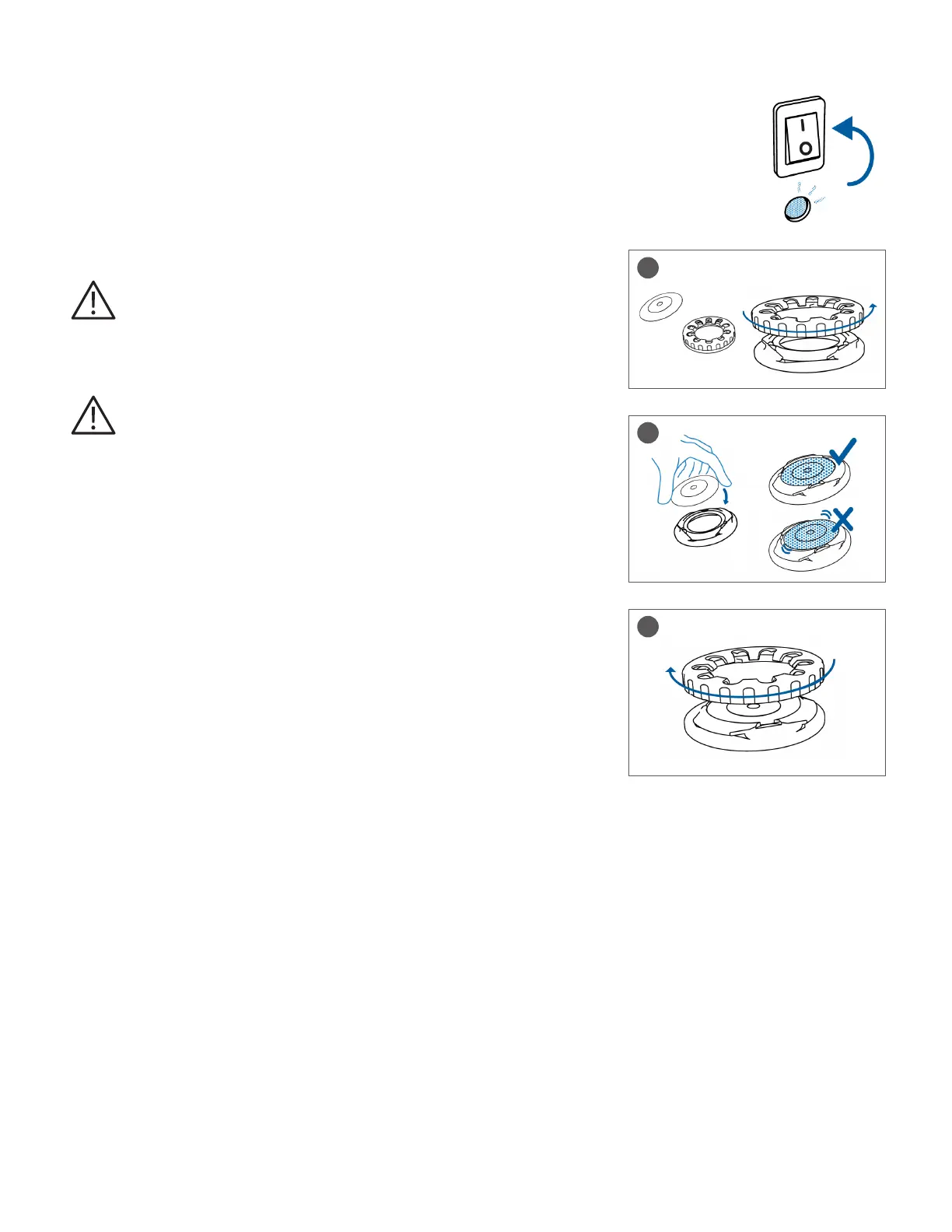
1. Unscrew and remove the upper part of the sample holder.
2. Position the sample slide on the sample holder, ensure that it is properly centered.
If the slide is not correctly positioned, it can be damaged.
3. Place the upper part of the sample holder and fasten it into position.
5.4 Maintenance
Corning recommends an annual preventive maintenance be performed by Corning
authorized staff.
1
2
3



 To Next Page