16 | CORNING VIDEODROP
7.2.1 Start/Stop a measurement
Preview
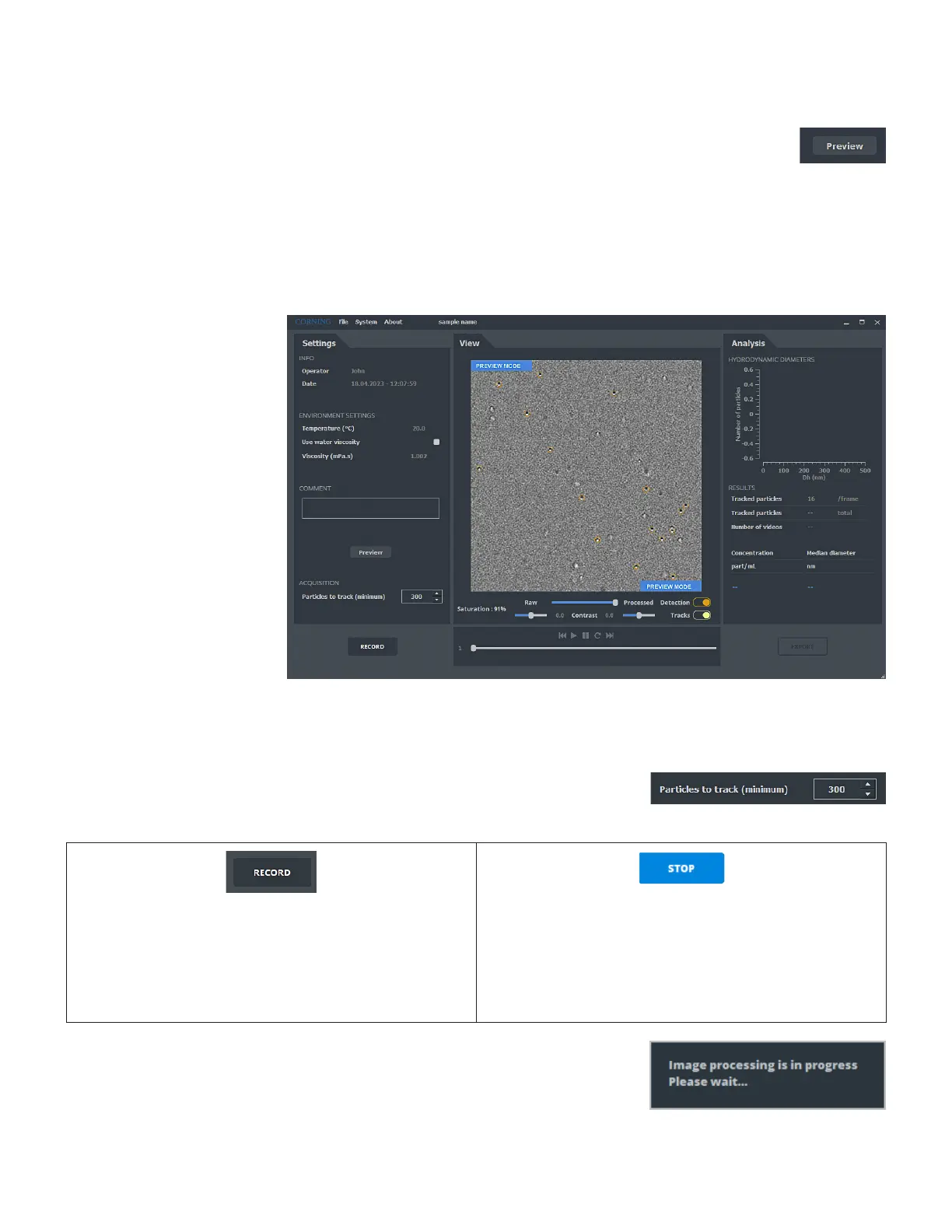
Click Preview to launch the preview step.
The preview mode allows to quickly estimate visually if:
The sample is ready for measurement (proper contact and positioning of the droplet).
The sample concentration is in the recommended range and to adjust the dilution if necessary.
The saturation is in the recommended range (90% to 95%).
It records 50 images and displays no result. A preview video cannot be exported.
PREVIEW MODE is displayed in the interface to identify preview video.
Measurement
Before starting a measurement, the targeted minimum number of
particles to track must be set.
Start the measurement by clicking once on Record. Videos
will be recorded and processed one after the other.
The recording stops automatically when:
The targeted number of particles to track is reached.
The maximum number of videos is reached.
If you want to stop the measurements before the end, click
on “Stop”.
The measurement stops at the end of the running video.
This video and measurement data are buffered.
When Stop is clicked on, the following pop-up appears until the
processing of the last video is done.



 To Next Page