Instruction Manual | 17
7.2.2 Export measurement results
Export options
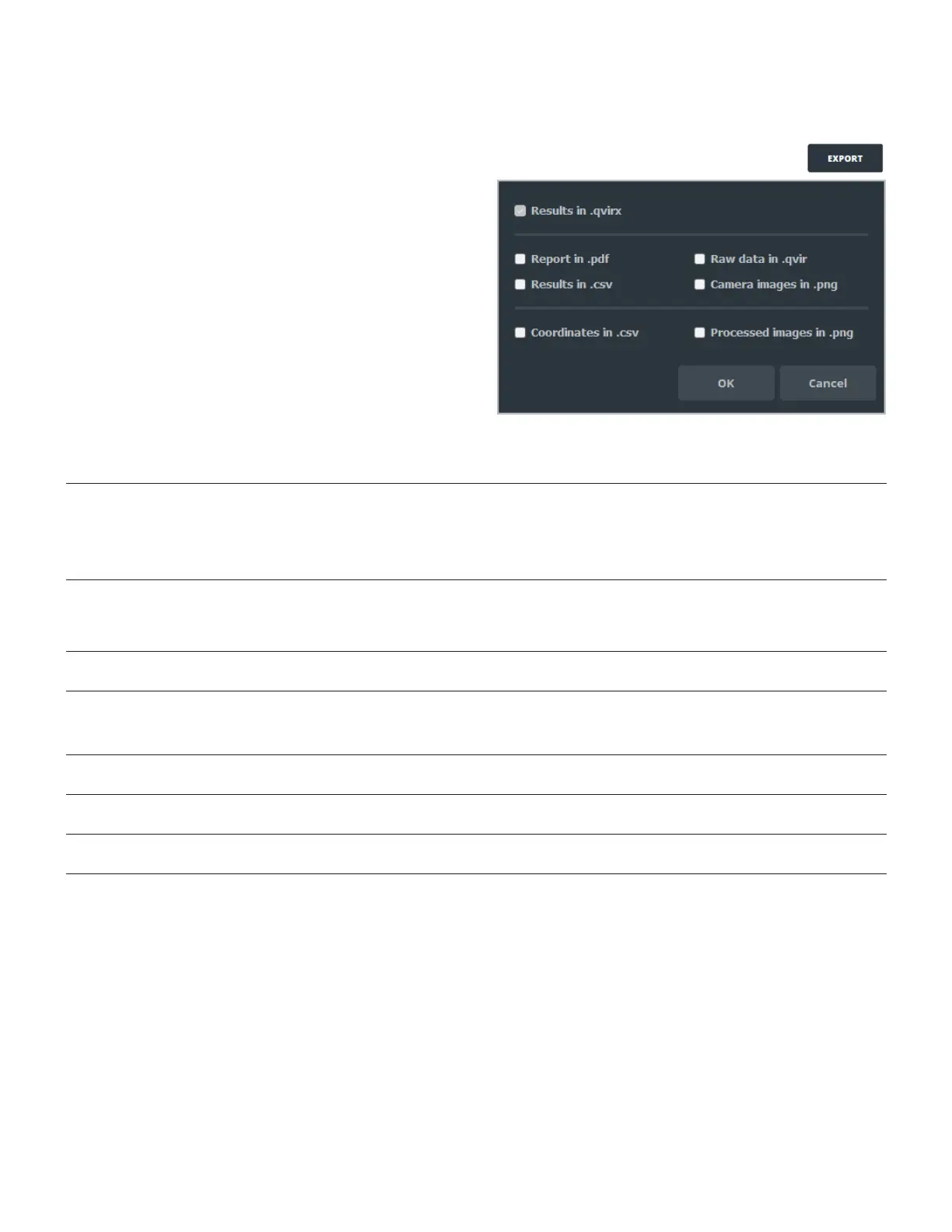
Click EXPORT to save your data.
QvirCLS offers several export options detailed in the table below.
Format Description/Content Size* Open with
.qvirx Contains all measurement results.
Contains only the last image of the last video.
Can be loaded to export all formats except images.png and .qvir files.
Saved by default when an export is done.
12 Mb qvirCLS 2.7.2 and further
versions only
.qvir Contains all measurement results.
Contains all the images of the last video of the measurement.
Can be loaded to export all formats.
190 Mb qvirCLS only
.pdf Creates a .pdf report containing all the final results of the measurement
(mean size, concentration, histogram statistics, settings, and metadata).
<1 Mb Any PDF reader
Results.csv Creates a spreadsheet file with individual data for each tracked particles
(track length, size, intensity, etc.).
Histogram can be plotted using this file.
<10 Kb Any spreadsheet reader
Coordinates.
csv
Creates a spreadsheet file containing all the coordinates of each particle
tracked.
<500 Kb Any spreadsheet reader
Camera
images.png
Creates a folder with the raw images recorded by the camera during the
last video of the measurement (in .png format).
230 Mb Any image viewer
Processed
images.png
Creates a folder with the processed image computed by the software
during the last video of the measurement (in .png format).
360 Mb Any image viewer
*With factory settings.



 To Next Page