12 | CORNING VIDEODROP
6.0 VideodropMeasurementWorkow
6.1 Sample loading
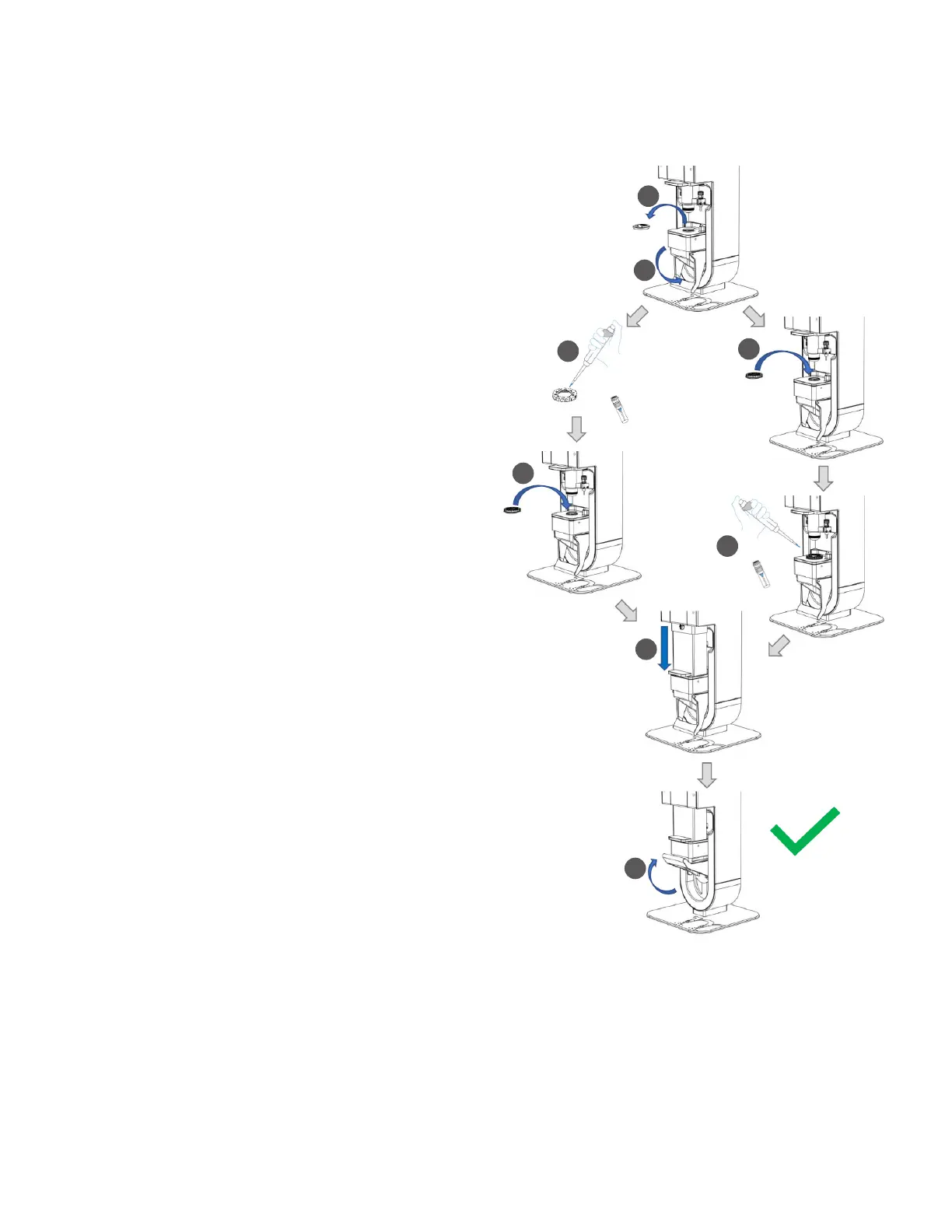
This schematic details how to load a sample in the Videodrop to
perform a measurement.
1. Lower the handle to lower the sample platform.
2. Remove the LED cover.
3. Deposit the sample droplet (5 to 10 µL) to analyze with a pipet
in the well centered on the sample slide mounted in the sample
holder.
4. Position the sample holder on the sample platform. Magnets
allow perfect positioning.
NOTE: Depending on your workflows and/or samples, Steps 3 and 4
are interchangeable.
5. Lower the protective shield.
6. Pull up the handle to lock the sample platform in its
Measurement Position.
1
2
3
3
5
6
4
4



 To Next Page