Instruction Manual | 15
3. ADD A COMMENT
This optional box allows you to add a comment.
For example, you can add your dilution factor. This field is accessible and can be modified during the measurement at any time until
export of the results.
4. CREATE
Click on CREATE to save the pre-configuration of the new sample and access the main measurement interface.
5. LOAD
Click on LOAD to load a previously saved .qvir or .qvirx file and access the main interface. Loading a file allows to:
For .qvir file:
• Play the last video of a measurement.
• Export the results (PDF report, Excel file, etc.).
For .qvirx file:
• Visualize the last image of the measurement.
• Export the results (PDF report, Excel file, etc.).
Loading a file does not allow to modify the parameters or the comments.
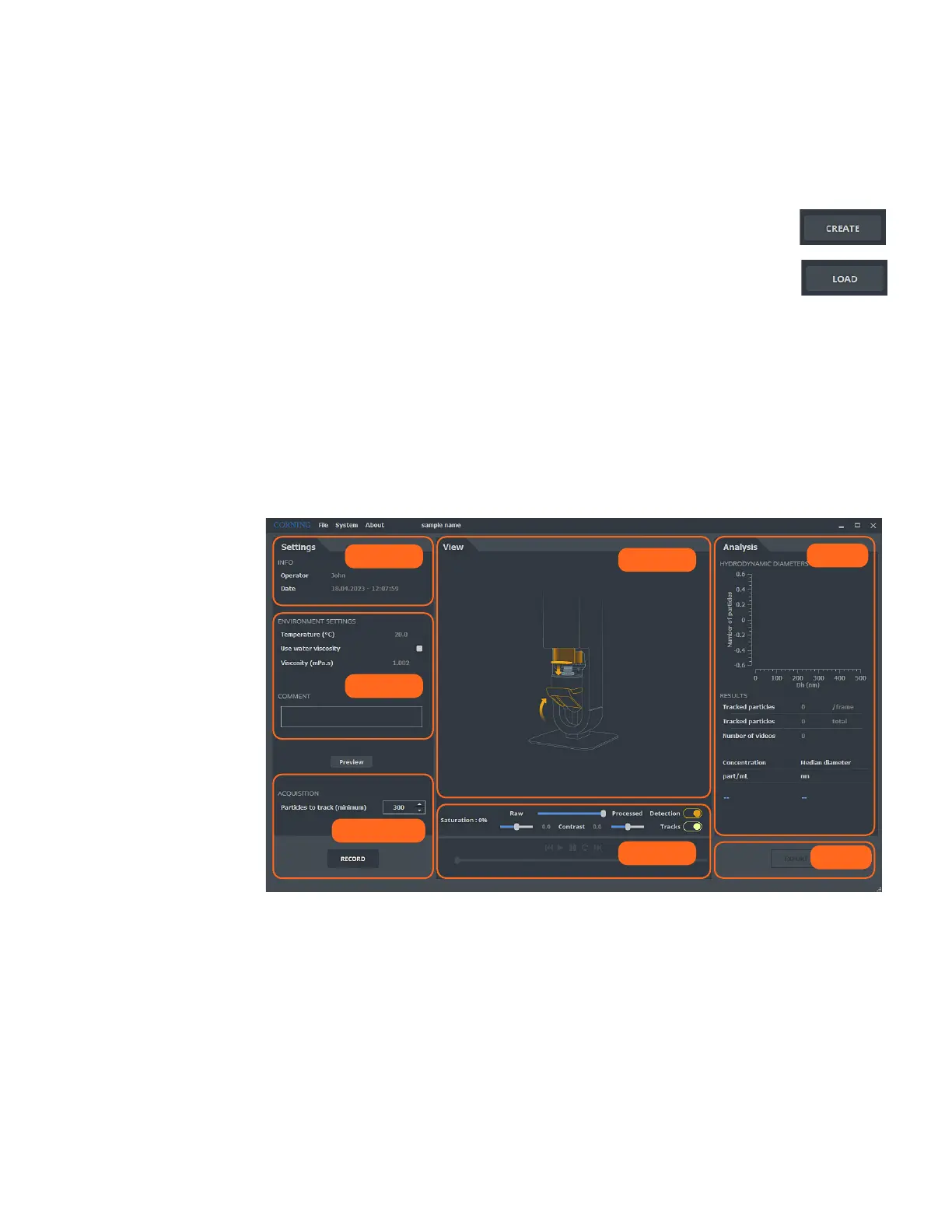
7.2 Main interface
Metadata
Video
Display
Export
Results
Settings
Measurement



 To Next Page