14 | CORNING VIDEODROP
7.0 Software
Be cautious that the USB wires does not disconnect during the measurement.
The following instructions correspond to qvirCLS 2.7.2 version.
7.1 Welcome window
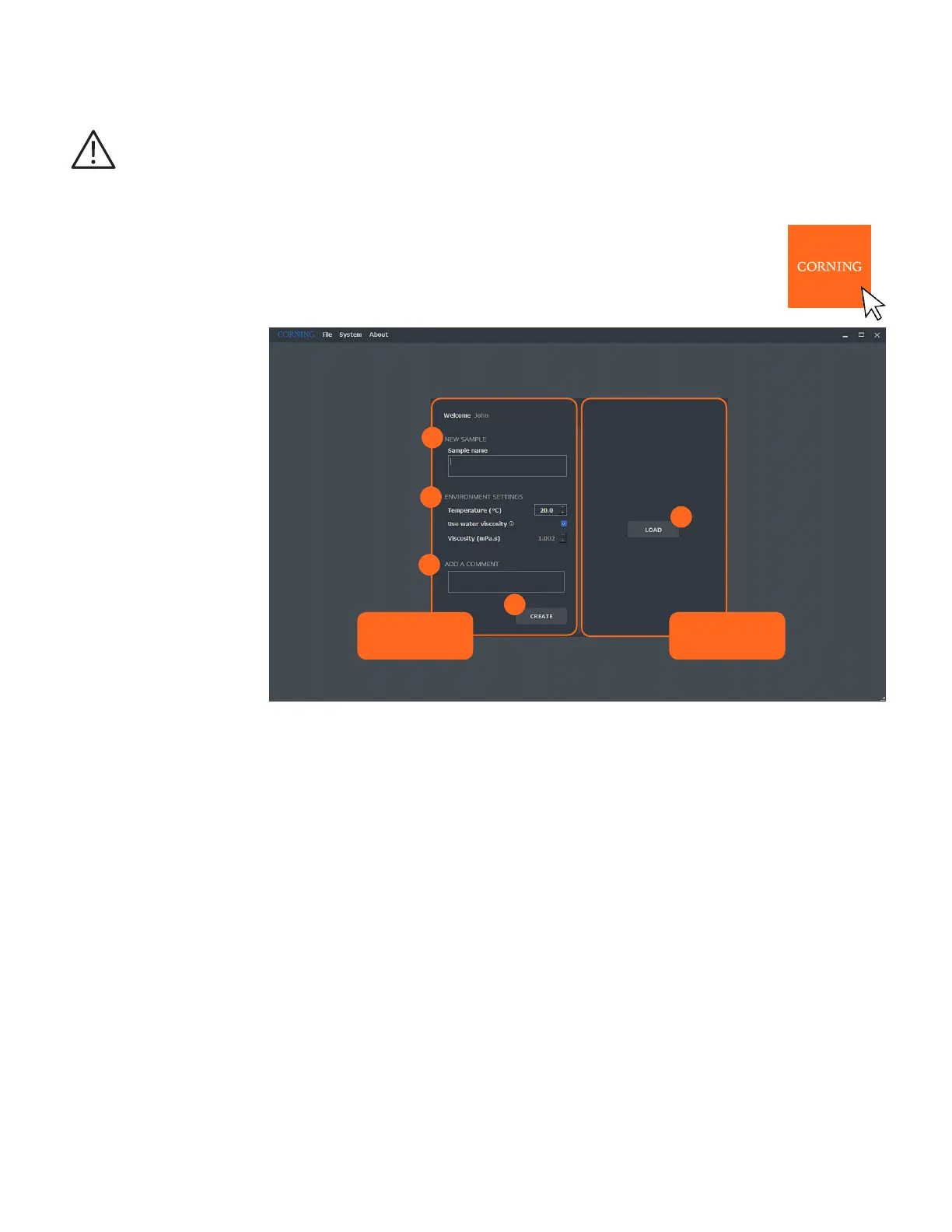
Double click on the launch icon. The Welcome window opens.
The window is separated into two parts: the left-hand column to CREATE a new sample measurement
environment, and the right-hand column to LOAD a previously saved .qvir or .qvirx file.
4
5
1
2
3
Create a new
sample
Load a file
Fill in the left-hand column to launch a new measurement.
1. NEW SAMPLE
Sample Name (mandatory field)
Enter the sample name.
NOTE: You will not be able to change the name of the sample once the sample is created.
2. ENVIRONMENT SETTINGS
Temperature (°C)
Sample temperature range: 2°C to 40°C. It is recommended to use Room Temperature.
Use water viscosity (mPa.s)
Check box. If your sample is an aqueous medium, check the Use Water Viscosity box. The viscosity will automatically be adjusted
with temperature
1
. This box is checked by default.
Viscosity (mPa.s)
Viscosity of the sample. If the viscosity of your sample is different from the viscosity of pure water, uncheck the Use Water
Viscosity box, and manually enter the viscosity of your sample.
Range: 0.3 to 10 (mPa.s).
To guarantee the quality of the results delivered, the temperature and the viscosity of the sample must be adjusted according to the
experimental conditions NOTE: You will not be able to change the sample temperature and viscosity once the sample is created.
1
Kestin J, Sokolov M, Wakeham WA. Viscosity of liquid water in the range -8 °C to 150 °C. JPCRD 7, 941-948 (1978).



 To Next Page