Instruction Manual | 13
6.2 Record and Export a Measurement
Refer to Section 8 that details the use of the qvirCLS software.
6.3 Sample removal and cleaning
Depending on the workflow and the sample used it is possible
to replace the sample slide after each measurement or reuse the
same sample slide in the same experimental session.
We recommend replacing the sample slide at least:
At the end of each experimental day.
After each experimenter.
After each type of sample if needed.
After the measurement is stopped in the Videodrop software
interface.
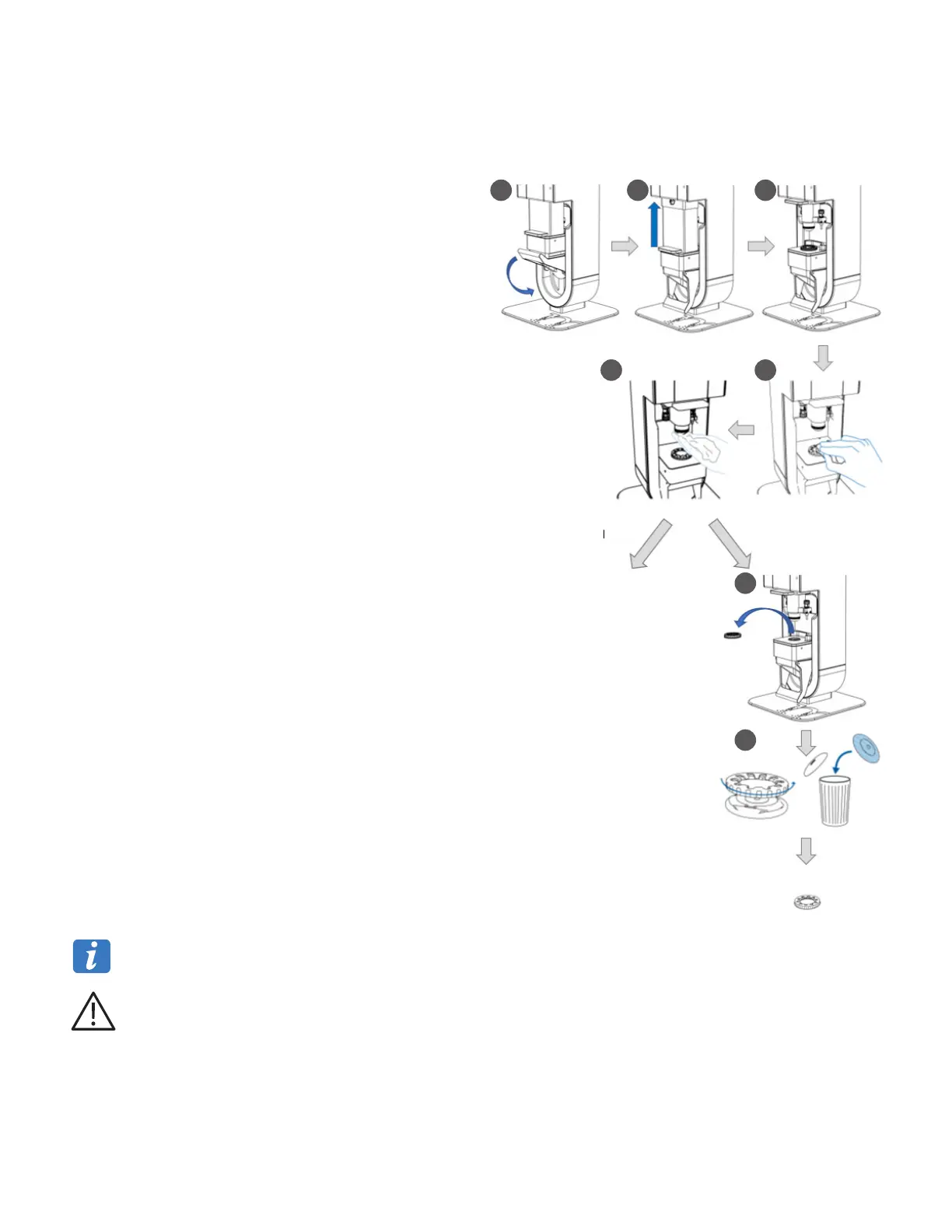
1. Lower the sample platform using the handle.
2. Raise the protective shield.
3. The sample holder is now accessible.
For Steps 4 and 5, the wipe can be soaked with the appropriate
cleaning or disinfection product accordingly with the nature of the
sample (Section 9.3 and 9.4).
4. Use a lint-free wipe to absorb the drop and clean the sample
slide.
5. Use a lint-free wipe to absorb the drop and clean the objective
protective cover.
To reuse the sample slide follow Section 6.1 to load a new sample.
To discard and replace the sample slide:
6. Remove the sample holder.
7. Open the sample holder and discard the sample slide.
Use a new sample slide and follow Section 6.1 to load a new
sample.
You can discard the sample slide without having to touch it by turning the sample holder over the waste bin after having
removed the upper part of the sample holder.
Do not press on the lens protection window. This can damage it, making the device unusable. If this occurs, contact
Corning technical support or your local representative.
Dispose of the slide in the appropriate waste area in accordance with your waste disposal practices.
Reuse Discard
New measurement
New measurement
1 2 3
45
6
7



 To Next Page