Instruction Manual | 23
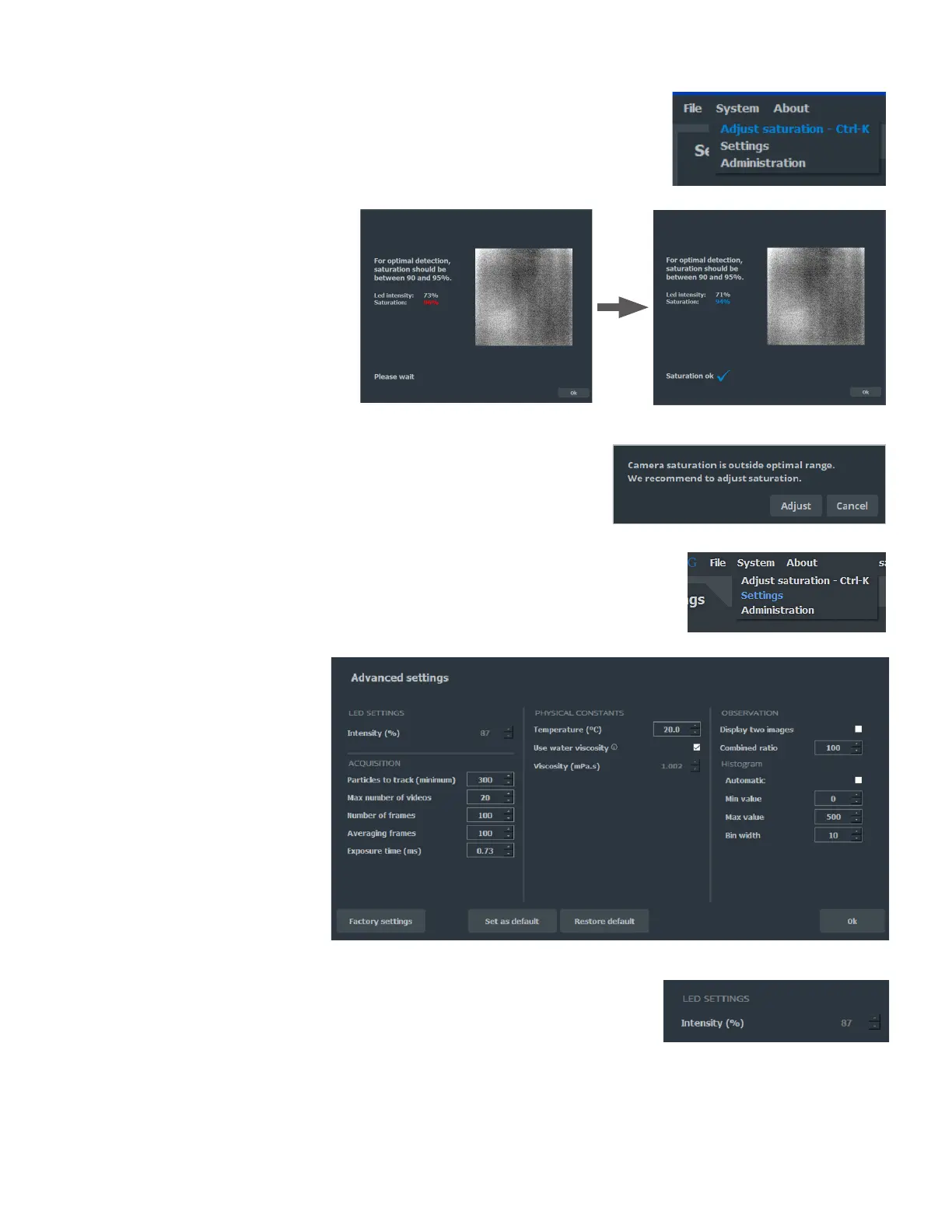
To quickly adjust the LED intensity, there is a dedicated tool called Adjust Saturation.
Click System and Adjust Saturation.
It will automatically adjust the LED intensity value to reach optimal camera
saturation. Once the saturation reaches the recommended range, click OK to close the
Adjust Saturation window and go back to the measurement window.
The software automatically detects during a Preview if the saturation is out of
optimal range and proposes to perform Adjust Saturation. You can choose to Adjust or
pass the recommendation by clicking Cancel.
7.3 Advanced settings (system)
Click on System, Settings to display the advanced parameters.
The factory settings have been chosen to optimize performances (except temperature
and viscosity which must be set for each measurement); nevertheless, they can be
modified in the advanced settings panel.
LED SETTINGS
Intensity (%)
LED intensity command. The LED intensity is automatically adjusted between each
video or by using the adjust saturation function. It cannot be modified manually.
Range: 0 to 100 (%).



 To Next Page