24 | CORNING VIDEODROP
MEASUREMENT
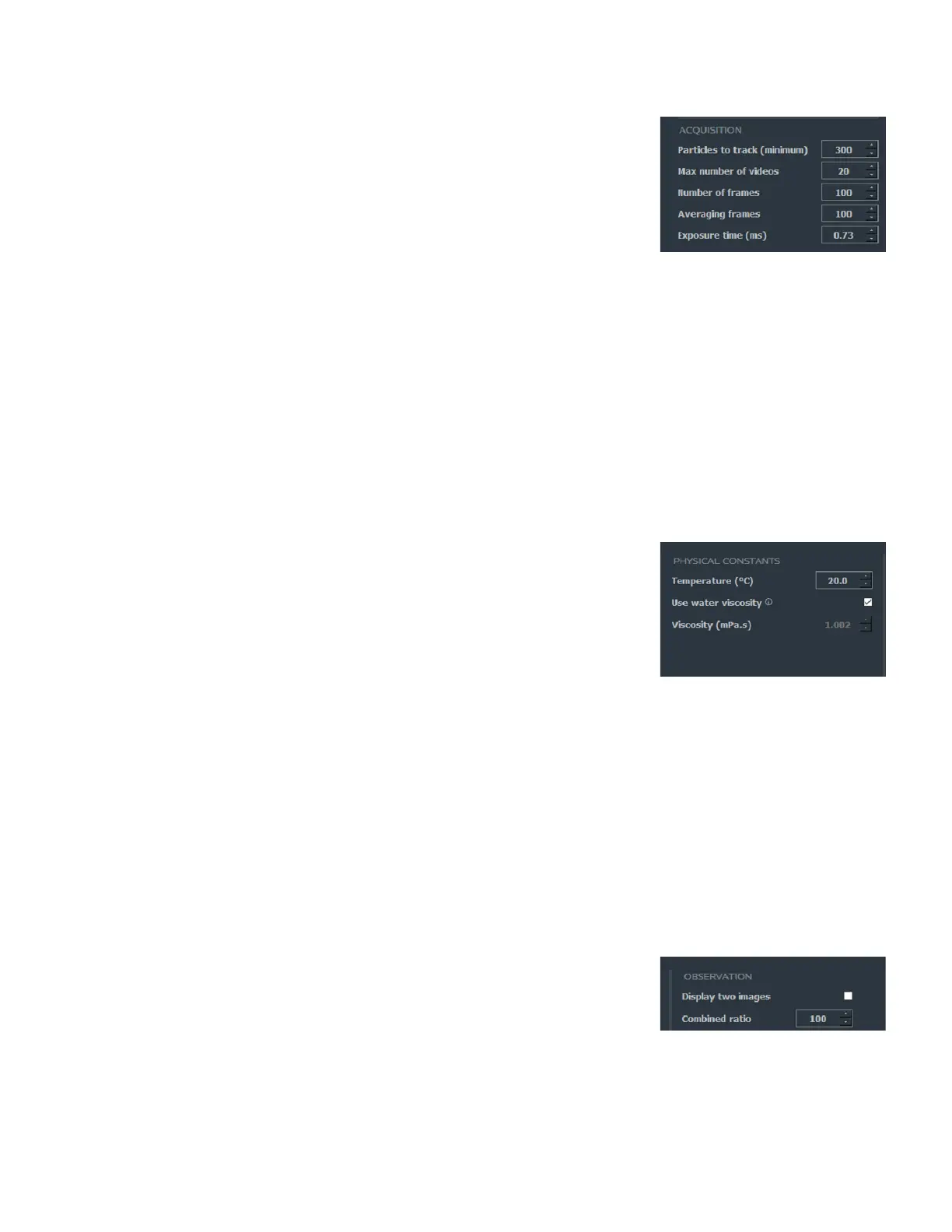
Particles to track (minimum)
Targeted number of particles to track in a measurement. The software will do
videos one after the other and accumulate tracked particles until it reaches this
number. When this number (or the maximum number of videos in a measurement)
is reached, the measurement stops.
Range: 0 to 10,000 (tracked particles).
Max number of videos
Maximum number of videos taken during a measurement. Once this value is
reached, the measurement stops (even if the targeted number of particles to
tracked is not reached).
Range: 1 to 100 (videos).
Number of frames
Defines the number of images per video.
Range: 50 to 800 (frames).
Averaging frames
Defines the number of images used to subtract the camera static background.
Range: 50 to 500 (images).
Exposure time (ms)
Defines the exposure time of the camera.
Range: 0.9 to 2 (ms) camera type #1 and #2/0.73-2 (ms) camera type #3
PHYSICAL CONSTANTS
Temperature (°C)
Sample temperature range: 2°C to 40°C. It is recommended to use Room
Temperature.
Use water viscosity (mPa.s)
Check box. If your sample is an aqueous medium, check the Use Water Viscosity
box. The viscosity will automatically be adjusted with temperature.
This box is checked by default.
Viscosity (mPa.s)
Viscosity of the sample. If the viscosity of your sample is different from the viscosity
of pure water, uncheck the Use Water Viscosity box, and enter manually the
viscosity of your sample.
Range: 0.3 to 10 (mPa.s).
NOTES:
The temperature and the viscosity of the sample must be adjusted according to the experimental conditions to guarantee the
quality of the computed results.
The temperature and the viscosity of the sample can’t be set in the setting interface, they must be set before on the Welcome page,
when creating a new sample.
OBSERVATION
Display two images
Check box. When checked, simultaneous display of the raw image and the
processed image side by side.
Combined ratio
Degree of fade between the raw image and the processed image, corresponds to
the position of the cursor in the main interface.
Range: 1 to 100.



 To Next Page