Instruction Manual | 25
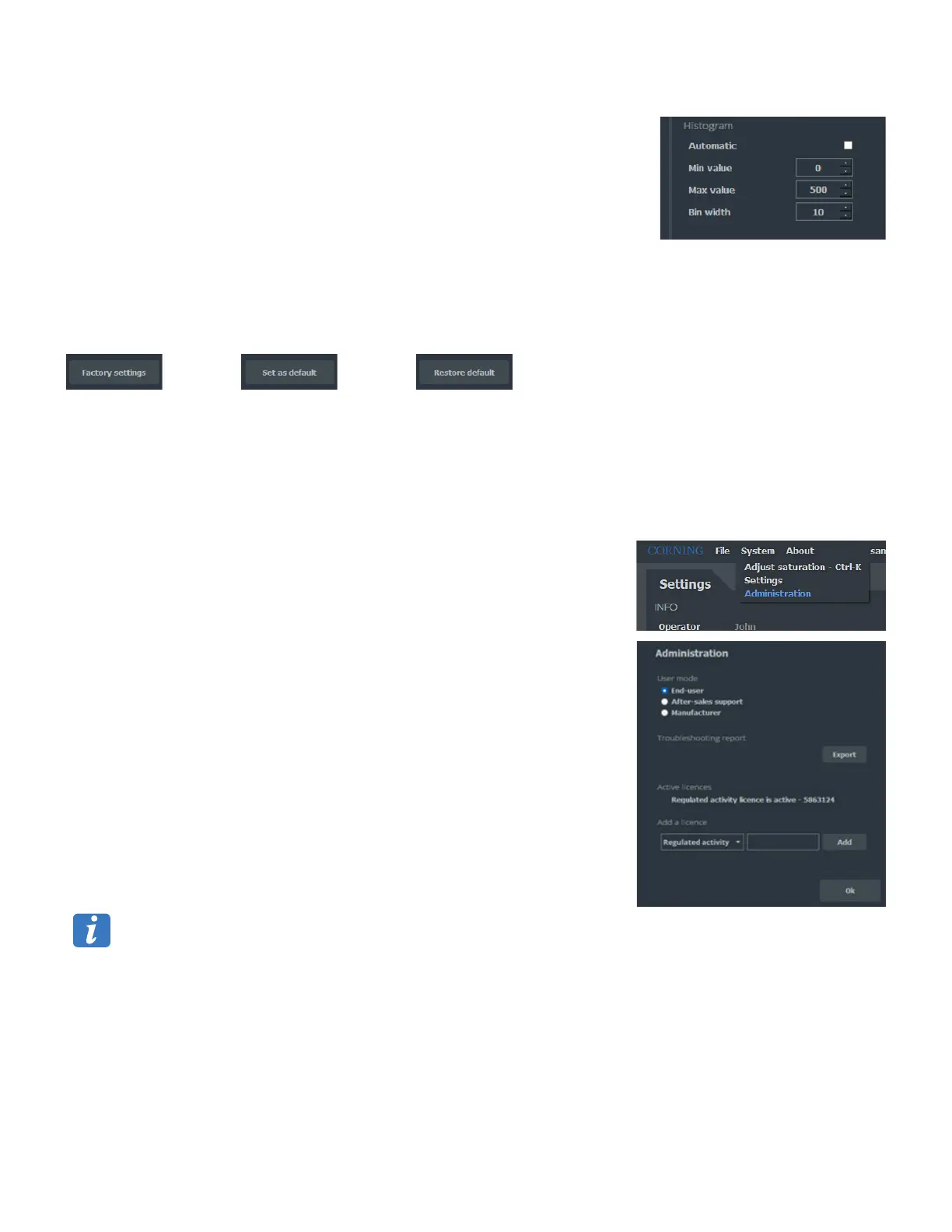
HISTOGRAM
Automatic
Check box. If activated, the software adjusts the width of the bars as well as the
range of hydrodynamics diameters axis.
Not activated by default.
Min value/Max value
Minimum and maximum diameters (nm) that will be use on the histogram scale.
Range: 0 to 1,000.
Bin width
Defines the width of the bars in nm.
Range: 1 to 100.
OTHER BUTTONS
Factory Settings reinitializes
the factory settings.
Set as Default saves the
current settings as default.
Restore Default loads the
default settings.
When launched, Videodrop uses the Default Settings.
Initially the Default Settings have the Factory Settings values.
7.4 Administration
Clicking on System, Administration gives access to the administration interface.
This interface allows:
To select the user mode:
• End-user: No password needed and default user mode.
• After sales Support (protected by password): For installation and after sales
support only.
• Manufacturer (protected by password): For Corning only.
To export a troubleshooting report for after sales purposes.
To enter license key and activate specific additional features.
NOTES:
The troubleshooting report generates a folder named: YYYMMMDD_HHMMSS_
Videodrop-troubleshooting-report containing a .txt file per user session.
This .txt file is encrypted.
No results are saved in this file.
Usernames, sample names are anonymized.
Troubleshooting report will be asked by Corning or Corning representative
in case of after sale service issues.
The Regulated Environment license features and activation procedure are detailed in detailed in the VD-1000-AT instruction manual.
Please reach Videodrop@corning.com for more information.



 To Next Page