Instruction Manual | 21
DISPLAY
Display settings do not modify the results
of the measurement, they only modify
the visualization.
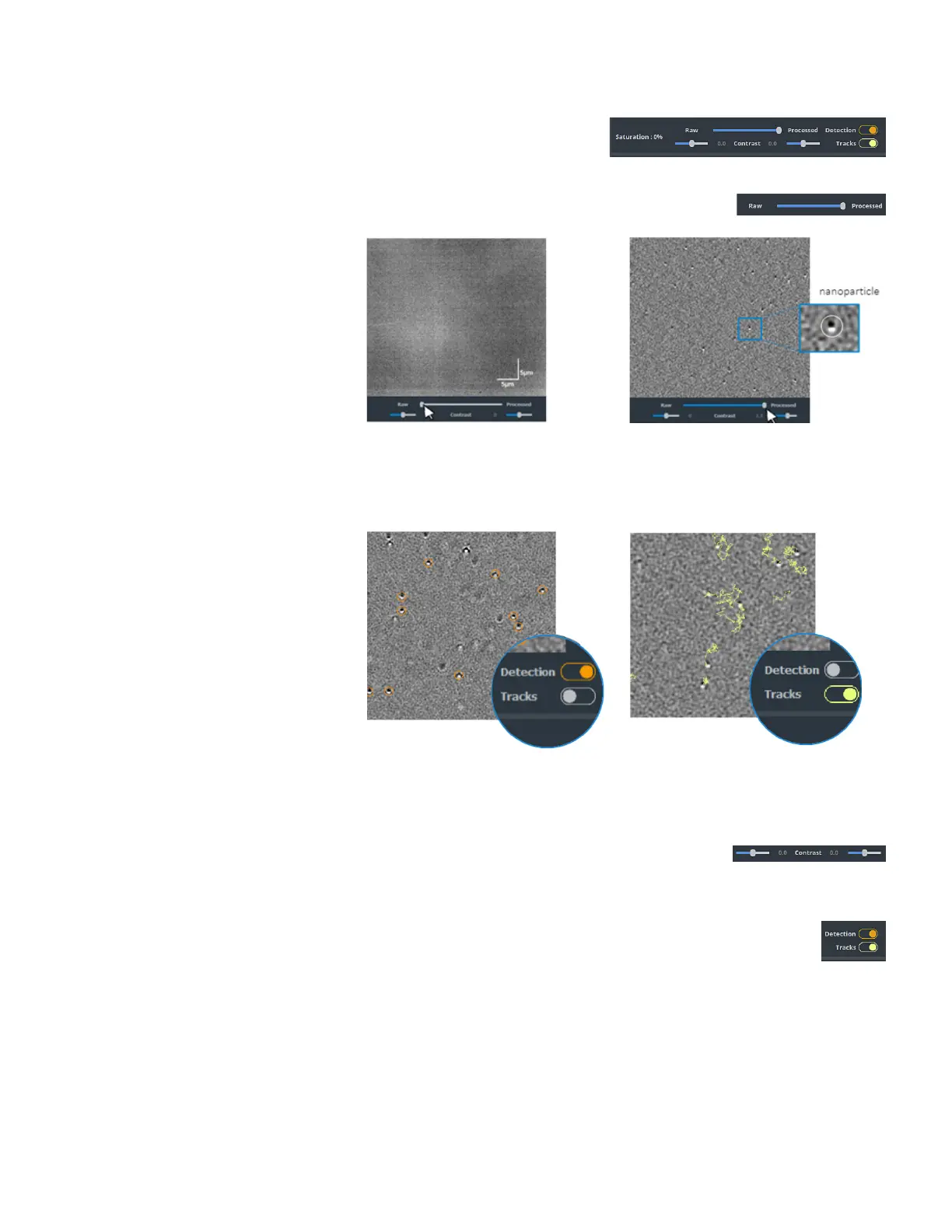
Raw/Processed
The slider allows to continuously switch
from the Raw image to the Processed
image.
Raw image. Image captured by
the camera without any image
processing. It corresponds to the
micrometric image.
Processed image. Image after image
processing where nanoparticles are visible.
It corresponds to the nanometric image.
Select Detection to show the
nanoparticle detection circles.
Select Tracks to show the particle trajectories.
Contrast
Two sliders allow to modify the contrast of the Raw image (left slider) and the Processed image
(right slider) separately.
Range: -2 to 2.
Detection/Tracks
These two buttons allow to choose what is displayed in the image after image processing.



 To Next Page