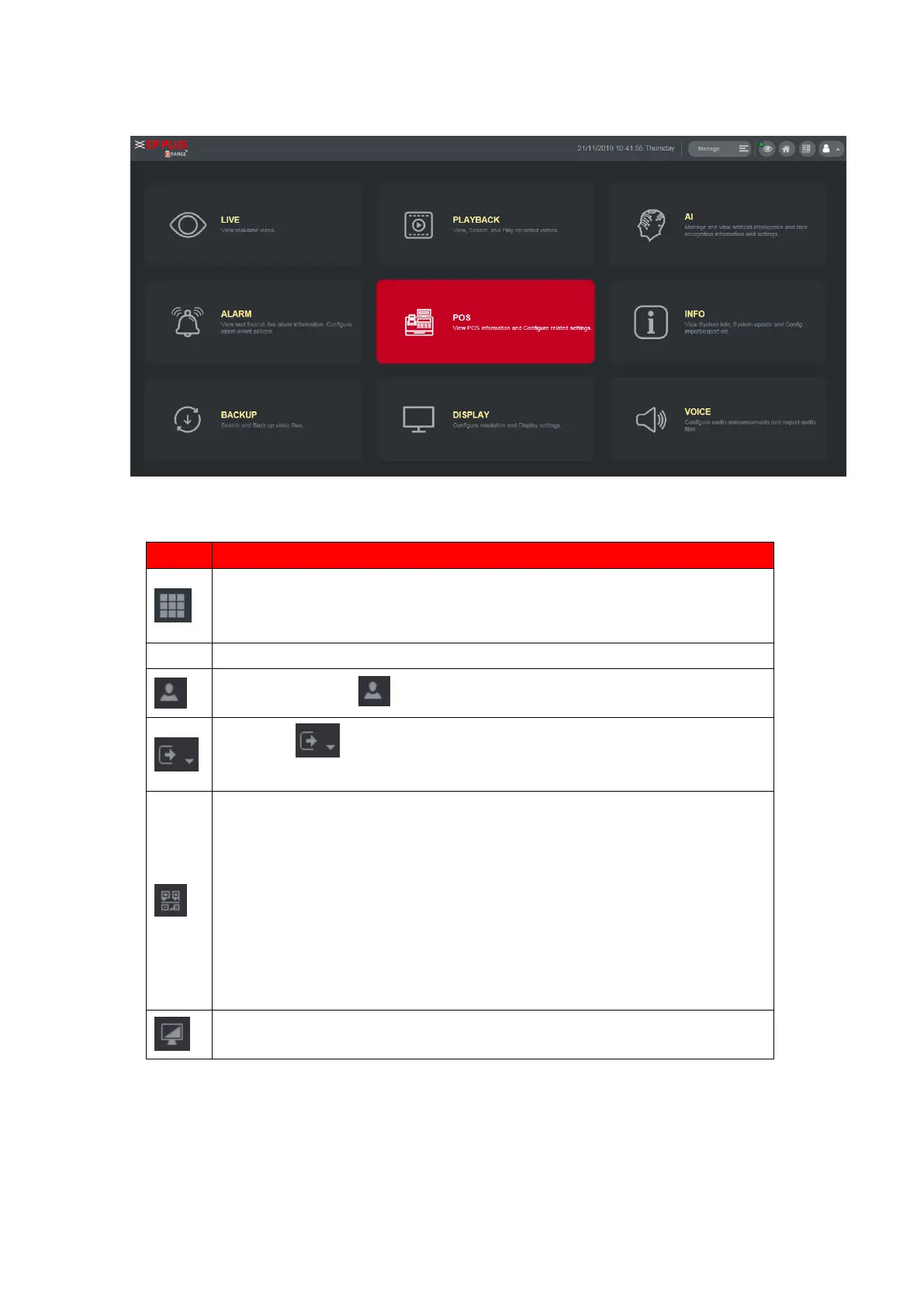
⚫ Includes configuration menu through which you can configure camera
settings, network settings, storage settings, system settings, account
settings, and view information.
⚫ Click , select Logout, Reboot, or Shutdown according to your
actual situation.
Displays Cell Phone Client and Device SN QR Code.
⚫ Cell Phone Client: Use your mobile phone to scan the QR code to add
the device into the Cell Phone Client, and then you can start accessing
the Device from your cell phone.
⚫ Device SN: Obtain the Device SN by scanning the QR code. Go to the
INSTAON CLOUD management platform and add the Device SN into
the platform. Then you can access and manage the device in the
WAN. For details, refer to the INSTAON CLOUD operation manual.
You can also configure INSTAON CLOUD function
in the local configurations, refer to "1.1.4.3 INSTAON CLOUD ".



 To Next Page