setup.
⚫ Click to modify corresponding user information, click to delete current user.
1.16 Output and Display
1.16.1 Display
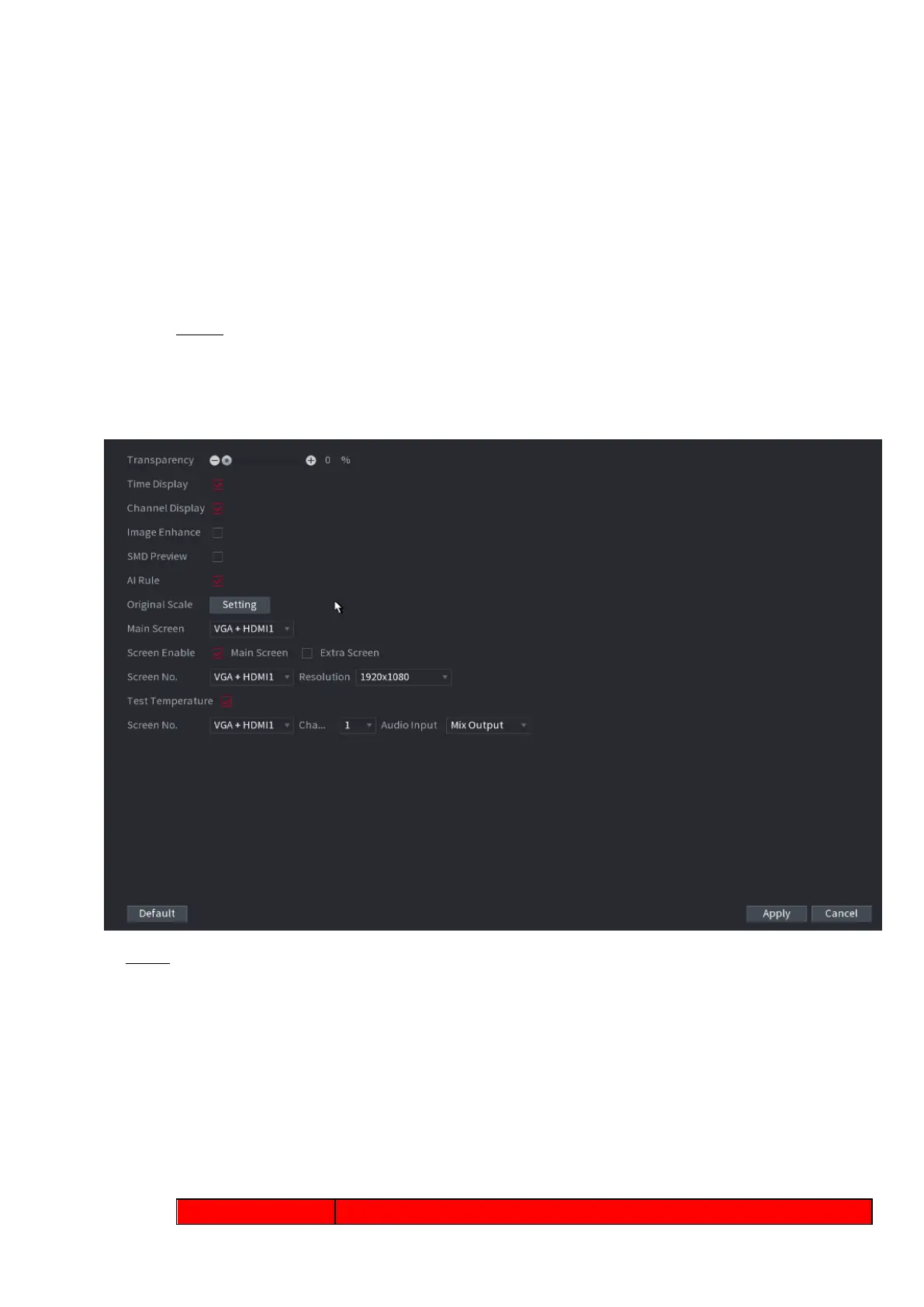
⚫ You can configure the display effect such as displaying time title and channel title, adjusting image
transparency, and selecting the resolution.
Step 1 Select Main Menu > DISPLAY > Display.
⚫ The Display interface is displayed. See Figure 1-247.
⚫ Figure 1-247
⚫ Step 2 Configure the settings for the display parameters. See Table 1-70.
⚫ Table 1-70



 To Next Page