It can be configured when Authentication is TLS.
⚫ Step 4 Click Apply to complete the settings.
1.19 Storage
⚫ You can manage the storage resources (such as record file) and storage space. So that it is easy for you to
use and enhance storage space usage.
1.13.1 Basic
⚫ You can set basic storage parameters.
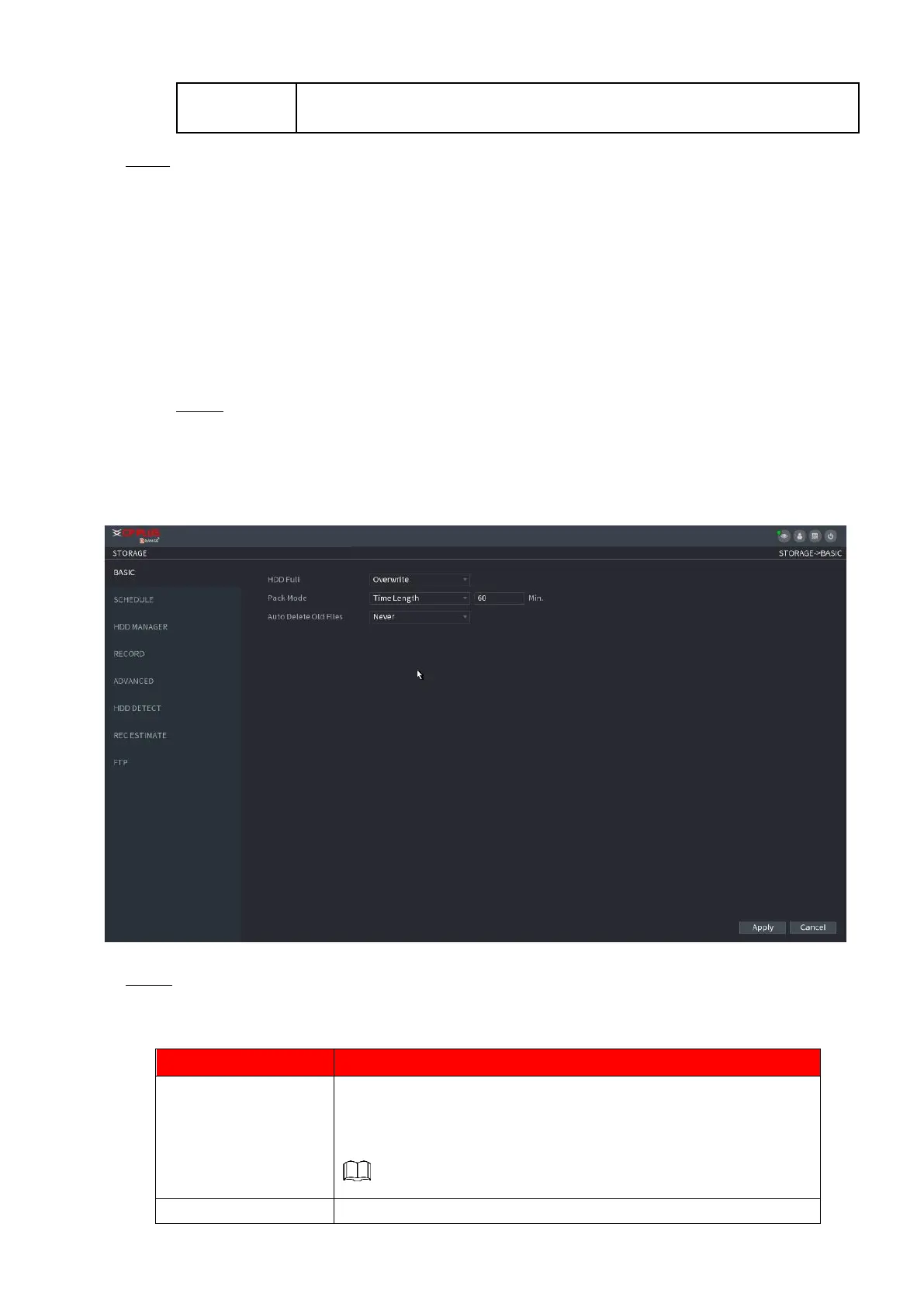
Step 1 Select Main Menu > STORAGE > BASIC.
⚫ The Basic interface is displayed. See Figure 1-217.
⚫ Figure 1-217
⚫ Step 2 Set parameters. See Table 1-63.
⚫ Table 1-63
Configure the settings for the situation all the read/write discs are
full, and there is no freer disc.
⚫ Select Stop Record to stop recording
⚫ Select Overwrite to overwrite the recorded video files
always from the earliest time.
Configure the time length and file length for each recorded video.



 To Next Page