6) Enter name and password.
⚫ Step 4 After device registration on mobile App, click Start Preview and you can see the monitor screen.
1.12.12 802.1X
Device needs to pass 802.1x certification to enter the LAN. Step 1
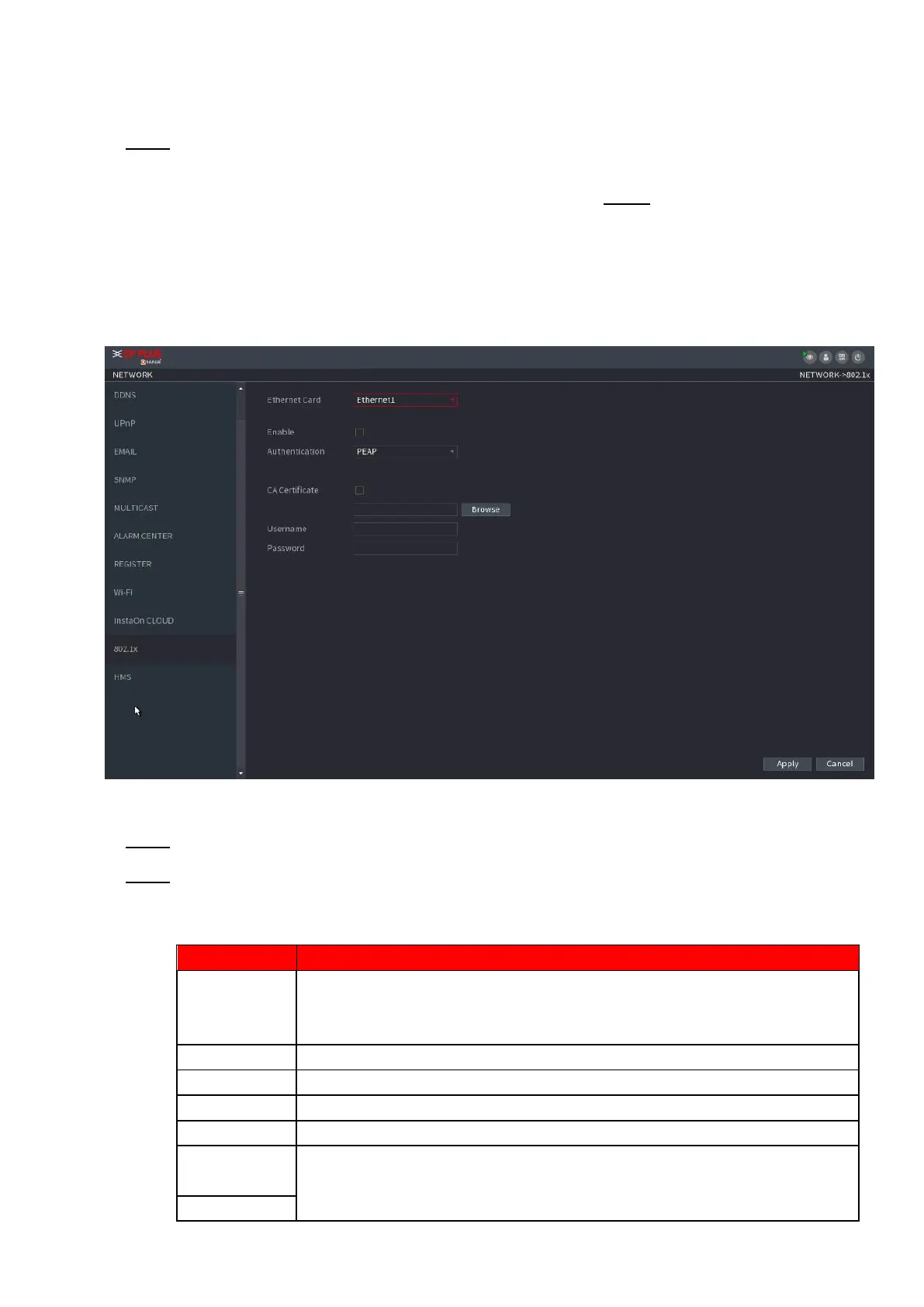
Select Main Menu > NETWORK > 802.1x.
⚫ The 802.1x interface is displayed. See Figure 1-215 or Figure 1-216.
⚫ Figure 1-215
⚫ Step 2 Select the Ethernet card you want to certify.
⚫ Step 3 Select Enable and configure parameters. See Table 1-62.
⚫ Table 1-62
⚫ PEAP: protected EAP protocol.
⚫ TLS: Transport Layer Security. Provide privacy and data integrity
between two communications application programs.
It can be configured when Authentication is TLS.
Enable it and click Browse to import CA certificate from flash drive.
The username shall be authorized at server.
Password of the corresponding username.
When Authentication is TLS, click Browse to import from flash drive.



 To Next Page