Configure whether to delete the old files and if yes, configure the
days.
The auto delete file cannot be recovered!
Step 3 Click Apply or Save to complete setup.
1.13.2 Schedule
⚫ You can set schedule record and schedule snapshot. NVR can record or snapshot as you specified. For
detailed information, refer to "1.1.4.6.1 Schedule Record" and "1.1.4.6.2 Schedule Snapshot ".
1.13.3 HDD
⚫ You can view and sett HDD properties and format HDD.
⚫ You can view current HDD type, status, capacity and etc. The operation includes format HDD and change
HDD property (read and write/read-only/redundancy).
⚫ To prevent files be overwritten in the future, you can set HDD as read -only.
⚫ To backup recorded video file, you can set HDD as redundant HDD.
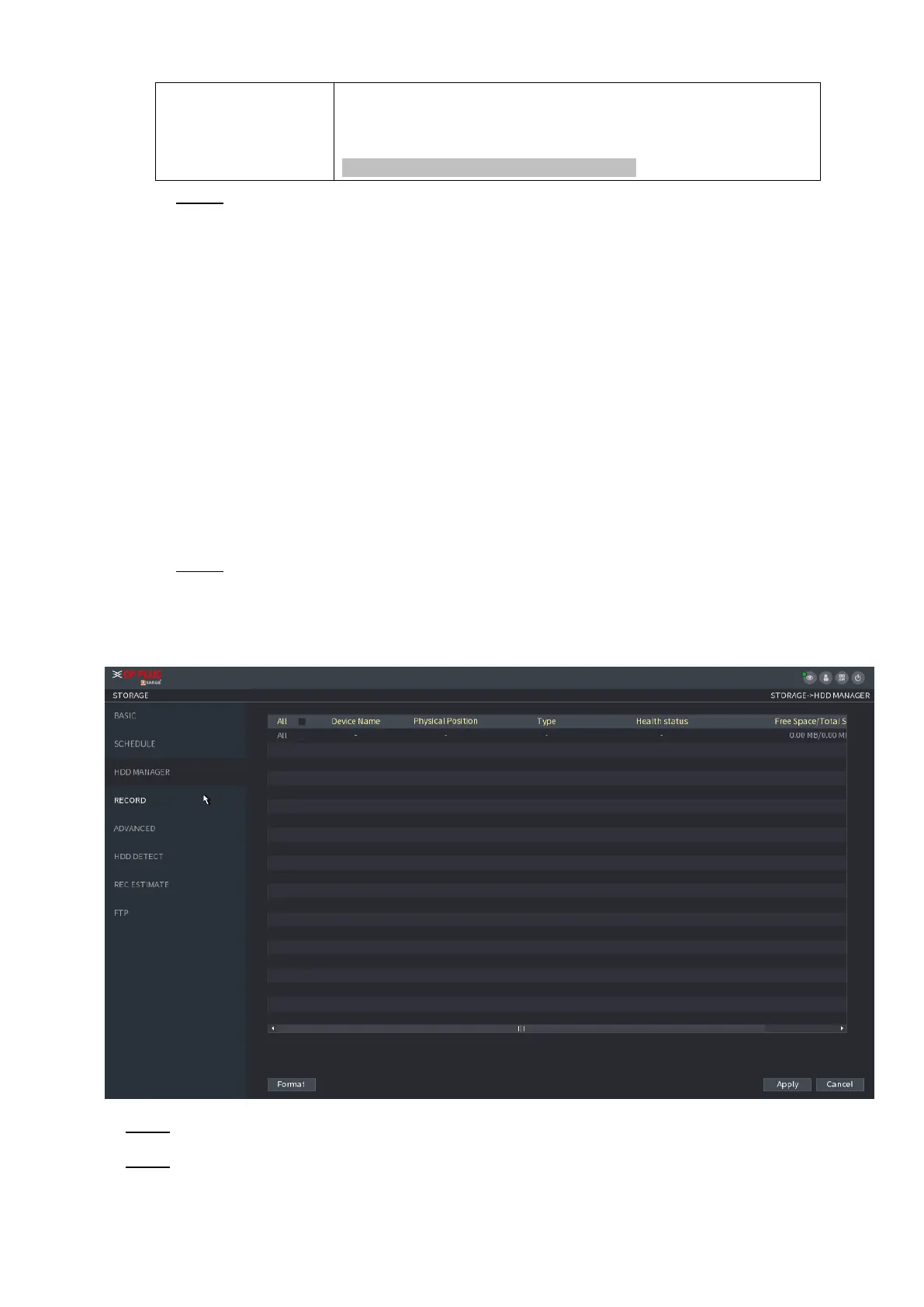
Step 1 Select Main Menu > Storage > HDD MANAGER,
The HDD MANAGER interface is displayed. See Figure 1-218.
⚫ Figure 1-218
⚫ Step 2 Select an HDD and then select a time from the dropdown list.
⚫ Step 3 Click Apply button to complete the setup. System needs to restart to activate current setup if you want to
format the HDD.



 To Next Page