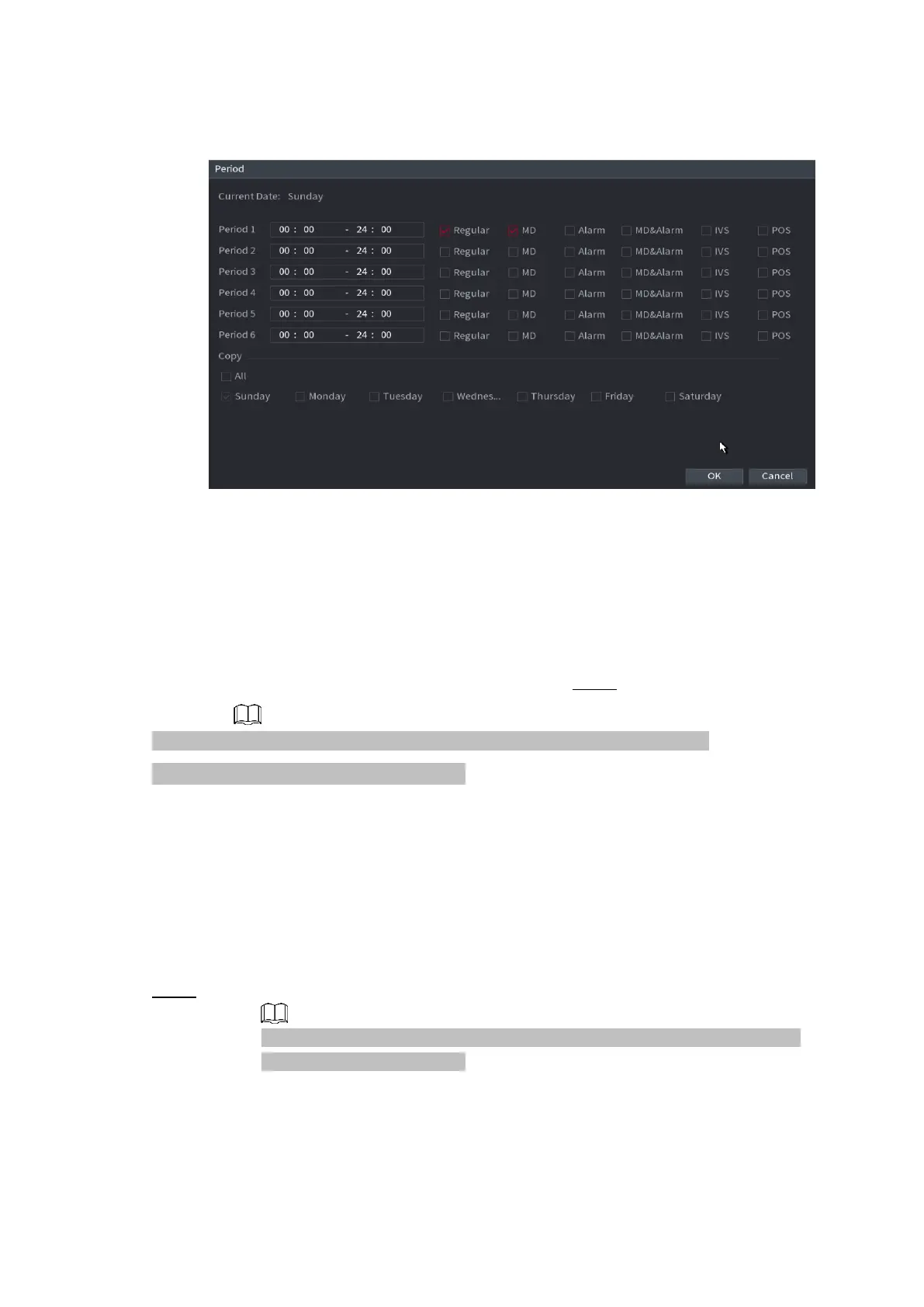
⚫ Figure 1-38
⚫
2) Set
record type for each period.
⚫ There are six periods for you to set for each day.
⚫ Under Copy, select All to apply the settings to all the days of a week, or select specific day(s) that
you want to apply the settings to.
3) Click Apply to save the settings. Step 5 Click Apply to complete the settings.
⚫ Enable auto record function so that the record plan can become activated. Refer to
⚫ "1 Record control" for detailed information.
1.1.4.5.2 Snapshot Schedule
⚫ You can set schedule snapshot period.
⚫ After set schedule snapshot, device can snapshot image according to the period you set here. For
example, the alarm snapshot period is from 6:00–18:00 Monday, device can snapshot during the
6:00–18:00 when an alarm occurs.
⚫ Step 1 Click Snapshot button, device goes to following interface. See Figure 1-39.
Select Main Menu > STORAGE > SCHEDULE > Snapshot, you can go to
the snapshot interface.
⚫
⚫
⚫
⚫



 To Next Page