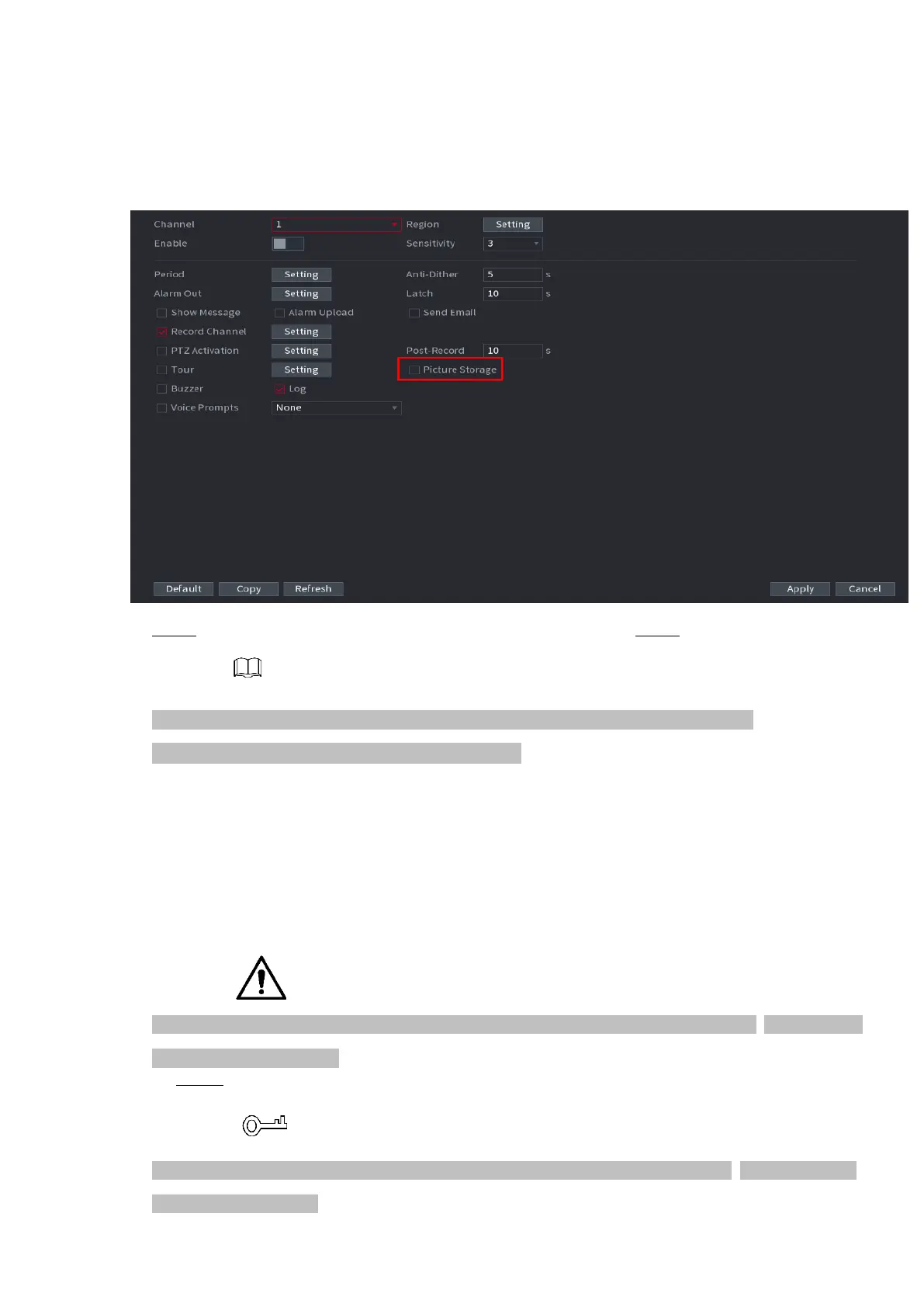
⚫ Figure 1-41
⚫
⚫ Step 5 Refer to "1.1.4.6.1 Recording Schedule" to set snapshot period. Step 6 Click Apply button to
save snapshot plan.
⚫ Enable auto snapshot function so that the snapshot plan can become activated. Refer to
⚫ "4.1.4.6.3 Record control" for detailed information.
1.1.4.5.3 Record Control
⚫ After set schedule record or schedule snapshot, you need to enable auto record and snapshot
function so that system can automatically record or snapshot.
⚫ Auto: System automatically records at the type and record period you set in Schedule interface.
⚫ Manual: System records general files for all day.
⚫ You need to have storage authorities to implement the Manual record operation. Make sure the HDD
has been properly installed.
Step 1 Right click mouse and then select Manual > Record or select Main Menu >
STORAGE > RECORD. See Figure 1-42.
⚫ For some series products, after you logged in, you can click the Rec button at the front panel to go
to the Record interface.



 To Next Page