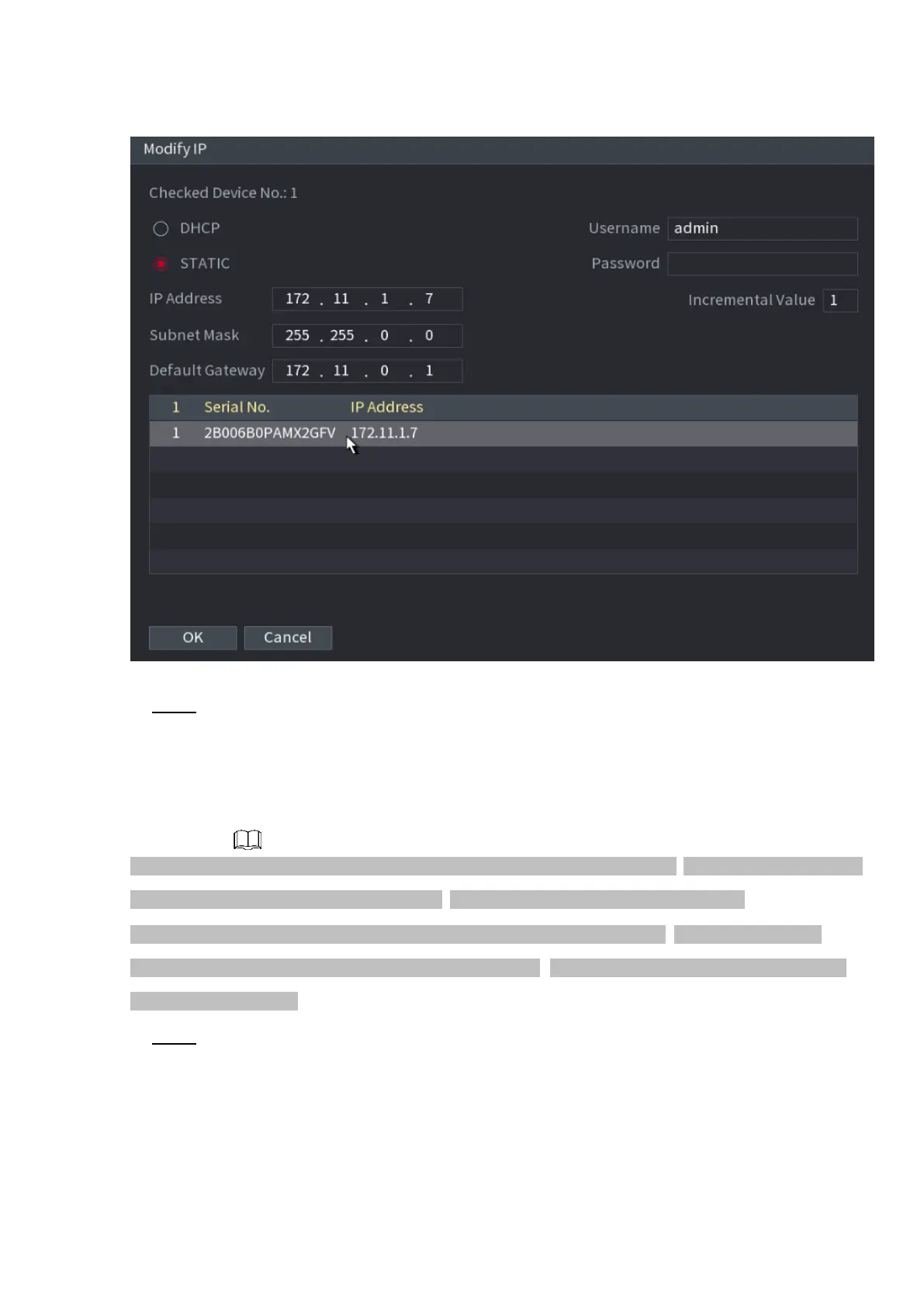
⚫ Figure 1-51
⚫ Step 8 Set camera IP address.
⚫ Check DHCP, there is no need to input IP address, subnet mask, and default gateway. Device
automatically allocates the IP address to the camera.
⚫ Check Static, and then input IP address, subnet mask, default gateway and incremental value.
⚫ If it is to change several devices IP addresses at the same time, input incremental value. Device can add the
fourth address of the IP address one by one to automatically allocate the IP addresses.
⚫ If there is IP conflict when changing static IP address, device pops up IP conflict dialogue box. If batch
change IP address, device automatically skips the conflicted IP and begin the allocation according to the
incremental value
⚫ Step 9 Click Next button.
The Device Initialization interface is displayed. See Figure 1-52.



 To Next Page