29
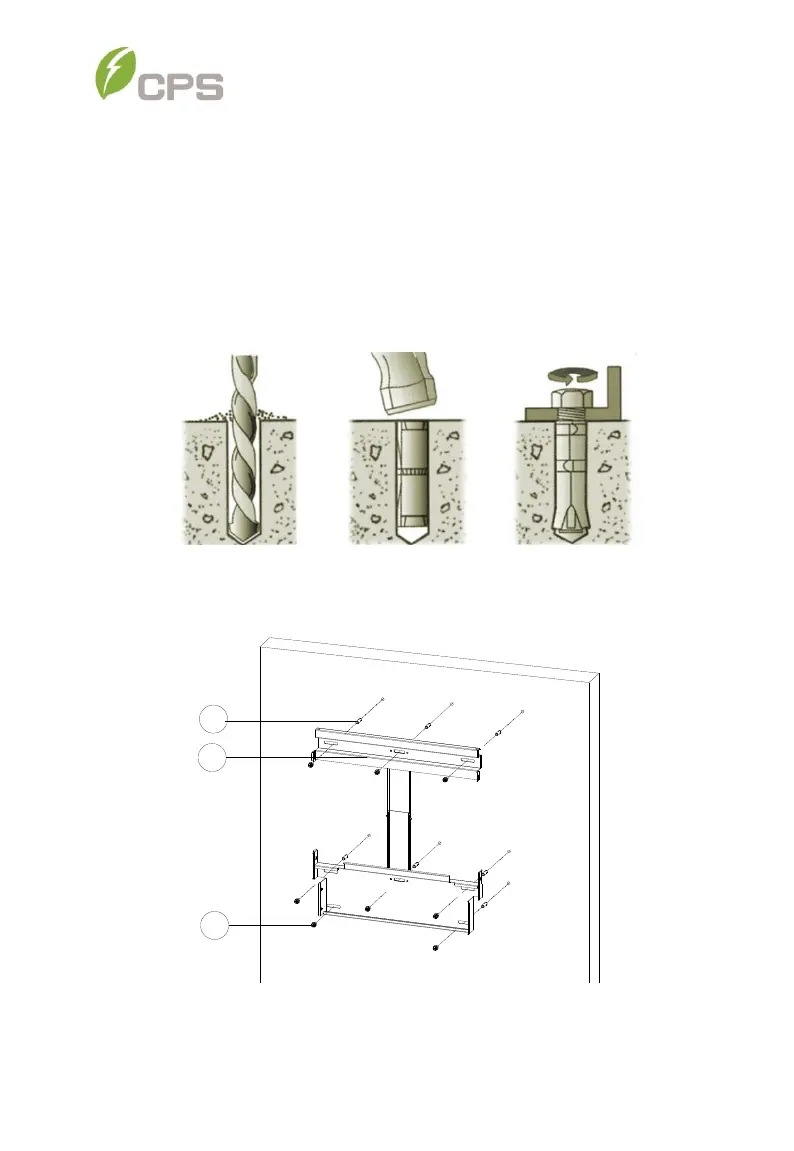
(b) Concrete Wall Mount: Drill holes at the marked positions with
a 0.4in. (10mm) masonry bit and insert M8 Expansion
Anchors into the holes (expansion anchors not provided);
Fasten the Mounting Bracket with the M8x25 Assembling
Bolts supplied with the Accessory Kit. Figure 3-7 and Figure
3-8. Tools Required: Electric drill (Ф10mm/0.4in. masonry bit),
No. 13 wrench
Figure 3-7 Drill holes, set Anchors, and tighten Assembly Bolts
Figure 3-8 Secure the Mounting Bracket



 To Next Page