115
USB Port
OFF
ON
+12V
12VGND
RS485_B-
RS485_A+
485_GND
+12V
12VGND
RS485_B-
RS485_A+
RS485_GND
RS485_GND
RS485_A+
RS485_B-
P9
P6
P7
P8
S1
P1
OFF
ON
+12V
12VGND
RS485_B-
RS485_A+
485_GND
+12V
12VGND
RS485_B-
RS485_A+
RS485_GND
RS485_GND
RS485_A+
RS485_B-
P9
P6
P7
P8
S1
P1
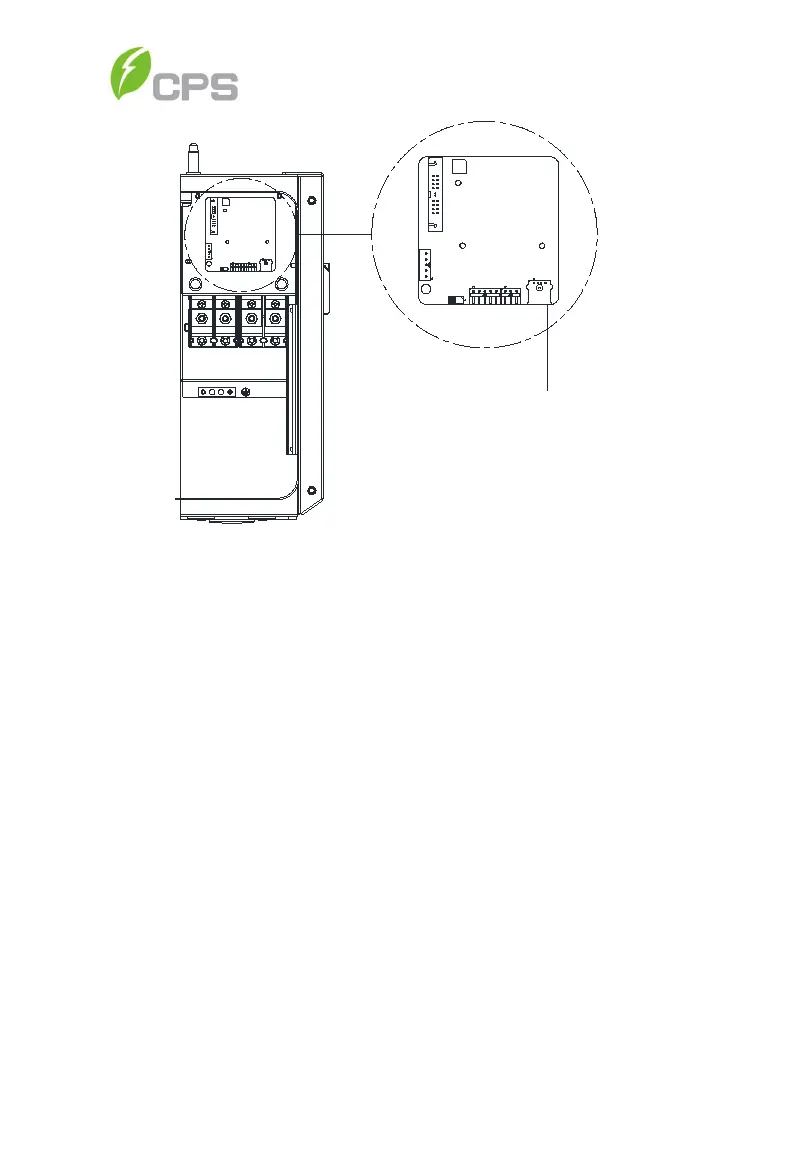
Figure 6-21 USB Port for Firmware Upgrades
4. Using the password to enter the Setting menu and select Firmware
Update. Choose the firmware to be updated (LCD or DSP) and follow
the promts on the screen. See Figure 6-22.
5. When the update is successful repeat the process, if necessary, to
upate the next firmare (DSP or LCD). Should the update fail, return to
step 4 when prompted and repeat the process.



 To Next Page