2-4 FM600 User’s Manual
2.3 Frequency (Channel) Selection
Your transmitter is capable of operating between 87.9 and 107.9 MHz in the FM band. The
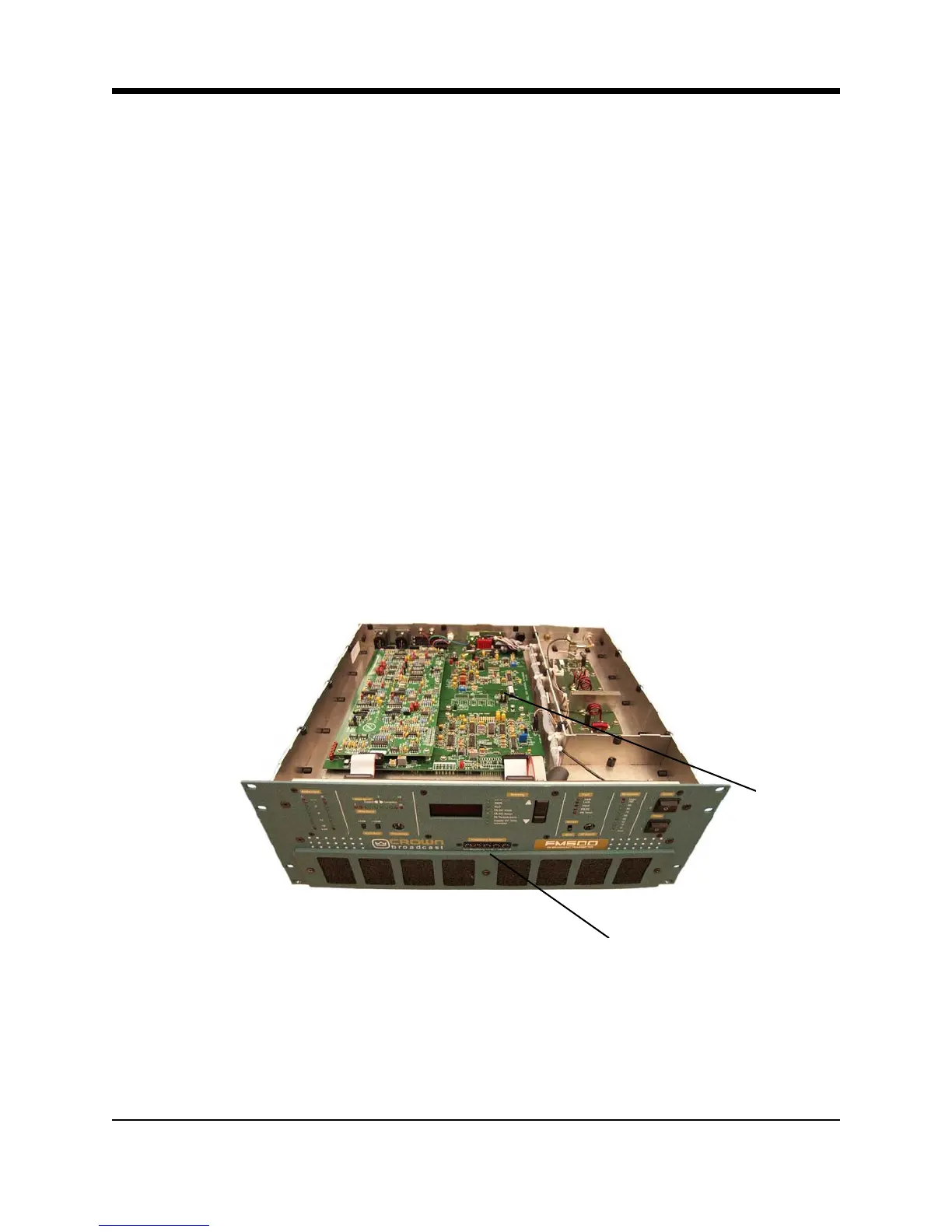
transmitter can also operate between 76 and 90 MHz by shorting pins 9 and 10 of J20 on the
motherboard. See Illustration 2-6.
To adjust the operating frequency, follow these steps:
1. Locate the frequency selector switches on the front panel which will be used to change the
setting. See Illustrations 2–6 and 2–7.
2. Use small flat blade screwdriver or another suitable device to rotate the switches to the de-
sired setting. (The selected number will appear directly above the white indicator dot on
each switch.) See examples of selected frequencies in the illustration below.
3. To change the operating band from 87.9-107.9MHz to 76-90MHz or vice versa, or to adjust
the modulation compensation pot, remove the top cover to gain access to these features.
See Illustrations 2-6 and 2-10.
J20
Frequency Selector Switches
Illustration 2–6 Top Cover Removed



 To Next Page