2-12 FM600 User’s Manual
2.6 Audio Input Connections
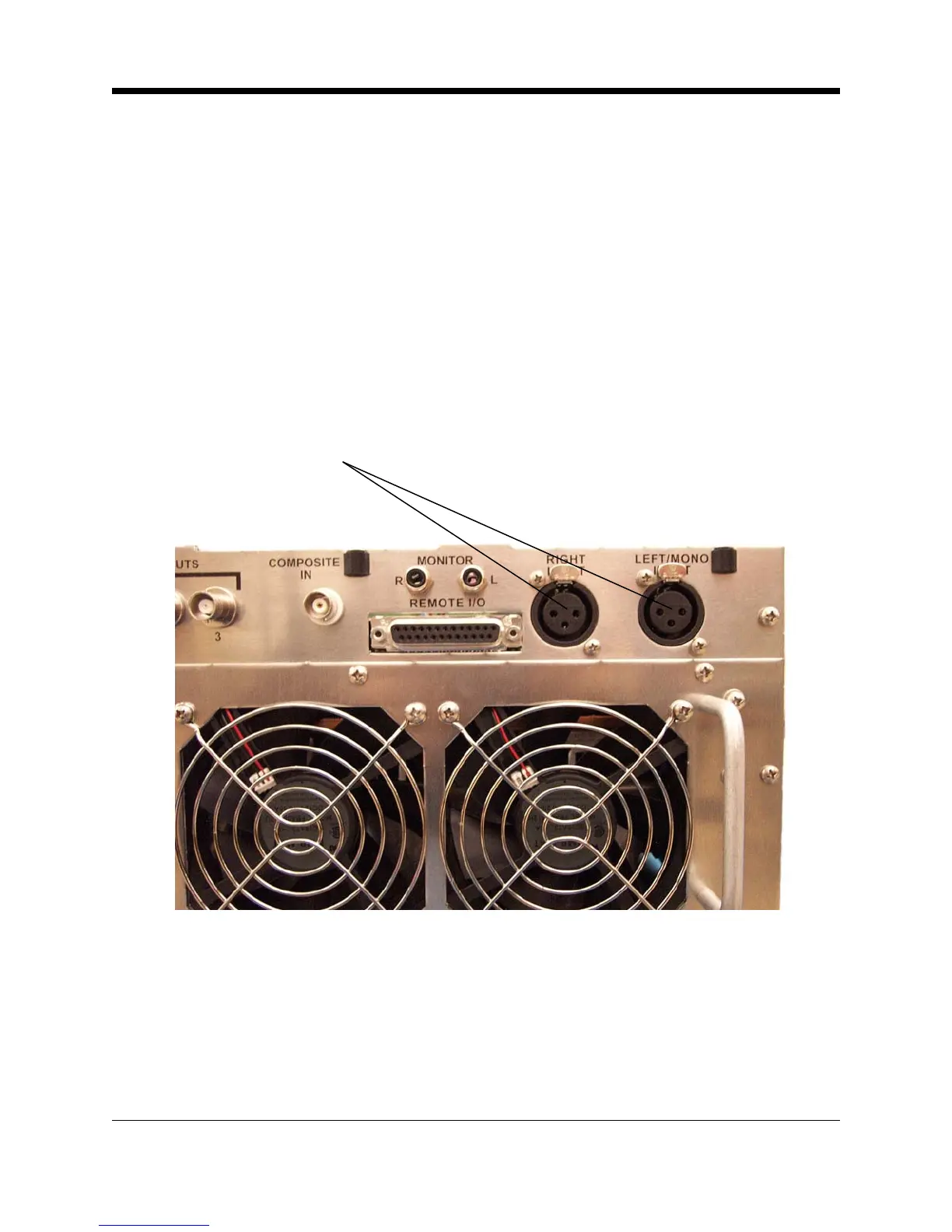
Attach audio inputs to the Left and Right XLR connectors on the rear panel. (The Left channel
audio is used on Mono.) Pin 1 of the XLR connector goes to chassis ground. Pins 2 and 3
represent a balanced differential input with an impedance of about 50 kΩ . They may be
connected to balanced or unbalanced left and right program sources.
The audio input cables should be shielded pairs, whether the source is balanced or unbal-
anced. For an unbalanced program source, one line (preferably the one connecting to pin 3)
should be grounded to the shield at the source. Audio will then connect to the line going to pin
2.
Audio Inputs
(XLR)
Illustration 2–14 XLR Audio Input Connectors
By bringing the audio return line back to the program source, the balanced differential input of
the transmitter is used to best advantage to minimize noise. This practice is especially helpful
if the program lines are fairly long, but is a good practice for any distance.
If the program source requires a 600 Ω termination, see the motherboard configuration chart
on page 4-9 for the proper configuration of the jumpers.



 To Next Page