55
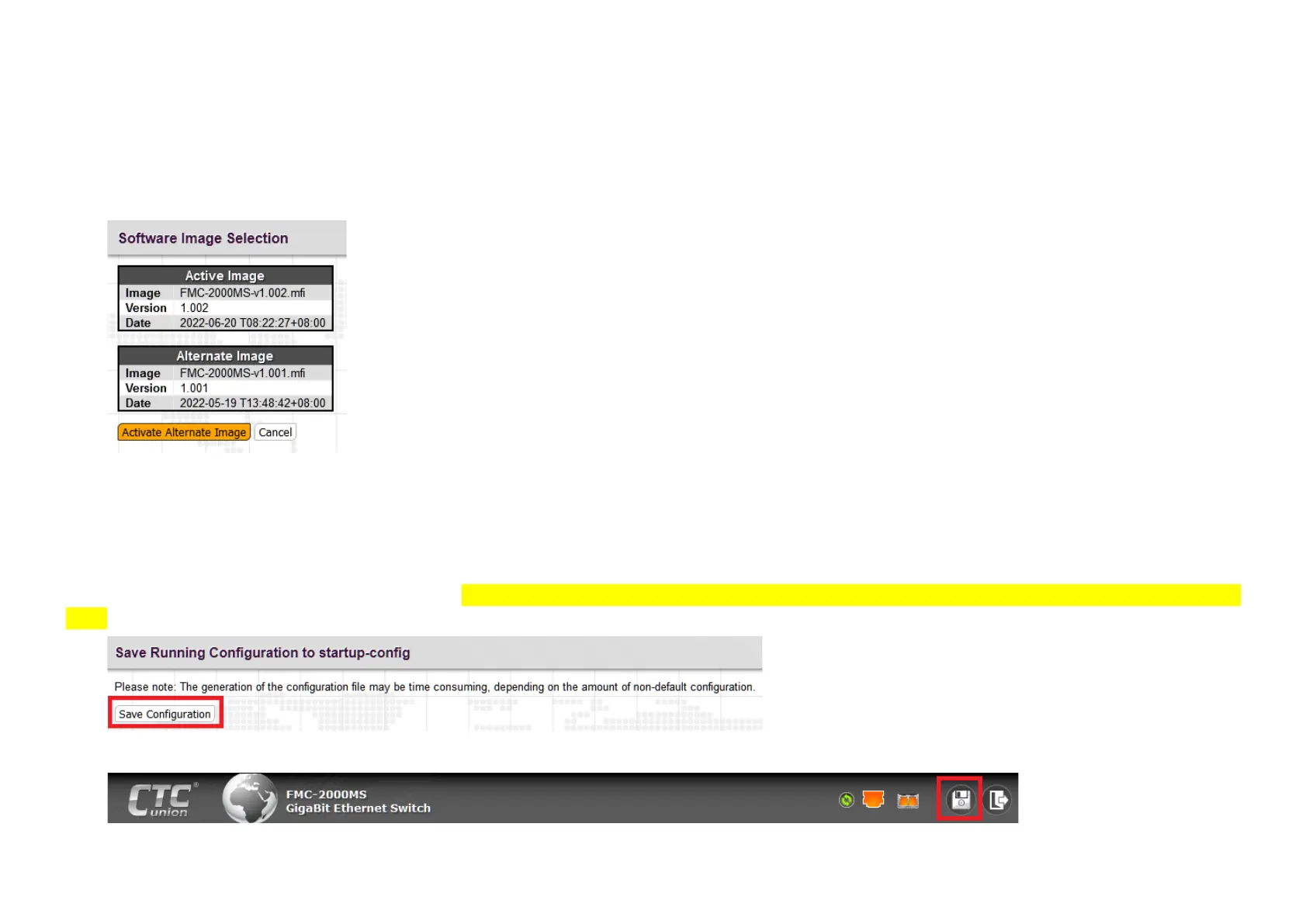
3.2.22.6 Software Image Select
The device can swap the "Active" image with the "Alternate" firmware image. Whenever the software is upgraded, whether by Web posting,
TFTP or serial X-Modem, the "Active" image will become the new "Alternate" image, while the new software will become the new "Active" image.
Swapping allows falling back to the previous software version. Confirmation is required.
3.2.22.7 Configuration Save Startup-Config
This device, when cold booted, will copy the "startup-config" into memory as the "running-config" and then run all operations from this running
configuration in memory. Any changes made via Web or console are done immediately to the "running-config". To save those changes from the
running configuration so they are available at the next cold boot, they must be "copied" to the "startup-config". Put very simply, this is the "save"
operation when finished with final configuration. Note: Failure to do this action will result in a loss of all configuration changes since the last cold
boot.
Alternately, this function can be performed at any time from the main header, by clicking the 'floppy' icon.



 To Next Page