DES-3010F/DES-3010FL/DES-3010G/DES-3018/DES-3026 Fast Ethernet Switch Manual
802.1X Authenticator Settings
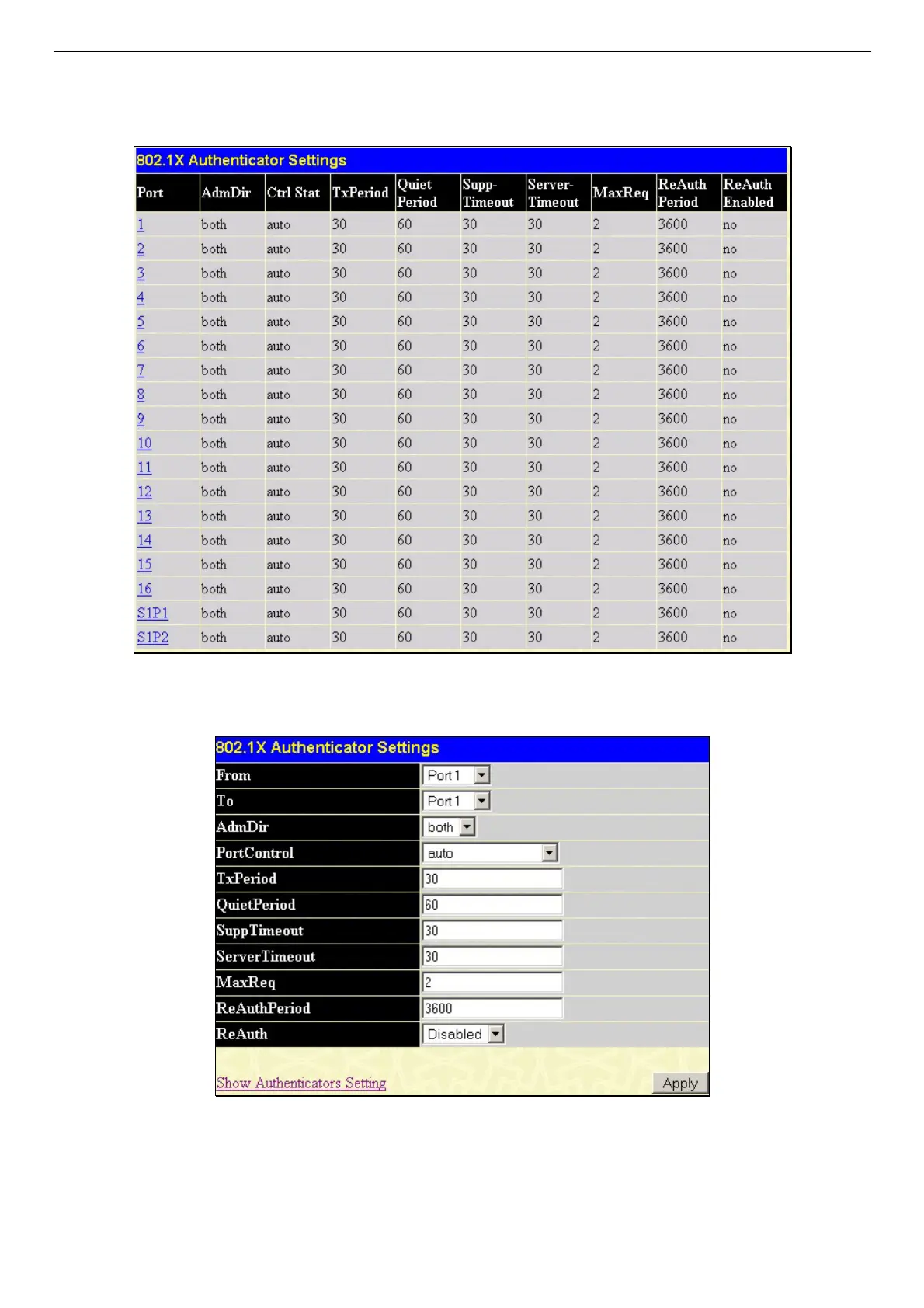
To configure the 802.1X authenticator settings, click Security > 802.1X > 802.1X Authenticator Settings.
Figure 10- 12. 802.1X Authenticator Settings window
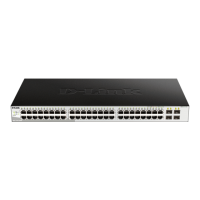
To configure the settings by port, click on the hyperlinked port number under the Port heading, which will display the following
table to configure:
Figure 10- 13. 802.1X Authenticator Settings – Modify window
This screen allows you to set the following features:
124
















 To Next Page