185D-Link DIR-895L User Manual
Section 6 - Quick VPN
1
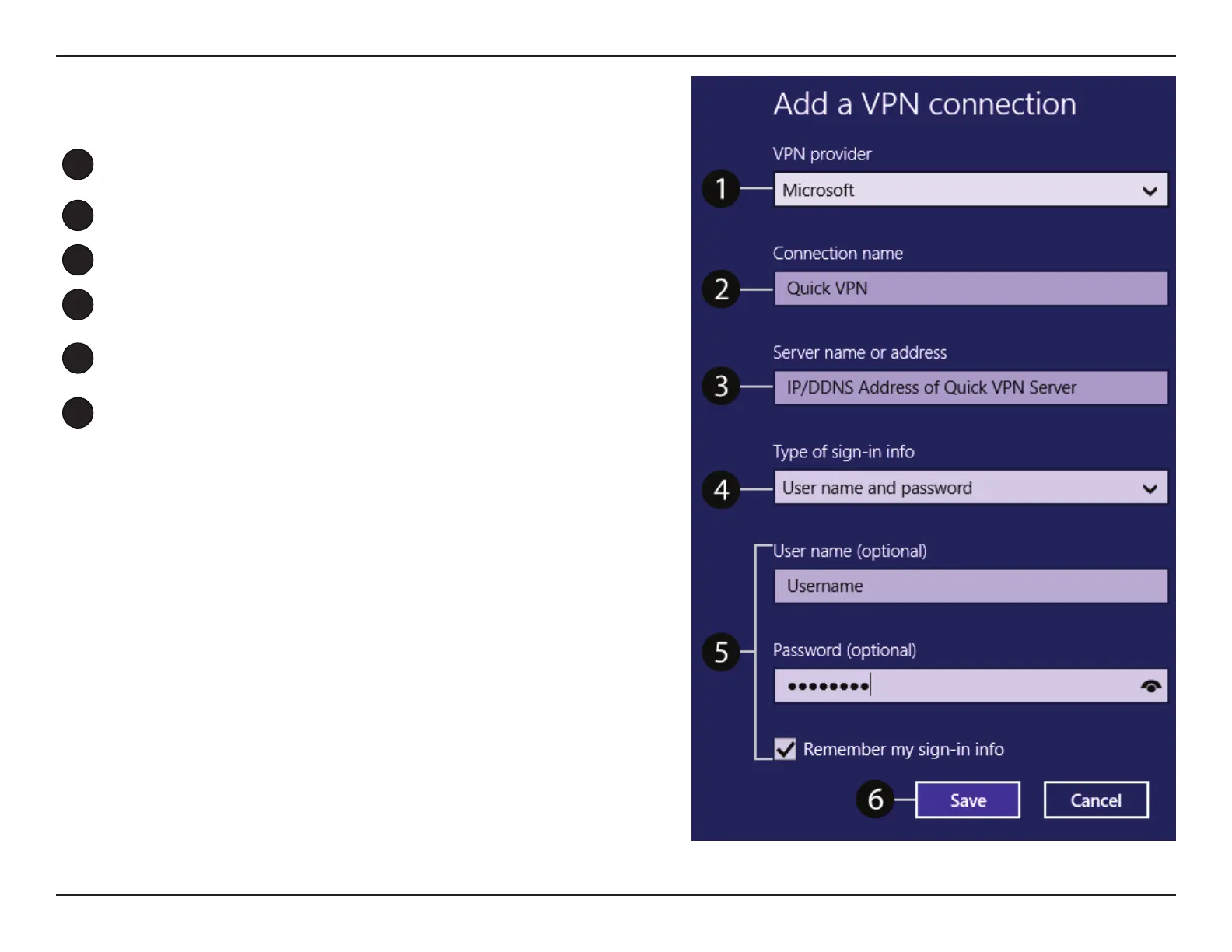
Select Microsoft from VPN Provider.
2
Create a name for your VPN connection.
3
Enter your IP/DDNS address of your Quick VPN server.
4
Select User name and password from Type of sign-in info.
5
If you would like windows to remember your sign-in information, enter
your User name, Password, and select Remember my sign-in info
6
Choose Save.
Add a VPN Connection


 To Next Page