33D-Link DIR-895L User Manual
Section 3 - Installation - Media Bridge
Hardware Setup (continued)
Change to Media Bridge Mode
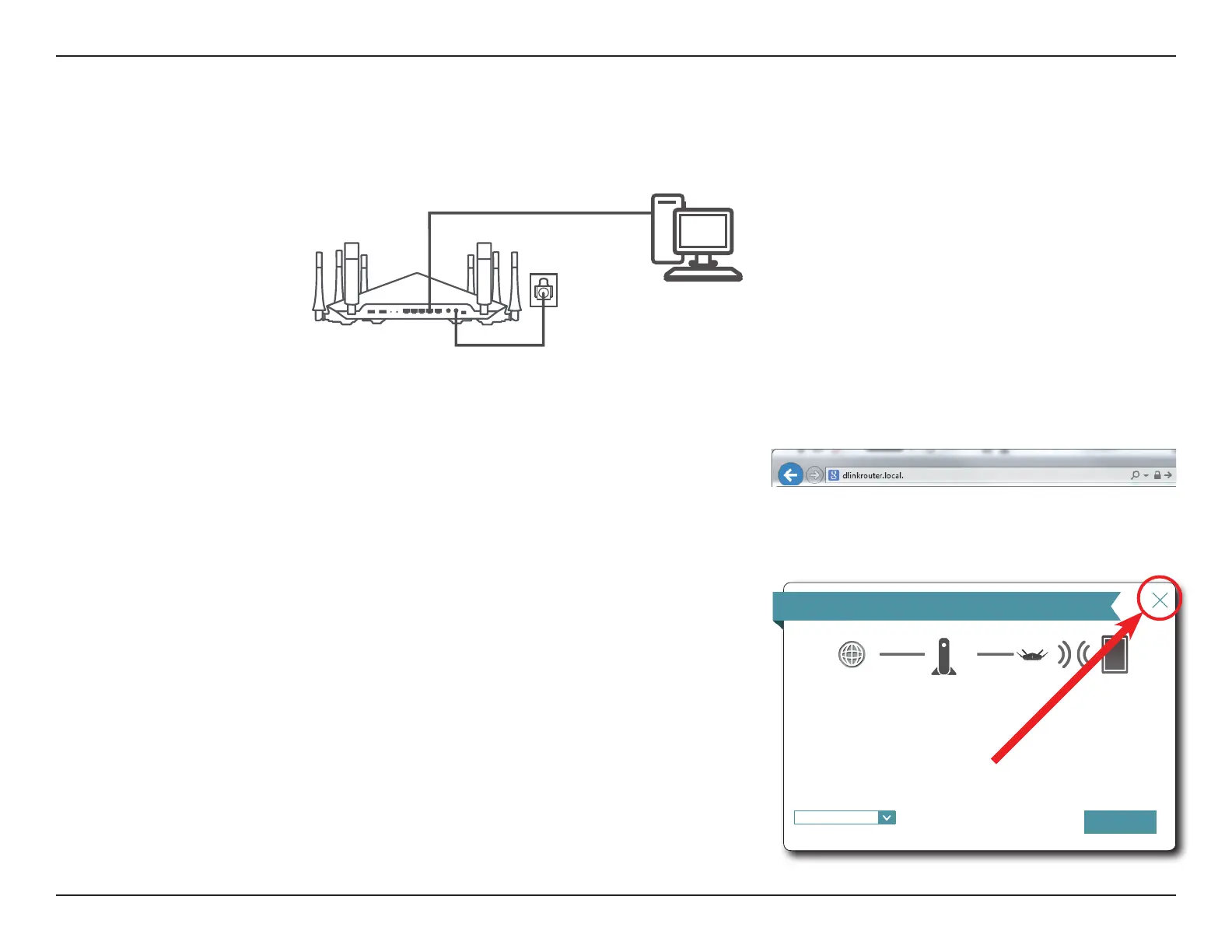
4. Connect wired devices to the LAN ports on your DIR-895L.
DIR-895L
To access the conguration utility, open a web-browser such as Internet Explorer
and enter http://dlinkrouter.local./ or you may also connect by typing the IP
address* of the DIR-895L in the address bar. The web conguration utility may
also be accessed at the IP address 192.168.0.50 when in Extender Mode,
accessing this address requires setting static IP address for your computer in the
192.168.0.x subnet.
*By default the DIR-895L in extender mode uses DHCP to obtain an IP address
from your uplink network. If you are using multiple DIR-895Ls or D-Link
devices, go to http://dlinkrouterxxxx.local./ as shown on the included Wi-Fi
Conguration Card, with “xxxx” being the last four digits of the DIR-895L’s MAC
address. The MAC address is also printed on the label on the bottom of the
device.
If this is your rst time conguring the DIR-895L, cancel out of the Setup Wizard
by clicking on the X in the upper right hand corner. The Setup Wizard can only
congures the device as an access point as of rmware 1.12.
Step 1: Connecting your device
Step 2: Conguring your settings
Step 3: Setting a password for your device
Welcome
Internet
This wizard will guide you through conguring your new DIR-895L.
Next
English
⌵
Wi-Fi ClientDIR-895LExisting Router


 To Next Page