32D-Link DSL-G2452DG User Manual
Section 4 - Configuration
Static IP
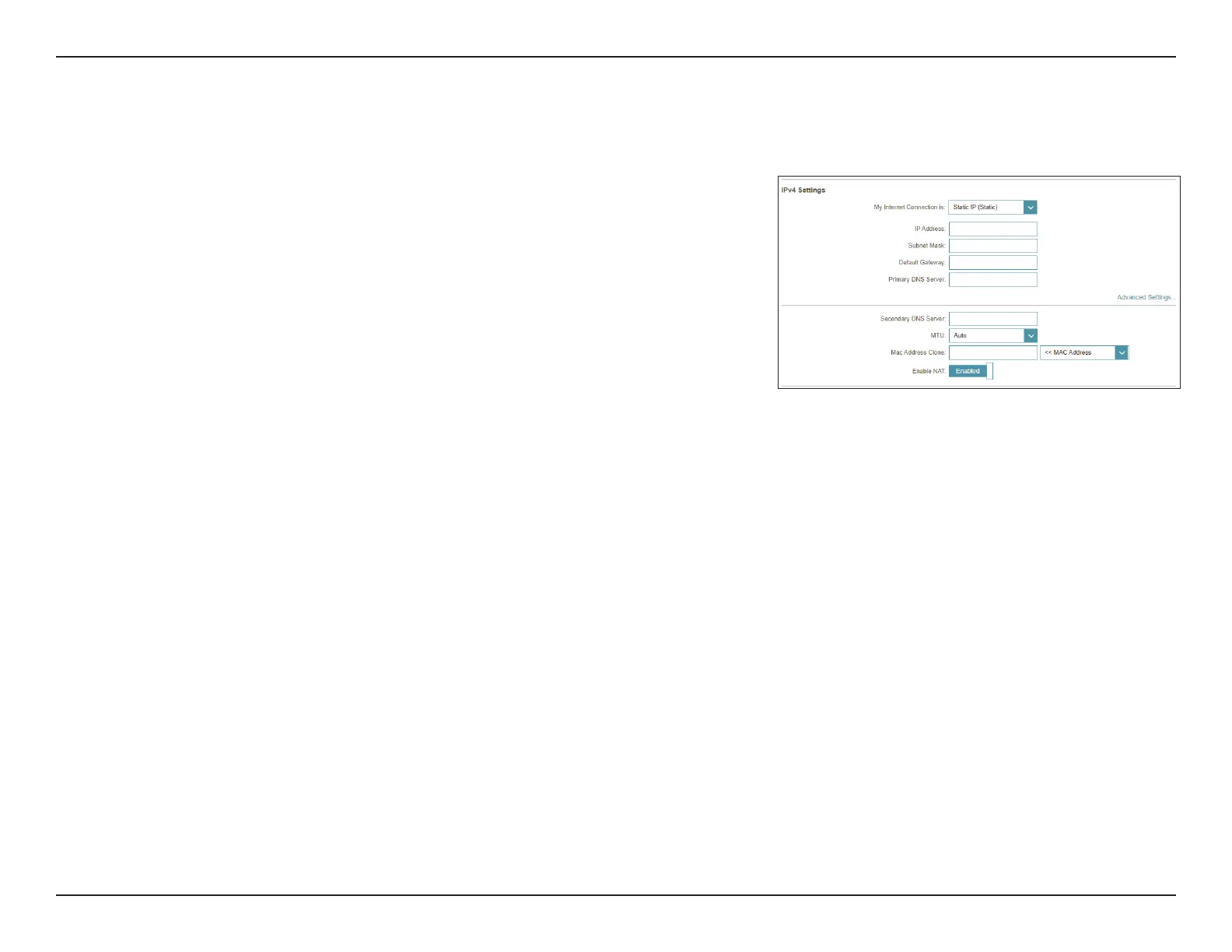
Select Static IP if your ISP provides you with a specific IP address.
IPv4 Settings:
My Internet
Connection is:
Select Static IP.
IP Address: Enter the IP address provided by your ISP.
Subnet Mask: Enter the subnet mask provided by your ISP.
Default Gateway: Enter the default gateway address provided by your ISP.
Primary DNS
Server:
Enter the primary DNS server IP address assigned by your ISP. This
address is usually obtained automatically from your ISP.
Advanced Settings
Secondary DNS
Server:
Enter the secondary DNS server IP address assigned by your ISP. This
address is usually obtained automatically from your ISP.
MTU: Maximum Transmission Unit - you may need to change the MTU for
optimal performance with your ISP.
MAC Address
Clone:
The default MAC address is set to the Internet port’s physical interface
MAC address on the router. You can use the drop-down menu to
replace the Internet port’s MAC address with the MAC address of a
connected client.
Enable NAT: Enable or disable Network Address Translation.
Proceed to IPv6 Settings on page 37 or click Save when you are done.
IPv4 Settings



 To Next Page