82D-Link DAP-2680 User Manual
Web User Interface
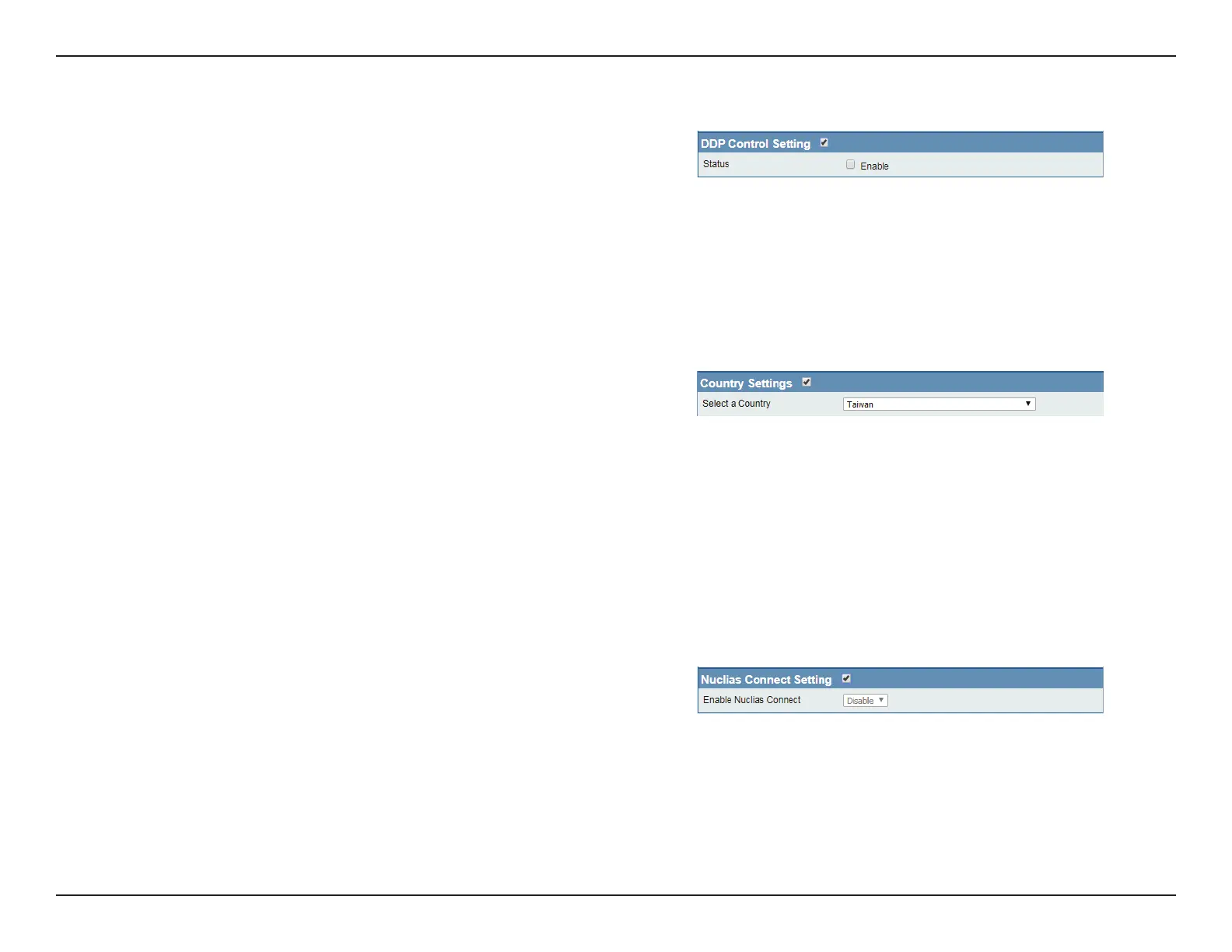
DDP Control Setting
Status Check the box to enable the DDP control
setting.
Note: To save the new conguration settings to the rmware, click
Conguration > Save and Activate, otherwise click Discard Changes to
delete any setting change.
Nuclias Connect Settings
The Nuclias Connect section is used to create a set of APs on the Internet to be organized into a single group in order to increase ease of
management. Nuclias Connect and AP Array are mutually exclusive functions.
Enable Nuclias Connect Click the drop-down menu to enable or disable
Nuclias Connect.
Note: To save the new conguration settings to the rmware, click
Conguration > Save and Activate, otherwise click Discard Changes to
delete any setting change.
Country Setting
Select a Country Choose from drop down list country where
device is located.
Note: To save the new conguration settings to the rmware, click
Conguration > Save and Activate, otherwise click Discard Changes to
delete any setting change.



 To Next Page
 Loading...