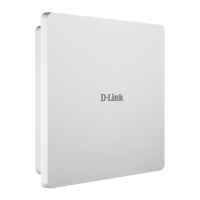
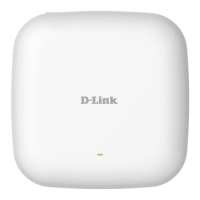
2D-Link DAP-2680 User Manual
Table of Contents
Table of Contents
Table of Contents ............................................................... 2
Nuclias Connect ................................................................. 4
Introduction .................................................................................... 4
Nuclias Connect Key Features ................................................... 5
Setup .................................................................................. 6
Package Contents .......................................................................... 6
System Requirements .................................................................. 6
Hardware Overview ........................................................... 7
LED ...................................................................................................... 7
Connections .................................................................................... 7
Basic Installation ............................................................... 8
Hardware Setup ............................................................................. 8
Congure the Access Point ................................................. 8
Setup Wizard .................................................................... 10
Web User Interface ..........................................................11
Basic Settings ................................................................................12
Wireless ....................................................................................12
Access Point Mode ........................................................12
WDS with AP Mode .......................................................14
WDS Mode ........................................................................16
Wireless Client Mode ....................................................18
Wireless Security ...................................................................20
Wired Equivalent Privacy (WEP) ...............................20
Wi-Fi Protected Access (WPA / WPA2) ....................21
802.1x .................................................................................23
LAN ............................................................................................24
IPv6 ............................................................................................25
Advanced Settings ......................................................................26
Performance ...........................................................................27
Wireless Resource .................................................................29
Multi-SSID ................................................................................31
VLAN .......................................................................................... 34
VLAN List ...........................................................................34
Port List .............................................................................. 35
Add / Edit VLAN ..............................................................36
PVID Settings ...................................................................37
Intrusion ................................................................................... 38
Schedule ..................................................................................39
Internal RADIUS Server .......................................................40
ARP Spoong Prevention ..................................................41
Bandwidth Optimization ...................................................42
Captive Portal ......................................................................... 44
Authentication Settings - Web Redirection Only 44
Authentication Settings - Username/Password ..46
Authentication Settings - Passcode ........................48
Authentication Settings - Remote RADIUS ........... 50
Authentication Settings - LDAP ................................52
Authentication Settings - POP3 ................................54
Login Page Upload ........................................................56
MAC Bypass ......................................................................57



 To Next Page
 Loading...