CTK04 ADDENDUM
93
9. Once satisfied with BOOST MODE adjustments, navigate to
the HOME screen by selecting the Previous Menu button
three times then selecting HOME.
DEHUMIDIFICATION
The thermostat reads the indoor humidity level and allows the
user to set a dehumidification target based on these settings. The
thermostat controls the humidity level of the conditioned space
using the cooling system. Dehumidification is engaged whenever
a cooling demand is present and structural humidity levels are
above the target level. When this condition exists, the circulating
fan output is reduced, increasing system run time, over cooling
the evaporator coil and ultimately removing more humidity from
the structure than if only in cooling mode. The CTK04 also allows
for an additional overcooling limit setting from 0°F to 3°F setup
through the Installer Option menu (directions following). This
allows the cooling system to further reduce humidity by lowering
the temperature up to 3°F below the cooling setpoint in an attempt
to better achieve desired humidity levels.
By default, dehumidification needs to be turned ON at the thermo-
stat via the Dehumidification Equipment menu. Dehumidification
can be activated at the original equipment setup by selecting the
A/C with Low Speed Fan button in the Dehumidification Menu.
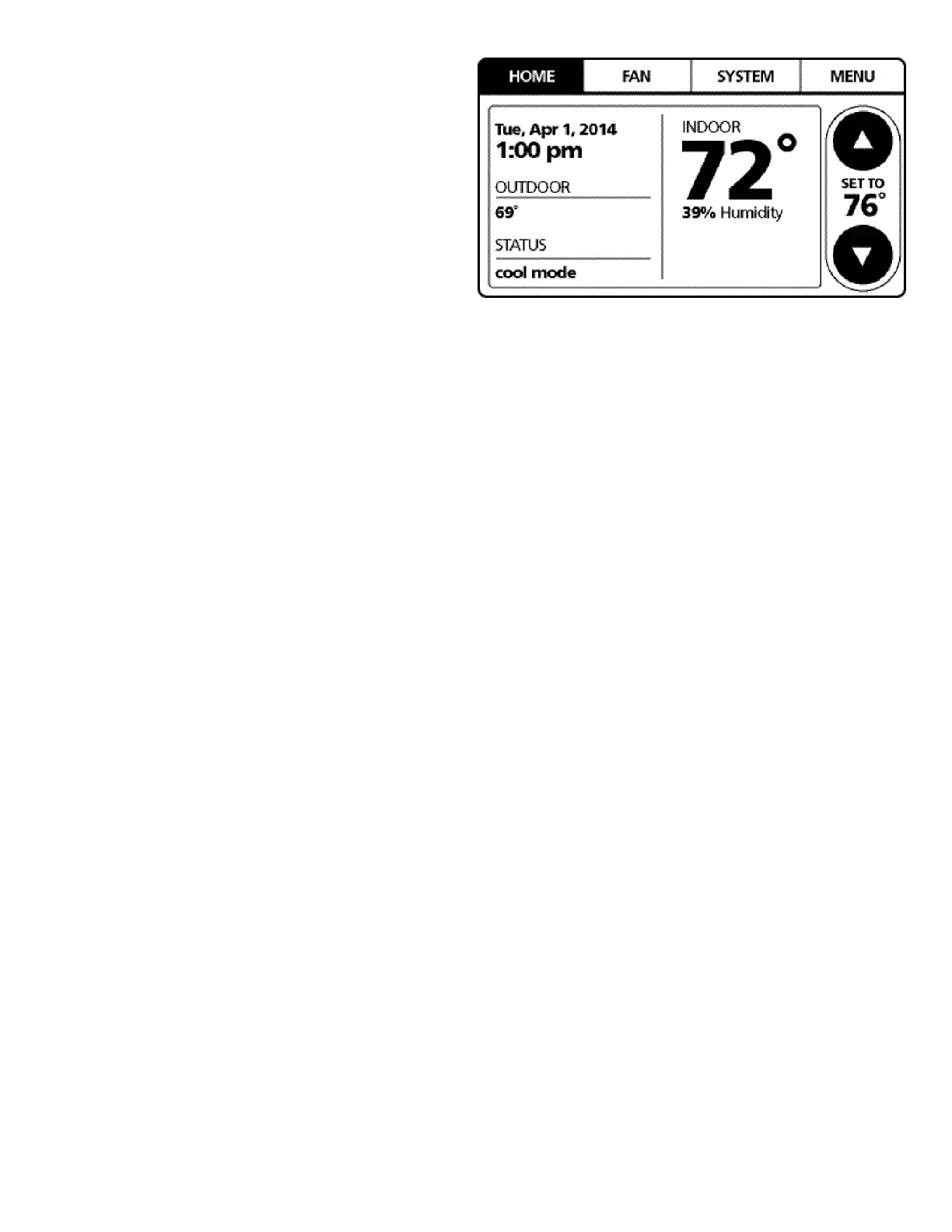
Availability can be verified by pressing MENU on the home screen.
Scroll down and if a Dehumidification button is present, dehu-
midification is activated.
If Dehumidification is not available in the menu then it must be
enabled through the Installer Options menu. Use the following
procedure to enable and disable dehumidification:
1. On the CTK04 HOME screen select MENU.
2. From the MENU screen, scroll down and select Installer
Options.
3. Enter installer password if known.
a. The password is the thermostat date code and can be
obtained by selecting the red Cancel button and select-
ing the Dealer Information button.
b. Once recorded, click the green OK button and return to
the previous step.
4. Select YES to continue.
5. Select View / Edit Current Setup.
6. Scroll down and select Dehumidification.
7. Once open select Dehumidification Equipment: None.
8. From the Dehumidification Menu select A/C with Low Speed
Fan and click the green Done button.
9. Additional Dehumidification operational options can be
selected in the resulting window.
10. Once satisfied with the selection, navigate to the HOME
screen by selecting the Done button and selecting Yes to
verify the changes.
11. Select Previous Menu, then the HOME to return to the main
menu.
DEHUMIDIFICATION TIPS*
For effective dehumidification operation:
• Ensure "Dehum" is NOT set to "OFF" through the Installer
Options menu and/or in the ComfortNet User Menu (COOL
SETUP).
- If except OFF, the Dehumidification menu should be
visible in the main menu.
• Verify the cooling airflow profile is set to “Profile D”.
- See the Cool Set-up section of the Installation Manual
for complete airflow profile details.
- By default, “Dehum” is STD and the cooling airflow
profile is set to “Profile D”.
• For additional dehumidification control, airflow settings
are field adjustable and can be fine-tuned to a value
that is comfortable for the application from a range of
Cool Airflow Trim.
• In addition, the system can have Enhanced
Dehumidification operation in setting "A", "B", or "C" of
"Dehum" based on dehumidification demand..
- See the DEHUMIDIFICATION SELECT section for more
detail.
* The specification of DZ20VC0241BD, 0361BC, 0481BC,
and 0601BC or earlier models are different from this
specification. For details, see the Installation Manual
or Service Manual that matches the Major and Minor
revision of model name.


 To Next Page