CTK04 ADDENDUM
99
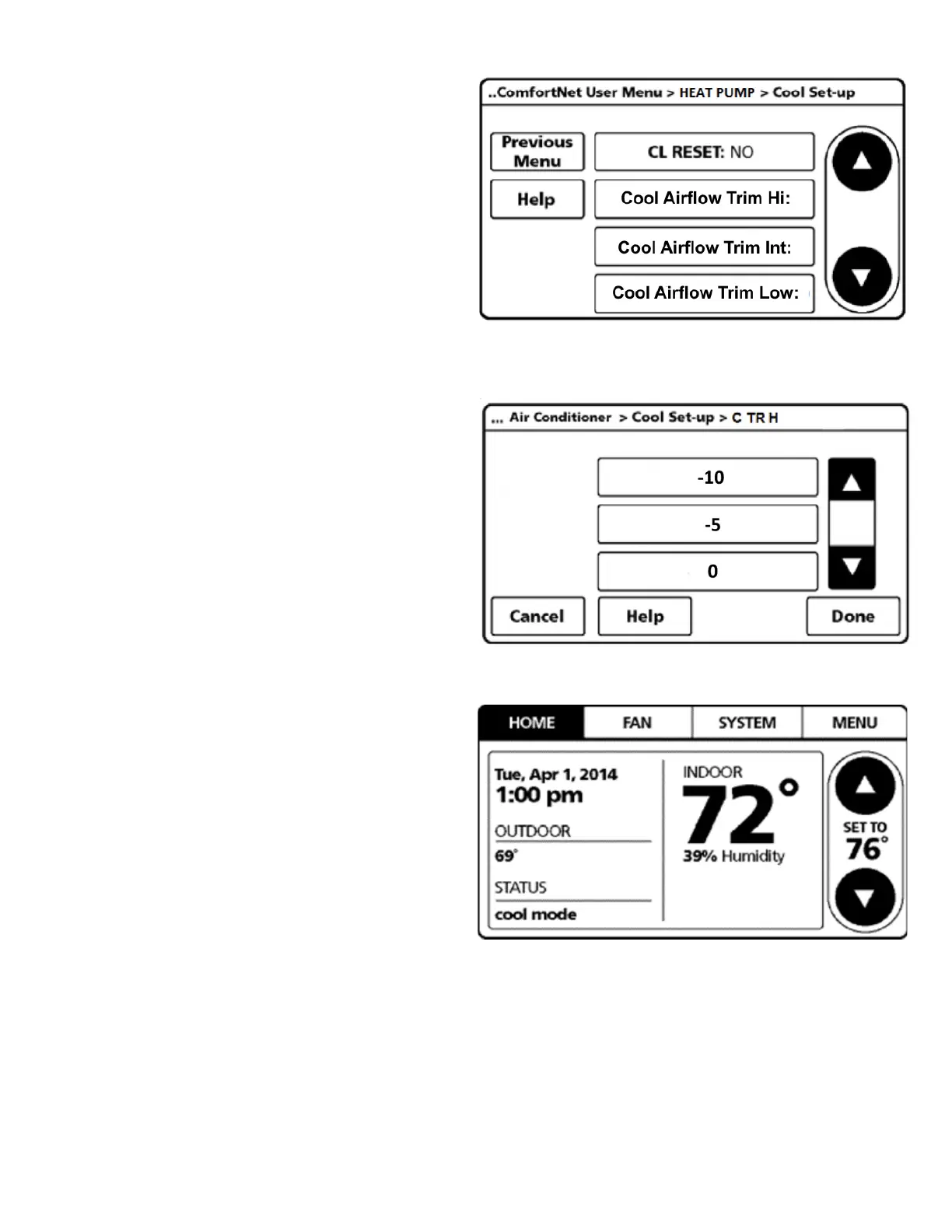
7. User can change the airflow trim at high, intermediate
and low compressor for cooling and heating mode.
Select:
Cool Airflow Trim Hi: high speed cooling
Cool Airflow Trim Int: intermediate speed cooling
Cool Airflow Trim Low: low speed cooling
Heat Airflow Trim Hi: high speed heating
Heat Airflow Trim Int: intermediate speed heating
Heat Airflow Trim Low: low speed heating
Under each trim setting, the airflow can be increased or
decreased by a certain percentage. The increment that can be
changed depends on the production date.
8. Once COOL AIRFLOW TRIM is set, navigate to HOME screen.
Enter normal operation with temperature offset or
thermostat schedule, as desired.


 To Next Page