Installation Manual 3P291714-2B
DCM601A71 intelligent Touch Manager
13English
1.4 Determining installation place
Be sure to install the intelligent Touch Manager in a place that meets the conditions
described in 1.4.1 to 1.4.3.
1.4.1 Installation place and mounting direction
Below are the description of the installation place and mounting direction. Be sure to
conrm.
• Installation place: Indoor, free from dust and water splashes
(For details, refer to CAUTION in the section of Safety Considerations.)
• Mounting direction: Vertical only.
1.4.2 Environmental conditions
Check that the installation environment meets the following conditions.
• The ambient temperature : 32 to 104 °F.
• The ambient humidity : 85% RH or less (without condensation).
• The electromagnetic wave does not affect the operation of the intelligent Touch Man-
ager.
1.4.3 Required space
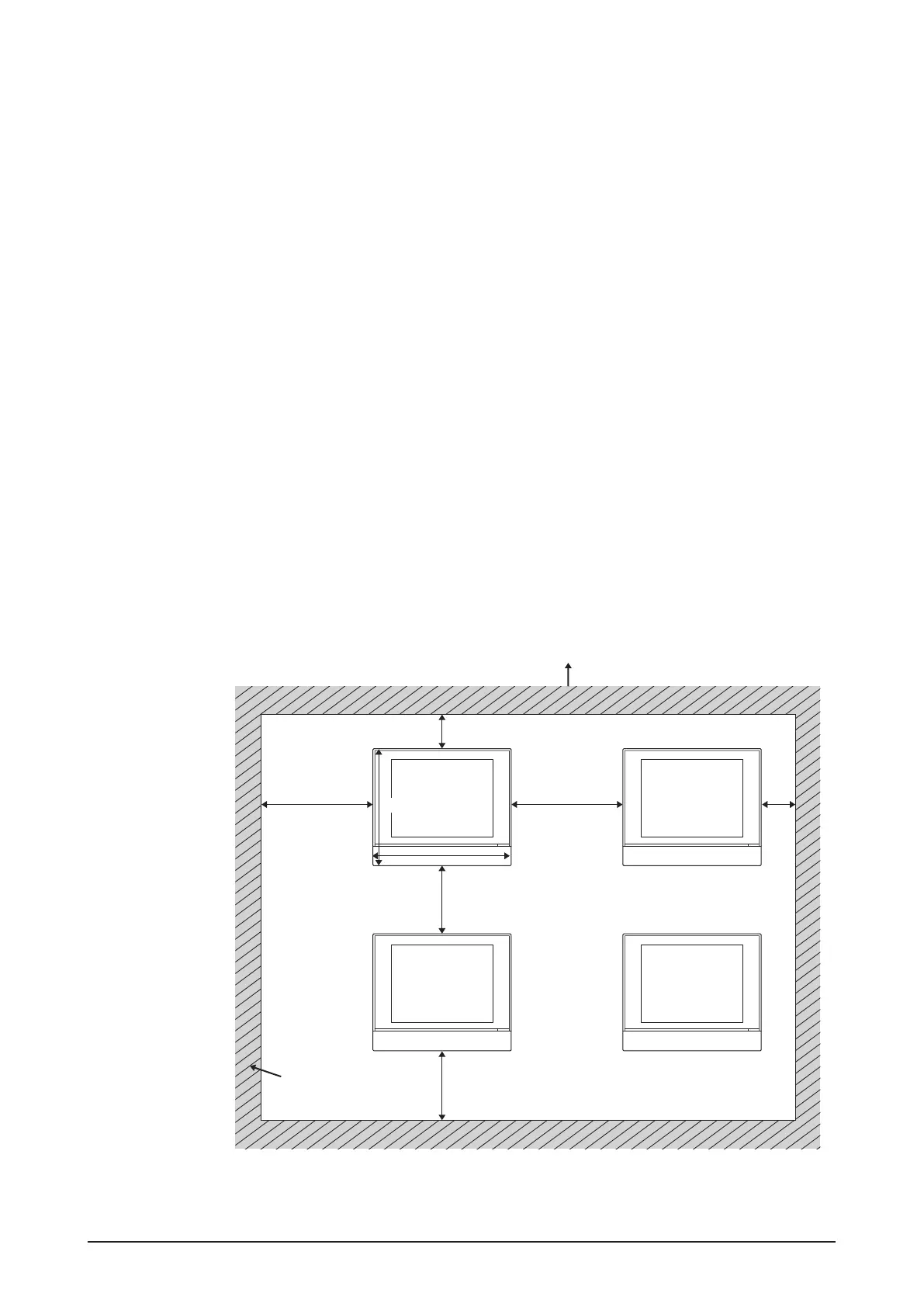
The gure shown below indicates the space required for installation. The following condi-
tions must be met. Make sure that there is a minimum clearance of 1-3/16 in. from the top
edge, 3-15/16 in. from the left side edge, 1-3/16 in. from the right side edge, and 2-3/8 in.
from the bottom edge of the unit.
<Installation space required for intelligent Touch Manager>
Required installa-
tion space
A
MONITOR MONITOR
MONITOR MONITOR
1-3/16
3-15/16
11-13/32
3-15/16
2-3/8
2-3/8
1-3/16
9-9/16
(in.)
B
A To p
B Wall










 To Next Page