Installation Manual 3P291714-2B
DCM601A71 intelligent Touch Manager
23English
2.7 Connecting power supply
Connect the intelligent Touch Manager to an power supply.
WARNING
Be sure to perform the operation during power-off conditions. Do not turn the
power supply on until all connections are made. Not doing so may cause an
electric shock.
2.7.1 Terminal location and schematic connection diagram
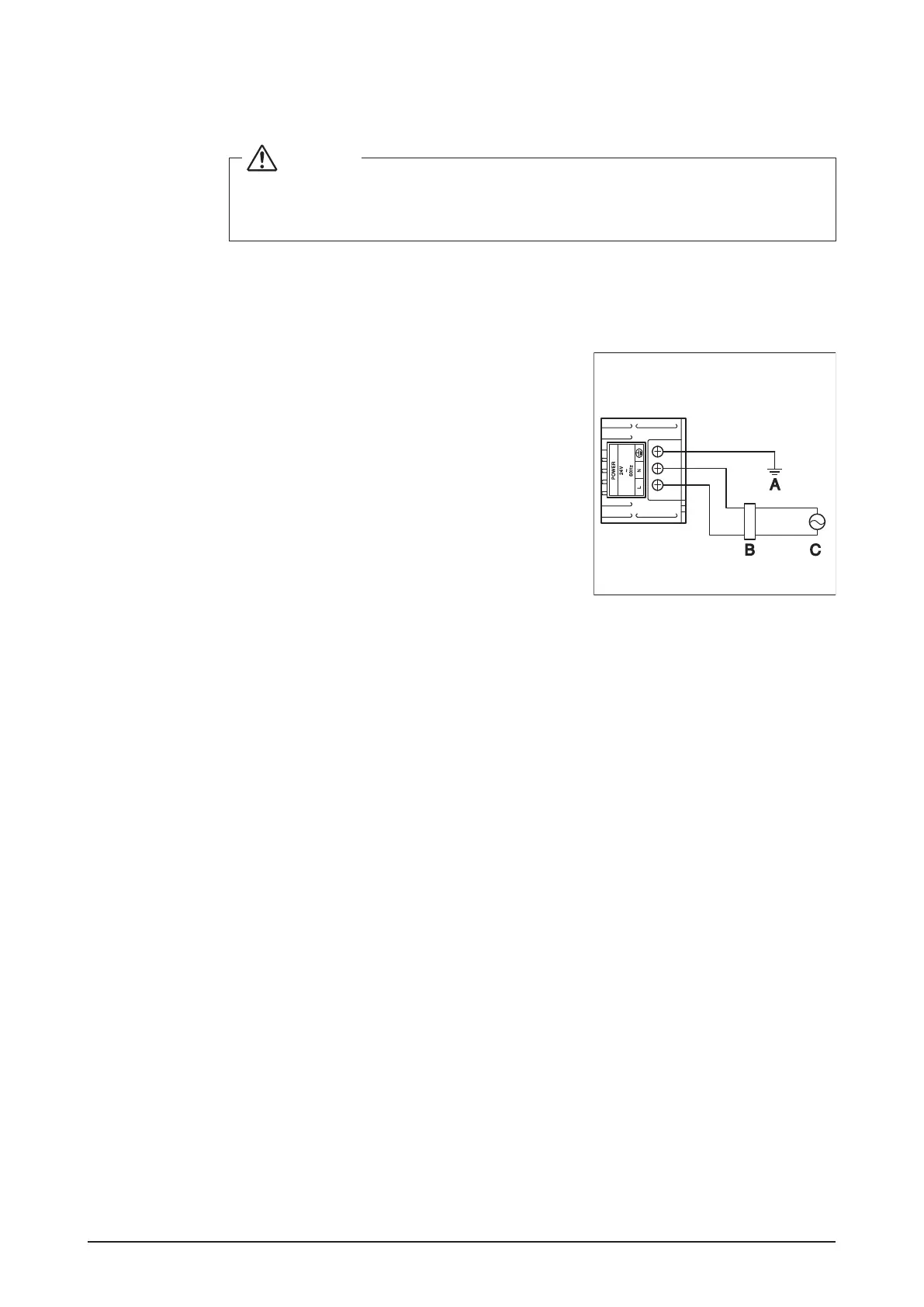
< Schematic power connection dia-
gram>
Connect the power supply to the three terminals, L
(Live), N (Neutral), and ground in the POWER sec-
tion.
A Earth
B Earth leakage breaker
C Power supply 24VAC 60 Hz











 To Next Page