Installation Manual 3P291714-2B
DCM601A71 intelligent Touch Manager
41English
5.3 Starting/stopping an area or management point
A
On
A
B
B
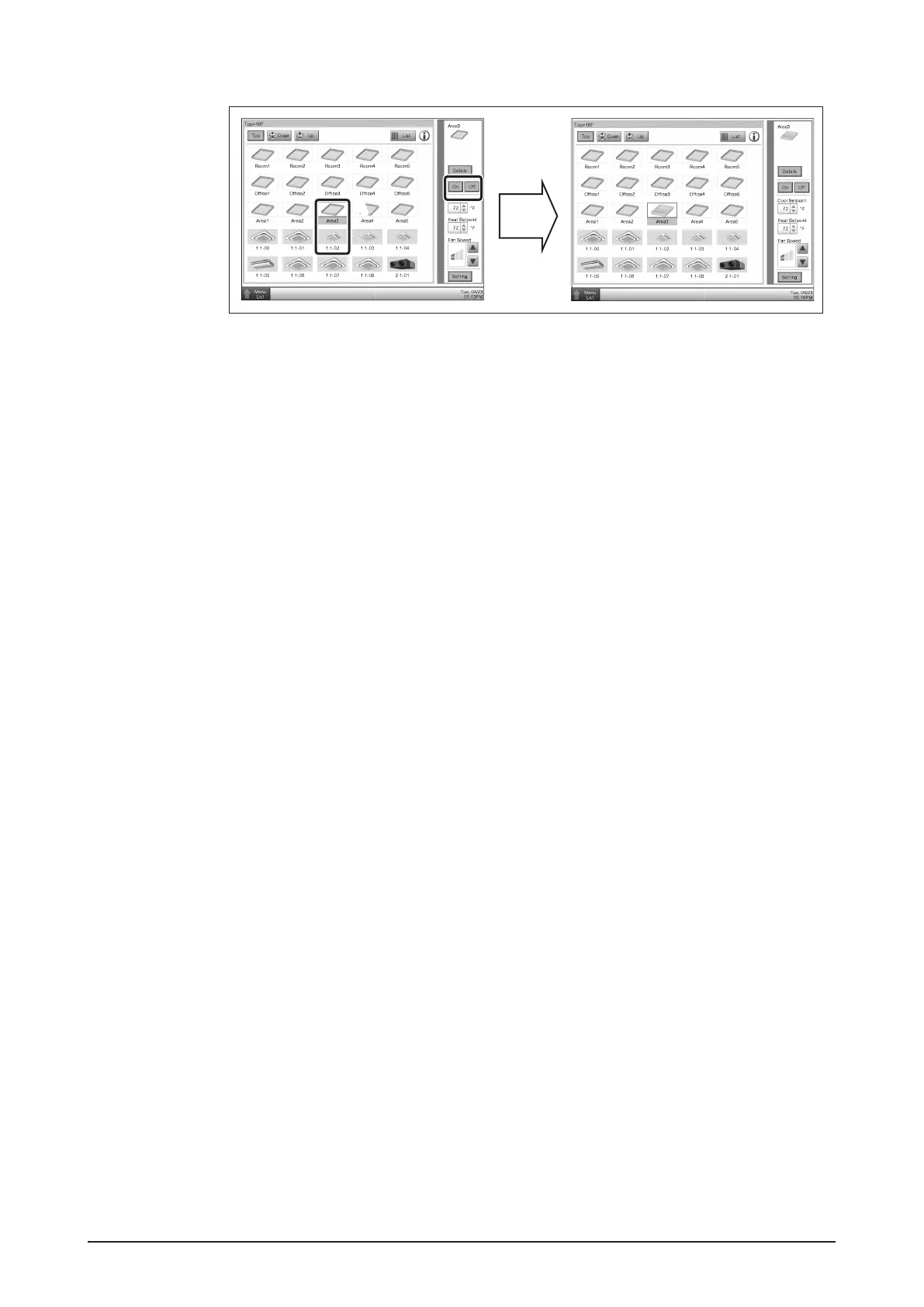
A Select the area or management point you want to start or stop.
B Select Start or Stop in the On/Off buttons. When operation is started, the icon color
changes to green or red (depending on the system setting). When operation is
stopped, the color changes to grey.










 To Next Page