Installation Manual 3P291714-2B
DCM601A71 intelligent Touch Manager
27English
3.2 Flush wall mounting
3.2.1 Parts to be used
To ush-mount the intelligent Touch Manager to the wall, use the following accessory
mounting parts:
• Frame bracket, 1 pc.
• Angle bracket, 2 pcs.
• Flat-head screw (M4×40), 4 pcs.
• Pan-head screw (M4×14, with spring washer and plain washer), 4 pcs.
(Check that there are all accessories listed in section 1.1: see the accessories included
with intelligent Touch Manager C.)
3.2.2 Wall opening dimensions
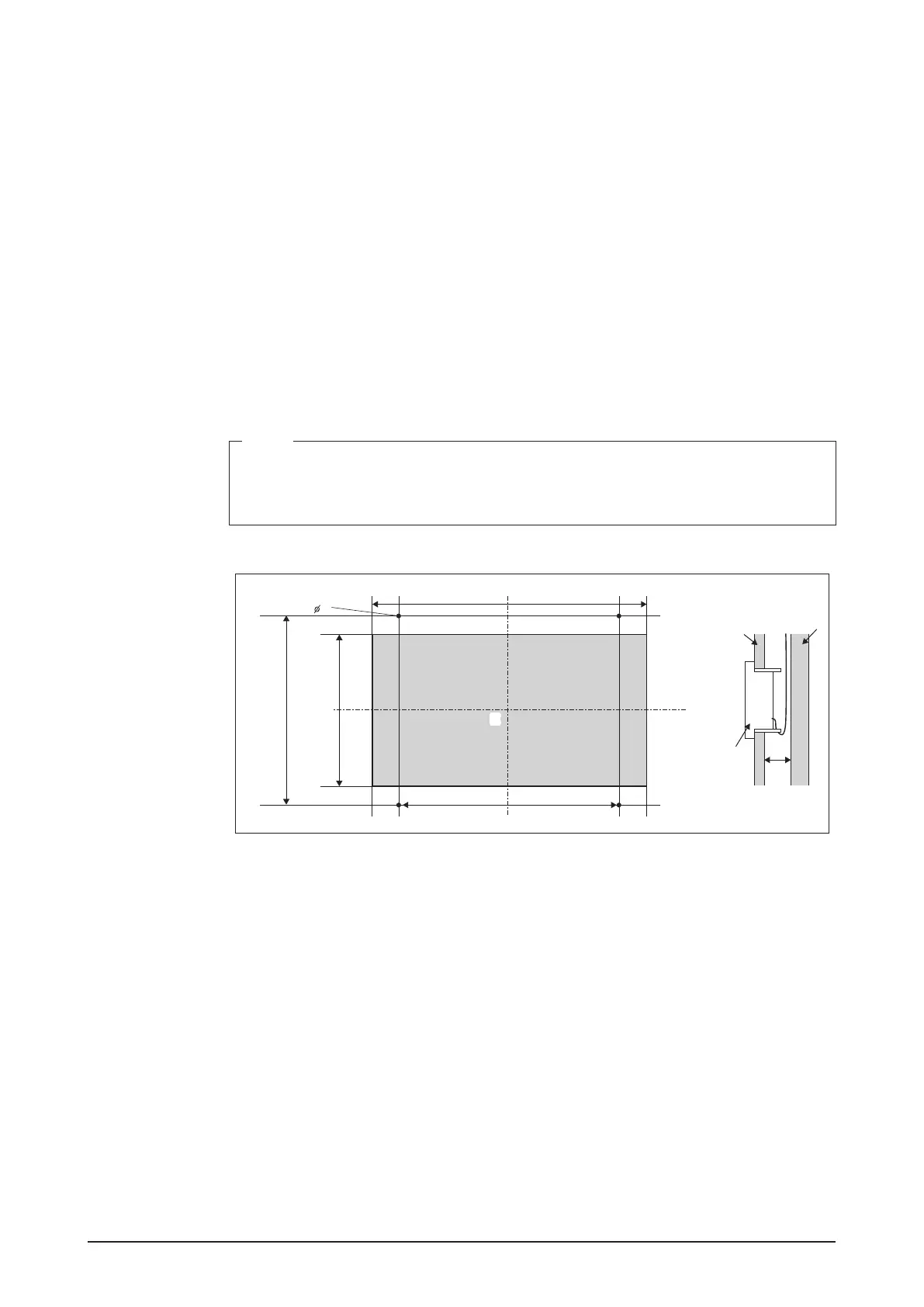
Use the following dimensional drawing to provide a sufcient opening.
NOTE
• The supplied paper template helps you mark the dimensions of the required wall
opening.
• Use the supplied paper template (Flush wall mounting).
<Wall opening dimensions for ush wall mounting>
4
10-5/32
8-5/16
8-13/16
9-1/2
(in.)
EE
D
A
B
C
A Inner wall material
B Beams of building (frame)
C intelligent Touch Manager
D 2-3/8 in. min.
E Opening










 To Next Page