26 Installation Manual 3P291714-2B
DCM601A71 intelligent Touch Manager
English
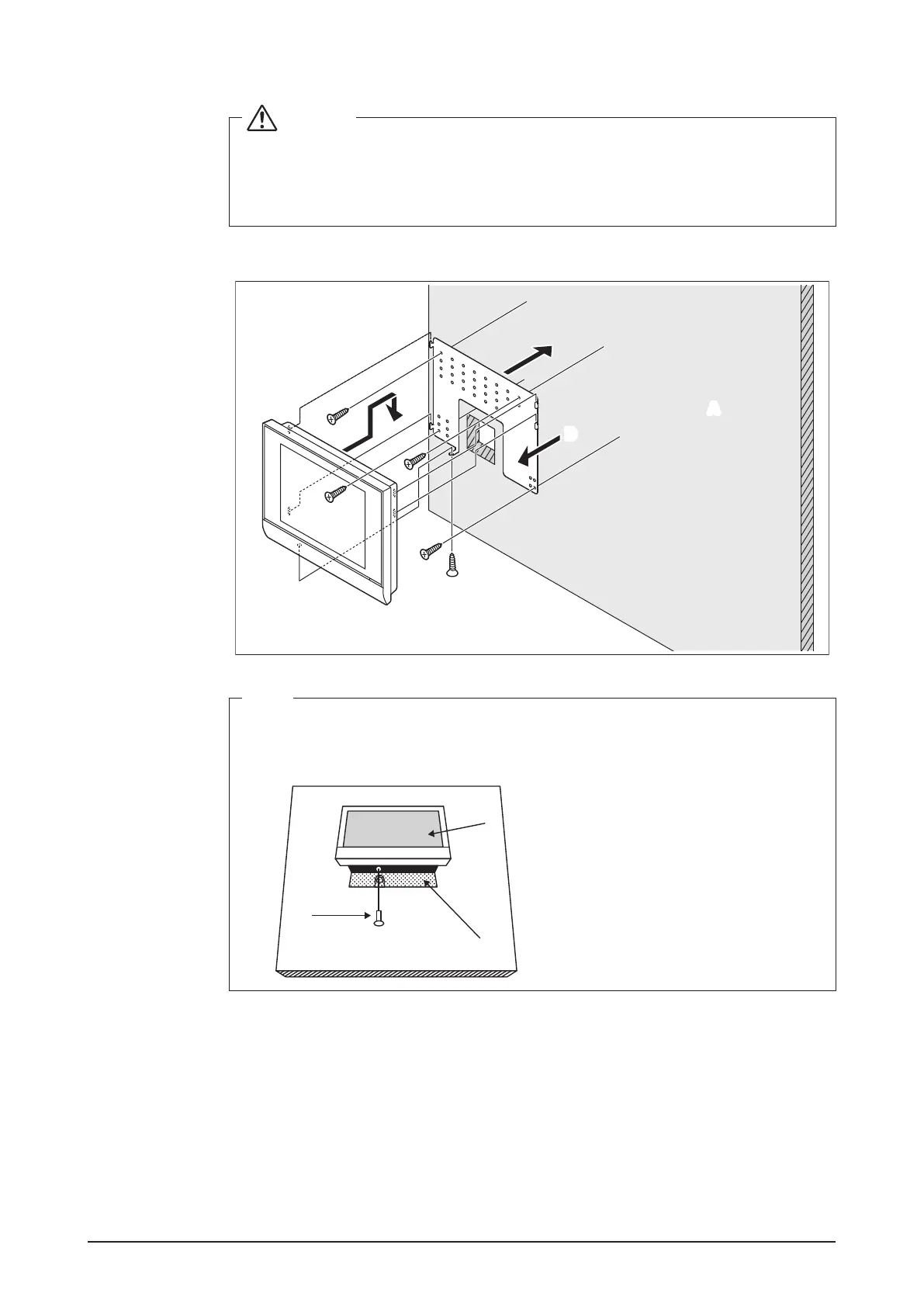
3.1.2 Installation procedure
CAUTION
• The wall mounting metal plate has a number of holes for attaching the round-
head wood screws. Though you can use any of these holes to x the plate, we
recommend you to use ones closer to the edge in order to prevent wobbling.
• Secure the round-head wood screws at four points.
<Wall mounting installation>
MONITOR
B
A
D
C
C
C
C
NOTE
• How to use the P-tight screw
Screw in from the bottom of the intelligent Touch Manager.
Remove the rear cover before starting installation.
B
E
D
A Wall
B P-tight screw
C Round-head wood screw
D Wall mounting metal plate
E intelligent Touch Manager










 To Next Page