Installation Manual 3P291714-2B
DCM601A71 intelligent Touch Manager
17English
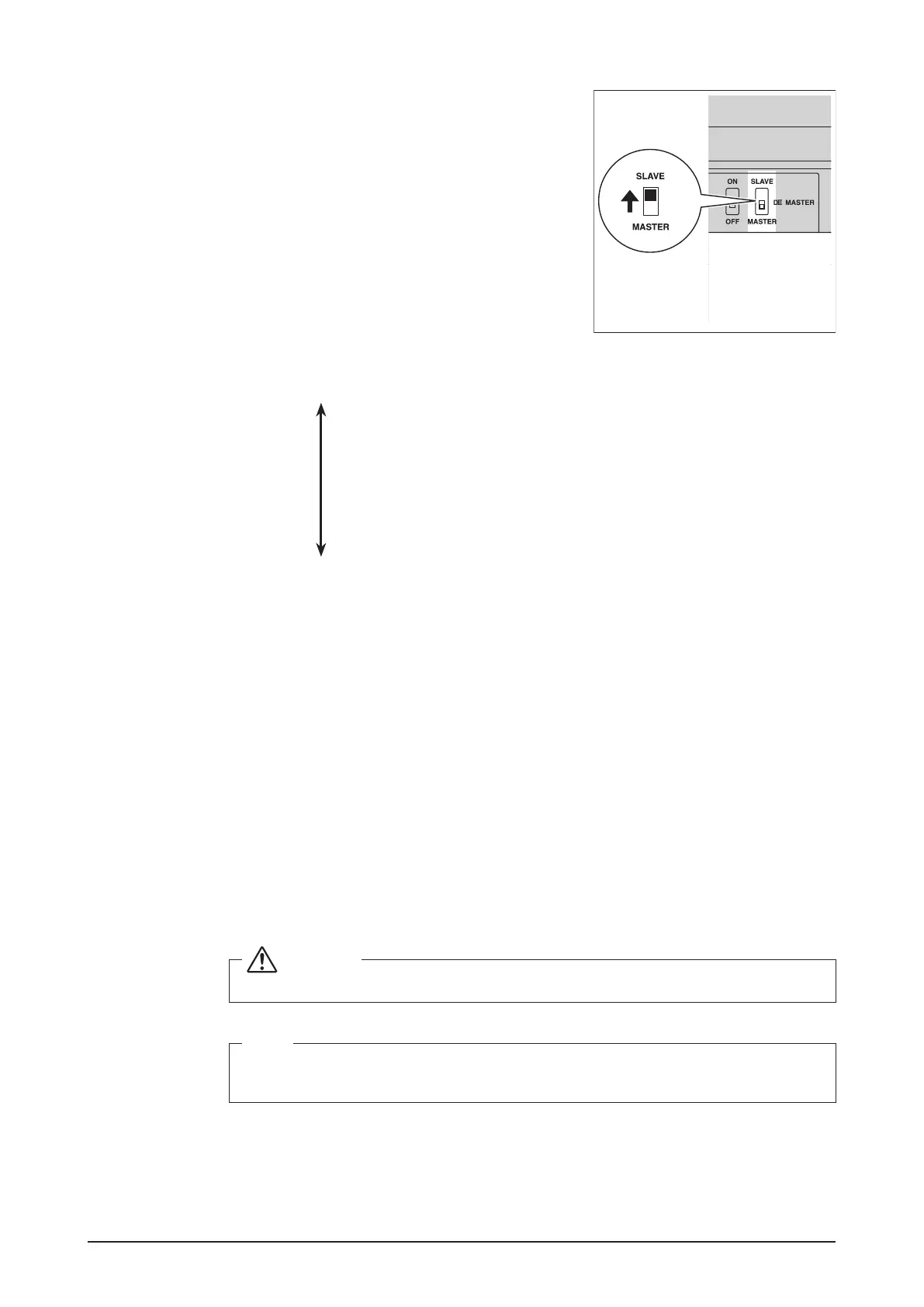
<DIII MASTER>
To change the setting of the intelligent Touch Man-
ager to SLAVE, turn the DIII MASTER switch located
under the front slide cover. Placing the DIII MASTER
switch in the upper position (labeled as “SLAVE”)
changes it to a SLAVE.
When installing multiple centralized controllers, set only the highest-priority controller to
MASTER and all other controllers to SLAVE according to the following order of priority.
High
(1) Interface for use in BACnet
(2) Interface for use in LONWORKS
(3) intelligent Touch Manager (Main), iTM plus adaptor (Main)
(4) Central Remote Controller (Main)
(5) intelligent Touch Manager (Sub), iTM plus adaptor (Sub)
(6) Central Remote Controller (Sub)
(7) ON/OFF Controller (Main)
(8) ON/OFF Controller (Sub)
Priority
Low
Centralized controllers that cannot be connected to the same network as the intel-
ligent Touch Manager.
• CALCULATE UNIT
• intelligent Processing Unit
• Parallel Interface
• intelligent Touch Controller
• DIII-NET Plus Adapter
• Residential Central Remote Controller
• Schedule Timer
• Wiring Adaptor for Electrical Appendices (1) (KRP2)
2.3 Connecting a LAN cable
By connecting the intelligent Touch Manager with a PC via Ethernet, you can remotely
perform operations such as operation setup and maintenance of air conditioning system.
WARNING
Do not clamp the LAN cable with high current cables.
NOTE
For how to connect the intelligent Touch Manager to a PC network, contact your net-
work administrator.










 To Next Page