Installation Manual 3P291714-2B
DCM601A71 intelligent Touch Manager
35English
4.7 Setting DIII-NET address for each air conditioner
The DIII-NET system has the control address used to identify each air conditioner group.
This is called “DIII-NET address”. You must set the DIII-NET address manually using the
remote controller of air conditioner. There are several types of the remote controller, and
the setting method differs depending on the controller type. This section describes com-
monly used two types of remote controllers, wired and navigation remote controllers, as
examples.
NOTE
For how to set the address for the Ventilator (Heat Reclaim Ventilator) or different adapt-
ers (such as a universal adapter), refer to the manuals supplied with those devices.
4.7.1 Names of buttons and display areas
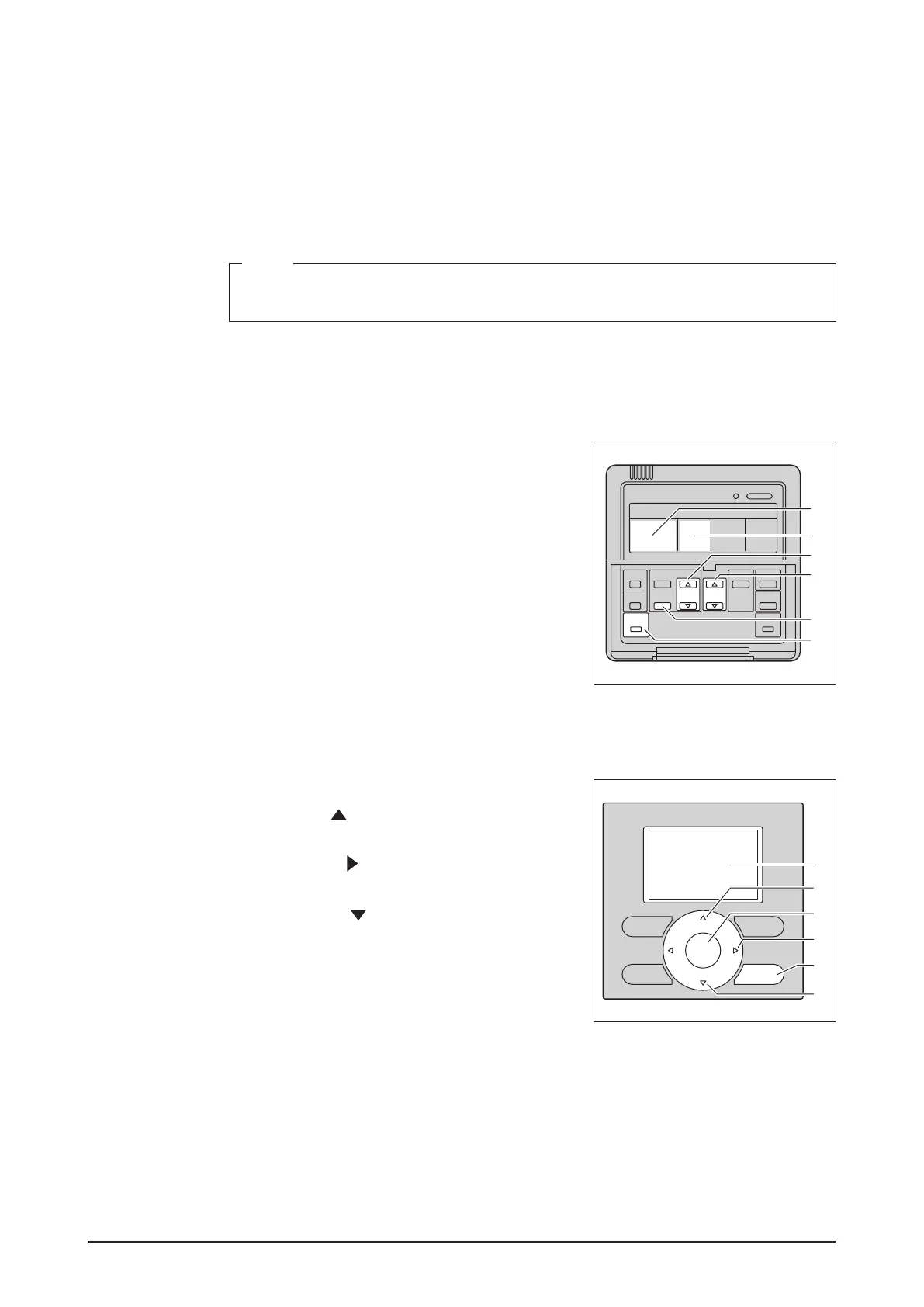
The followings are the names of buttons and display areas of the wired remote controller.
<Wired Remote Controller>
A Address display area
B Parameter number display area
C Programming time buttons
D Temperature setting buttons
E SCHEDULE button
F Inspection / Test operation button
B
A
C
E
F
D
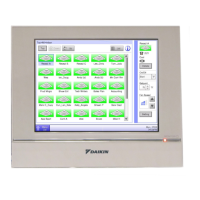
The followings are the names of buttons and display area of the navigation remote control-
ler.
<Navigation Remote controller>
A Liquid-crystal display (with backlight)
B Up button
C Menu / OK button
D Right button
E Cancel button
F Down button
A
B
F
C
D
E










 To Next Page